Power Supply
Your Node can be powered in two ways: with batteries or via USB-C. For batteries, you can choose between two variants — use whichever suits your installation.
Option A: Batteries
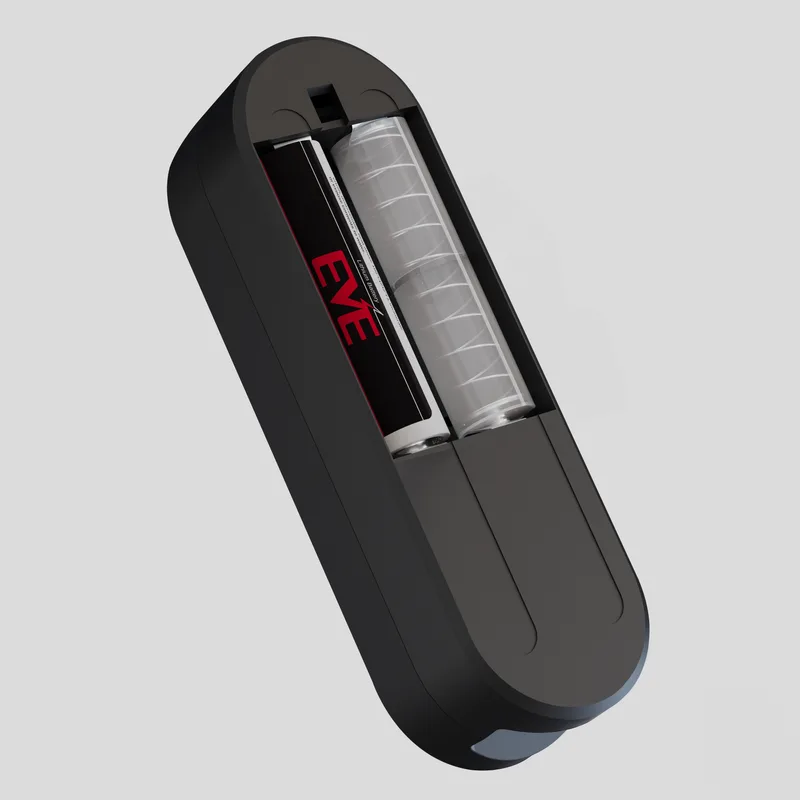
Variant 1: Long-lasting battery + battery dummy (recommended)
The long-lasting battery is included with the Node and lasts the longest. The battery dummy is a spacer that completes the circuit in place of a second cell.
- Open the battery compartment.
- Insert the long-lasting battery in one slot, and the battery dummy in the other, matching the + and – symbols shown inside the compartment.
- Close the compartment.
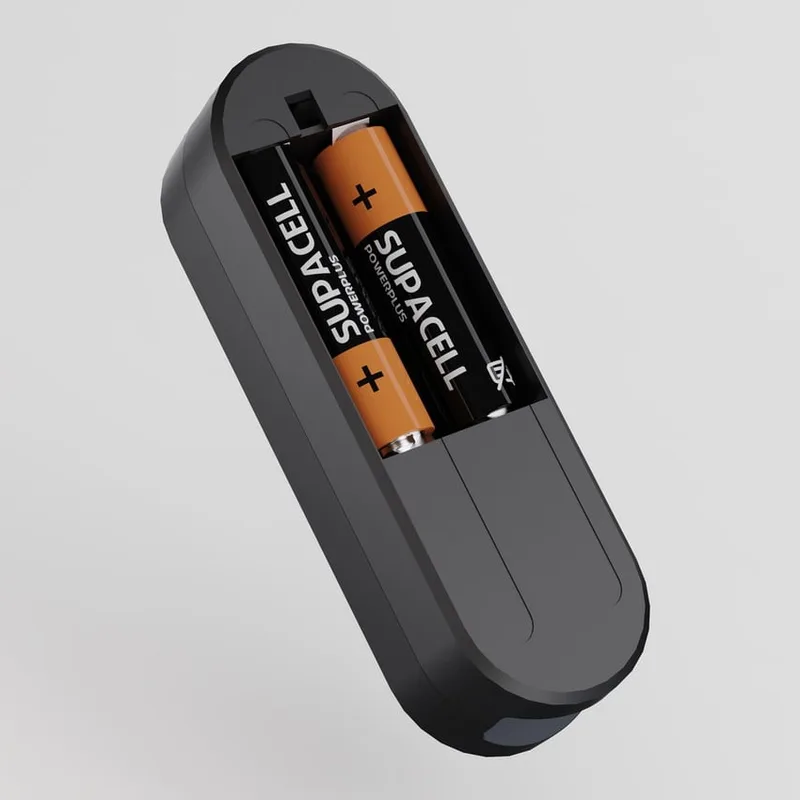
Variant 2: Two AA batteries
Also possible. However, AA batteries do not last as long as the long-lasting battery.
- Open the battery compartment on the back of the device.
- Insert two AA batteries, matching the + and – symbols shown inside the compartment.
- Close the compartment.
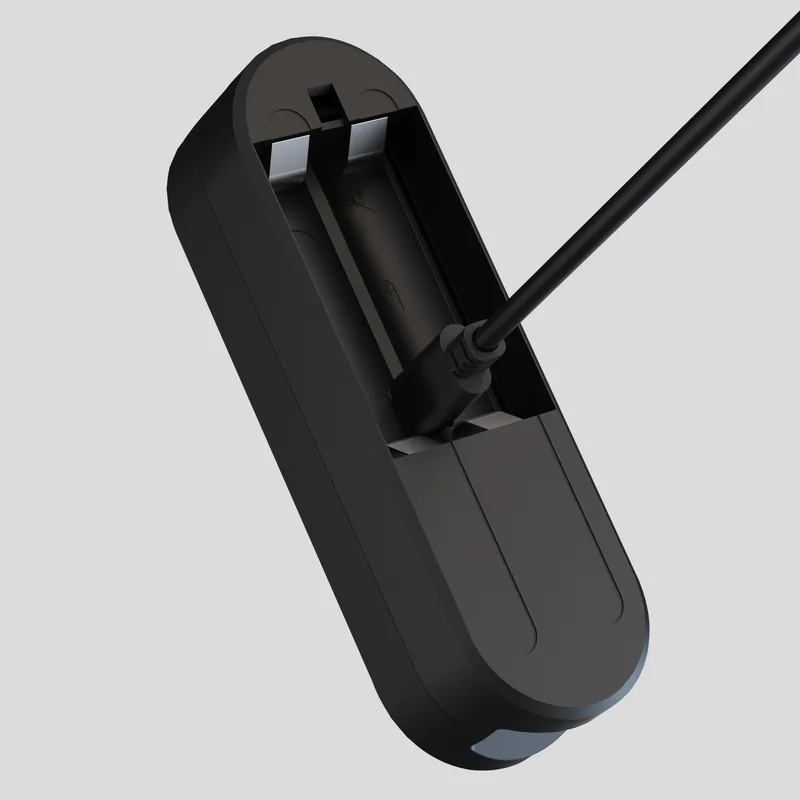
Option B: USB-C power
Possible if a power outlet is within reach.
- Open the battery compartment. The USB-C port is located beneath the space for the batteries.
- Remove the small rubber cover on the battery compartment flap.
- Guide the USB-C cable through the opening and plug it into the USB-C port.
- Close the battery compartment and plug the power supply into a nearby outlet.
A Node that has not been paired with a Bridge yet briefly shows the LED for Port 1 after you insert the batteries (for up to about 10 seconds). A Node that is already paired switches straight back to energy-saving mode with no LED at all. What the individual LEDs mean is explained under LED Indicators.
Reading intervals
- Battery operation: The Node takes a reading every 15 minutes.
- USB-C power: The Node captures power values every 5 to 10 seconds and meter readings every minute.
Next Step
Continue to Connecting Sensors to the Node.