wärmeleser – Overview
Welcome to the wärmeleser documentation! Here you'll find all the information you need to install, set up, and get the most out of your wärmeleser.
Jump straight to the first step: Physical Installation
Would you rather watch the installation? Watch the installation video
This documentation page is currently being built. Therefore, some information or images may still be missing. We are continuously working to complete the documentation.
User manual
The complete user manual is available here as a PDF:
What is the wärmeleser?
The wärmeleser lets you conveniently read the consumption data from your digital heat meter. It is intended for private use and transmits the measured data via WiFi to the wärmeleser cloud, where it is processed and then displayed in the energieleser app.
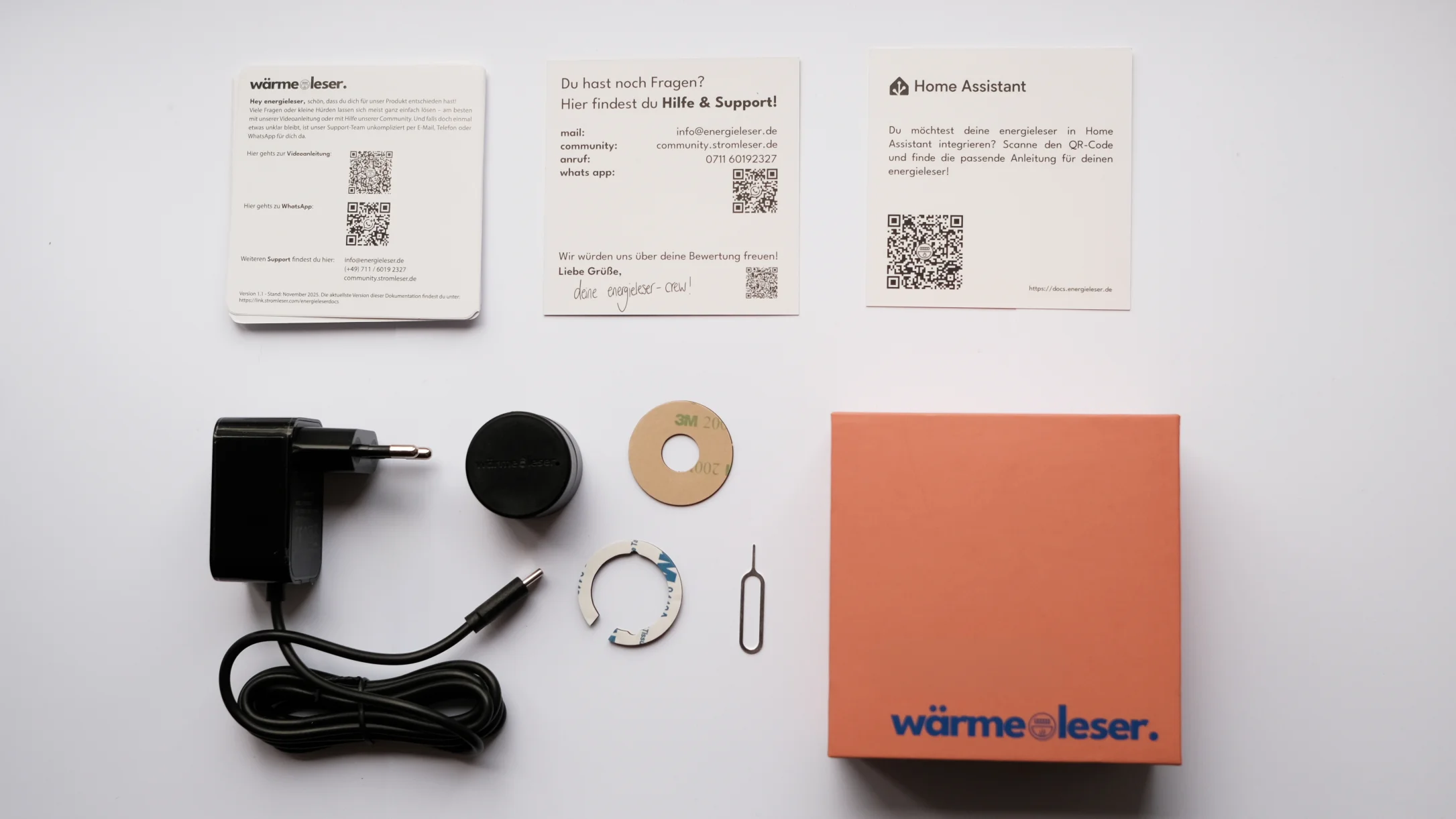
Main features
- Automatic meter reading – Continuous recording of heat consumption data via optical signals
- Real-time monitoring – Live display of current consumption in the app
- Smart home integration – Connection with Home Assistant and other systems
- App control – Easy operation via the energieleser app
Technical details
| Property | Value |
|---|---|
| Device name | wärmeleser |
| Dimensions (L×W×H.md) | 32 mm × 32 mm × 27 mm |
| Weight | 25 g |
| Operating temp. | -20 °C to 50 °C |
| Frequency range | 2.4 GHz |
| Max. power | 20 dBm |
| Input voltage | 5 V |
Advantages
- Easy installation – Magnetic mounting on the optical interface
- Flexible WiFi module – Detachable and can be placed separately in tight spaces
- Precise measurement – Reliable recording of consumption data
- Convenience – Automatic transmission of data to the cloud
Intended use & safety
The wärmeleser is intended for private use and should not be used for any other purpose. Before first use, read the enclosed instructions and safety information carefully.
This product is an electrical device and should be kept out of the reach of children. Ensure that the pipes have cooled down and no water is leaking. The product is not waterproof – avoid very hot or humid environments. Current safety information can be found at link.stromleser.com/energieleserdocs.
Product conformity: The radio equipment "wärmeleser" complies with Directives 2014/53/EU, 2014/30/EU, and 2011/65/EU. The EU Declaration of Conformity is available at link.stromleser.com/energieleserdocs.
Documentation index
| Category | Page | Description |
|---|---|---|
| Getting Started | Package contents | What's in the package |
| Compatible meters | Supported heat meters | |
| Installation | Physical installation | Mounting on the heat meter |
| Power connection | Connecting the power supply | |
| Installation video | Step-by-step video guide | |
| App Setup | Device-specific steps | App setup for the wärmeleser |
| Configuration | Setup overview | Overview of the configuration process |
| Heat parameters | Meter and heat settings | |
| Complete configuration | Finish setup | |
| Usage | Reading heat data | Understanding consumption data in the app |
| Understanding heat charts | Interpreting charts and statistics | |
| Maintenance | Firmware updates | Performing software updates |
| Plate cleaning | Cleaning the mounting plate and reading head | |
| Recalibration | Recalibration after maintenance | |
| Device reset | Reset to factory settings | |
| Device Management | LED indicators | Understanding LED status indicators |
| Factory reset | Reset to factory settings | |
| Troubleshooting | Solving common problems | |
| Integrations | Home Assistant | Integration with Home Assistant |
| Advanced | FAQ | Frequently asked questions |
Support & help
Many questions or small hurdles can usually be solved easily – ideally with our video guide or with the help of our community. And if something is still unclear, our support team is available by email, phone, or WhatsApp.
- Email: info@energieleser.de
- Phone: (+49.md) 711 / 6019 2327
- Community: community.stromleser.de
- Current documentation: link.stromleser.com/energieleserdocs
Next steps
- Check delivery contents – What's in the box?
- Compatible meters – Which heat meters are supported?
- Installation – Step-by-step mounting guide
- App setup – Set up the device in the app
- Configuration – Configure heat parameters and tariffs
- Usage – View consumption data and charts in the app