LED Signals and Their Meaning
The energieleser.node has four LED indicators that show the current device status. In everyday use, no LED is usually lit — this is intentional and saves battery. This page helps you interpret the signals if an LED does light up.
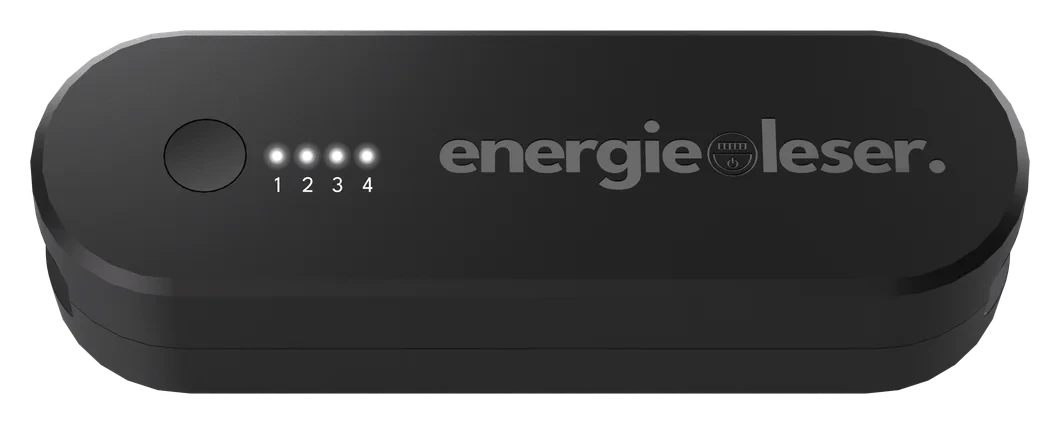
During pairing
| Stage | LED status | Meaning |
|---|---|---|
| Pairing armed | LED 1 blinks three times quickly (100ms on / 100ms off) | Confirms the 5-second hold was registered |
| Listening for the Bridge | All 4 LEDs turn on solid | Stays like this for up to 45 seconds, or until pairing completes |
| Pairing complete or cancelled | All LEDs turn off | The Node returns to normal operation |
See Pairing the Node for the full procedure.
At power-on
| Stage | LED status | Meaning |
|---|---|---|
| Power on (not yet paired) | The LED for Port 1 lights up and stays on for up to about 10 seconds, then all LEDs turn off | The Node then switches to energy-saving mode |
| Power on (already paired) | No LEDs | The Node switches to energy-saving mode immediately — normal after a battery change |
| Power on via USB-C | LEDs 1, 2 and 3 light up for about 60 seconds (a short button press ends it early) | Shows that USB-C power is detected |
During normal use
| LED status | Meaning |
|---|---|
| No LEDs lit | Normal — the Node is in energy-saving mode, where it spends almost all of its time |
| The LED for one port flashes briefly | A reading was just counted on that port — normal confirmation |
During a firmware update
| LED status | Meaning |
|---|---|
| LEDs chase in order 1 → 2 → 3 → 4, repeating, about every 150ms per step | The device is in update mode, waiting to receive a firmware file over its USB-C service connection |
This pattern is only expected during a firmware update — see Troubleshooting if it appears unexpectedly.
Troubleshooting
An unrecognised LED pattern is showing
Compare it against the tables above. If it's the four-LED "chase" pattern and you didn't start a firmware update, simply wait about ten seconds without touching the button — the Node will return to normal energy-saving mode on its own.
The Node does not respond
If the Node shows no LED even after a short button press:
- Check the batteries (or USB-C connection) are properly seated
- Replace the batteries with a fresh pair, or a fresh long-lasting battery + dummy
- Contact support if the problem continues
Next step
Learn more about Troubleshooting other common issues with your energieleser.node.