Share Device & Create API Key
This guide applies to all energieleser devices: stromleser.tasmota, stromleser.one, gasleser, wasserleser and wärmeleser.
If a third-party portal (e.g. a property manager or monitoring service) needs to access your meter data, you create an API key for it in the energieleser app and hand it over to the provider. The key is limited to the devices you select and grants read-only access.
With the API key you are sharing real consumption data with a third party. Only share the key with a provider you trust, and only if you expressly consent to the data being shared. You can revoke a key at any time in the app — it becomes invalid immediately.
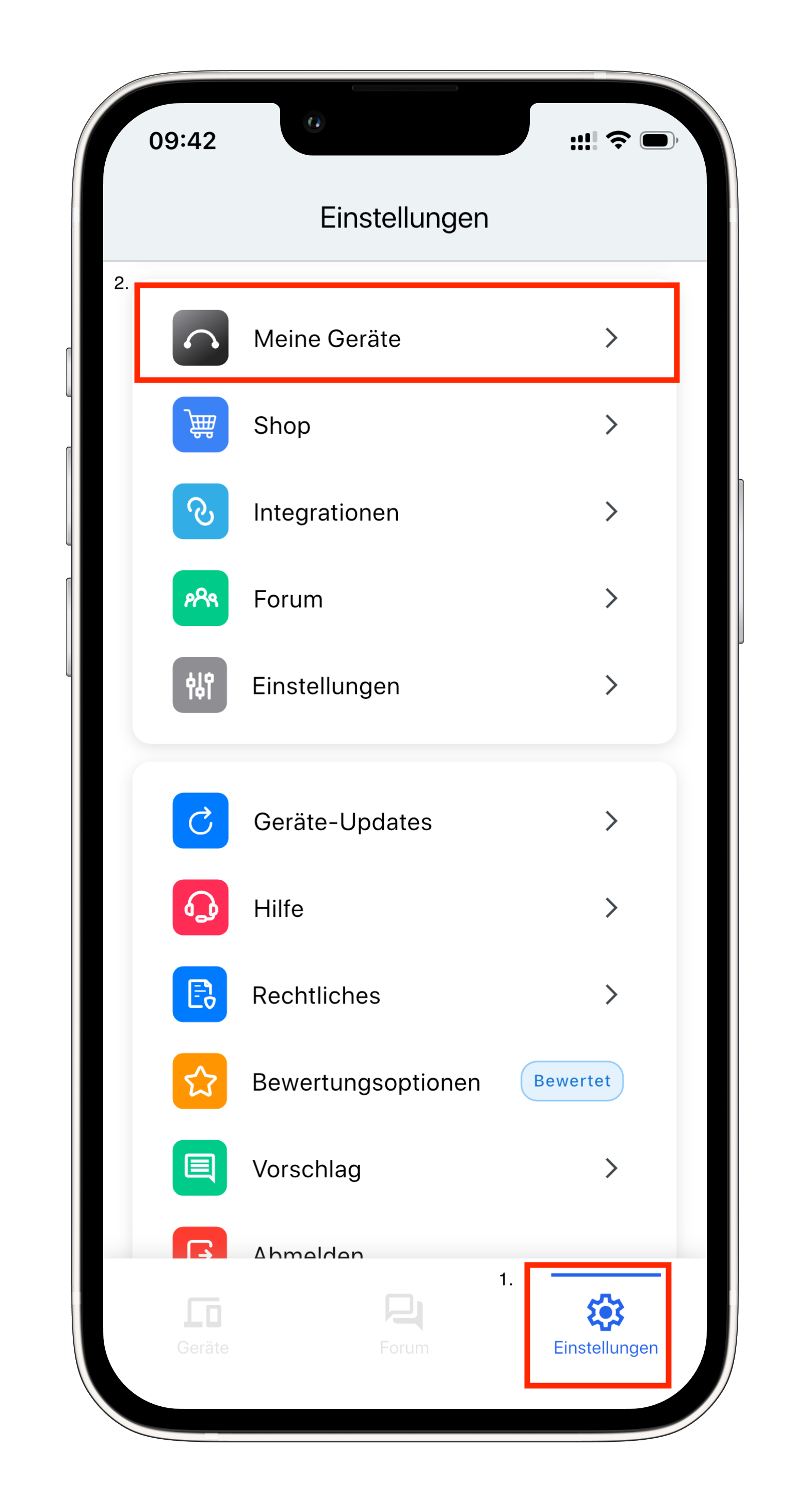
Step 1: Open device settings
- Go to Settings via the navigation bar
- Select your device under My Devices
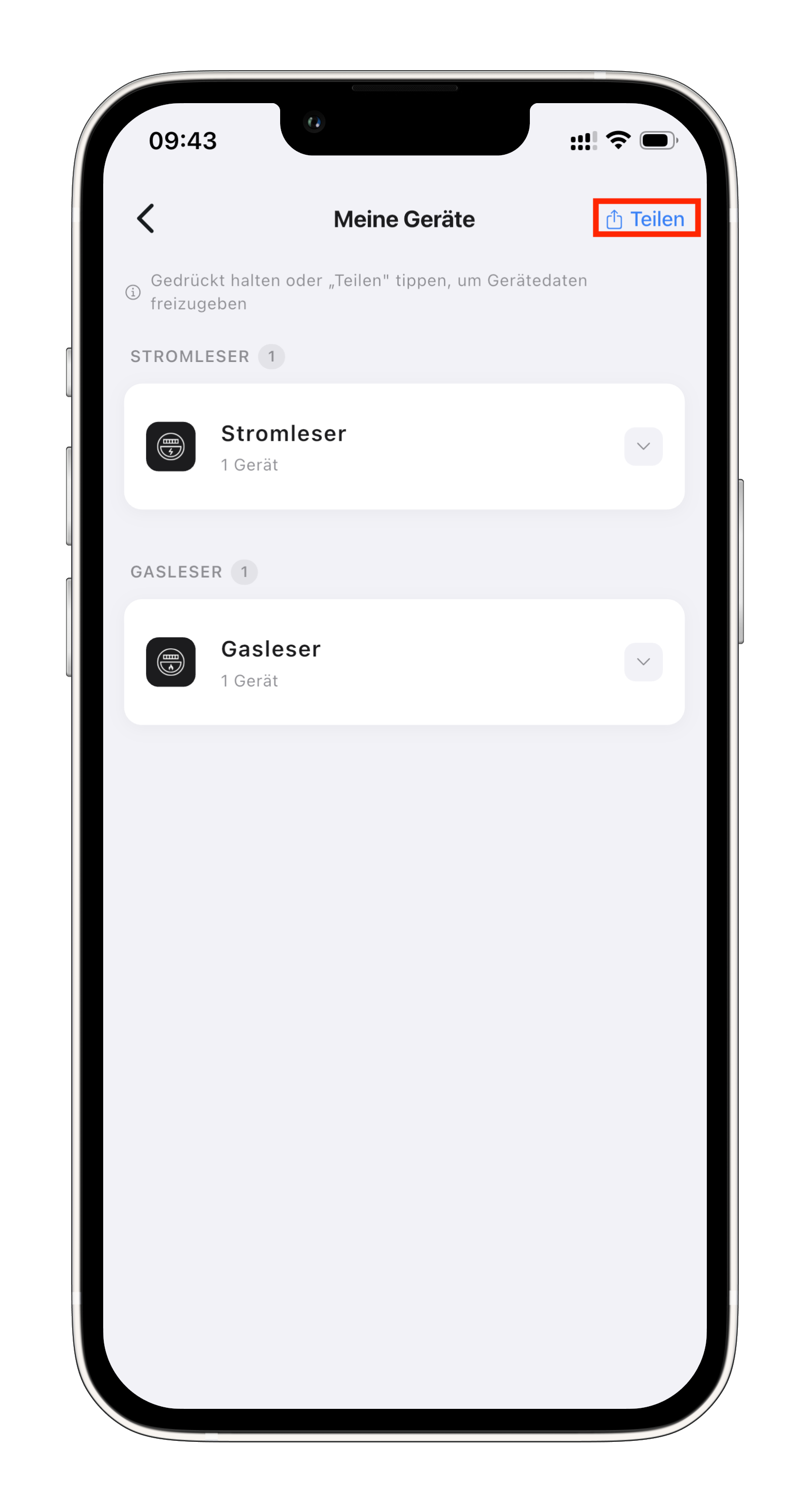
Step 2: Choose Share Device
- Tap Share Device
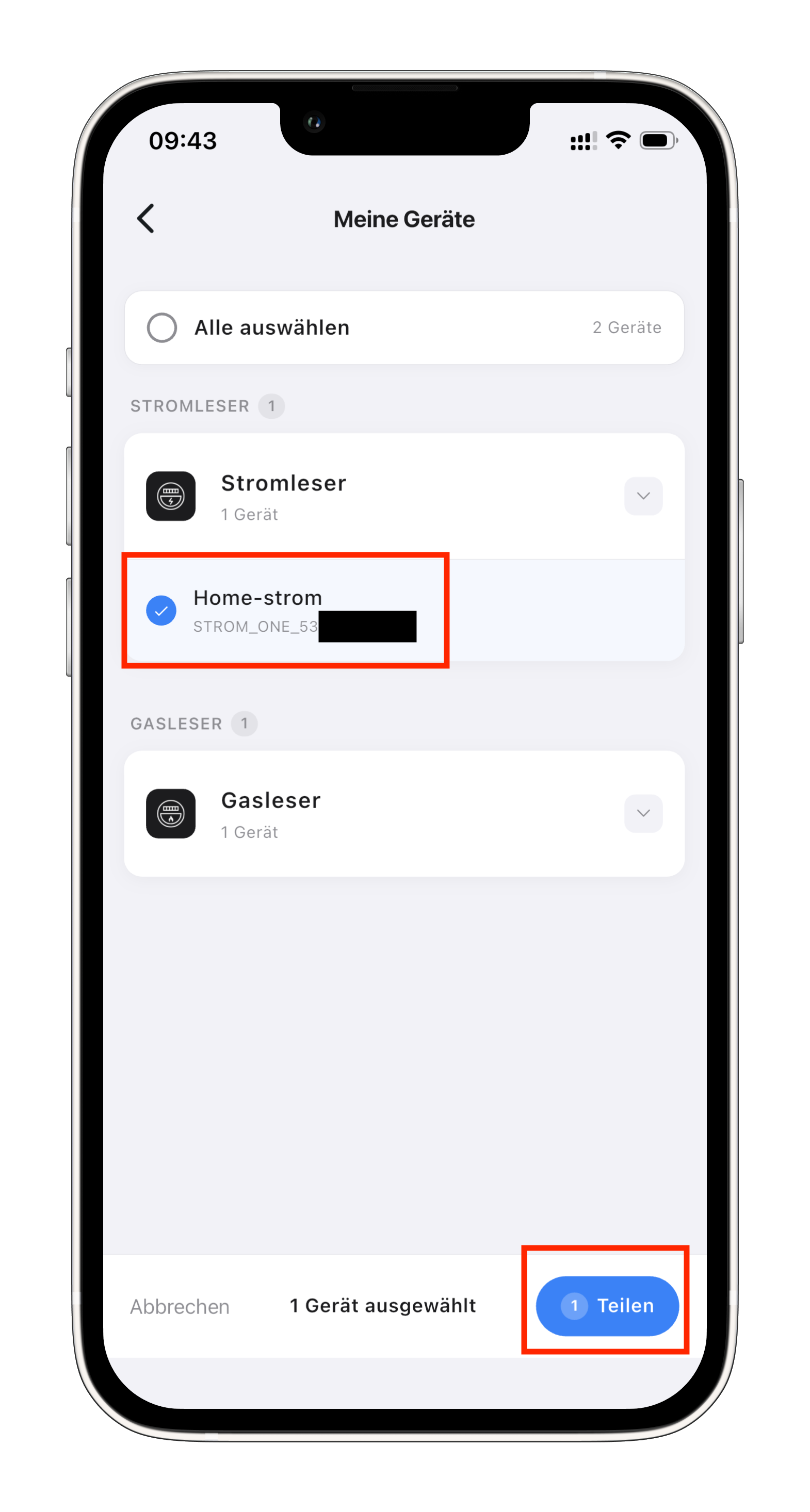
Step 3: Select devices to share
- Select the devices whose data you want to share
- Tap Share
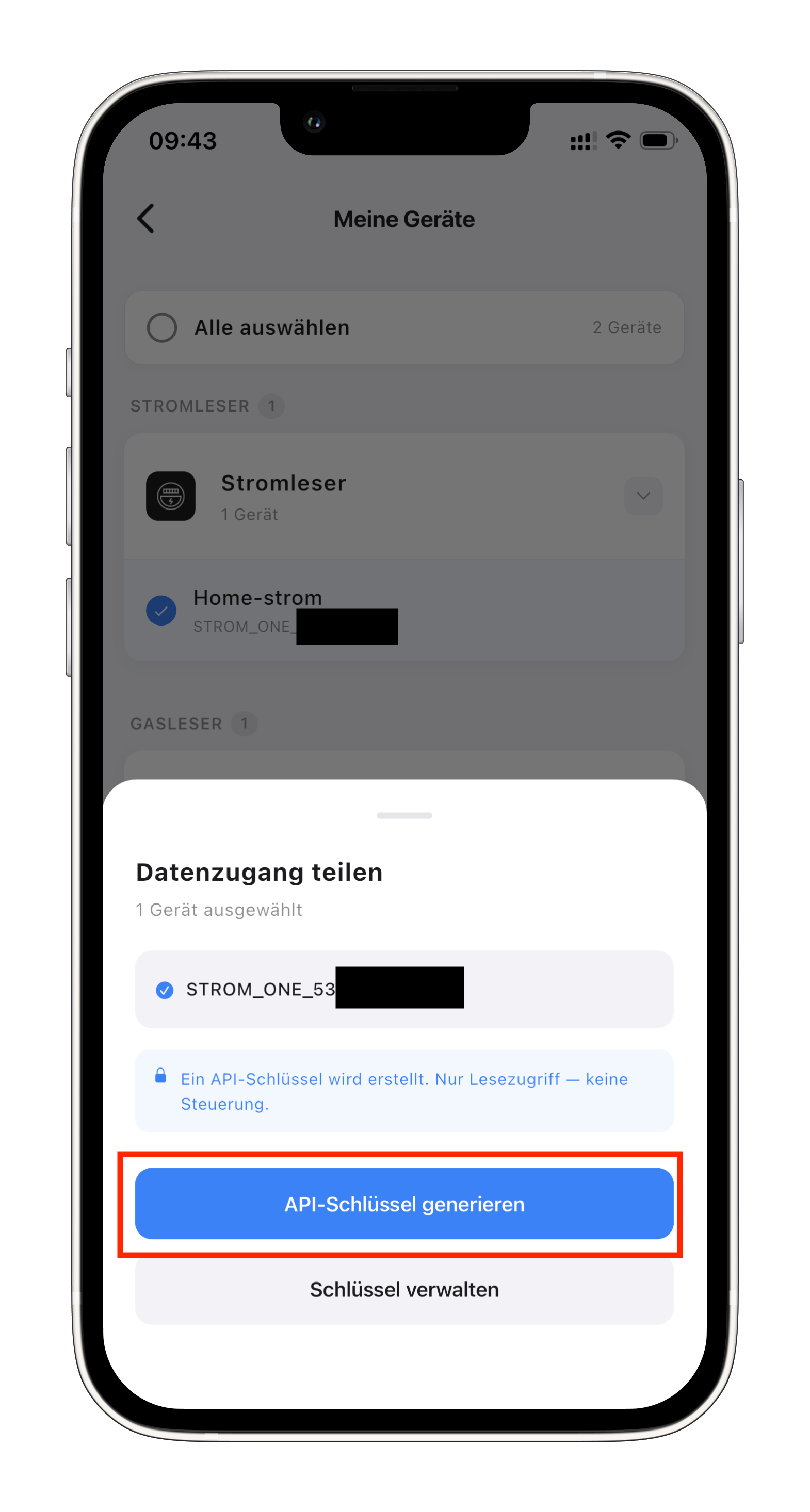
Step 4: Generate API key
- Tap Generate API Key
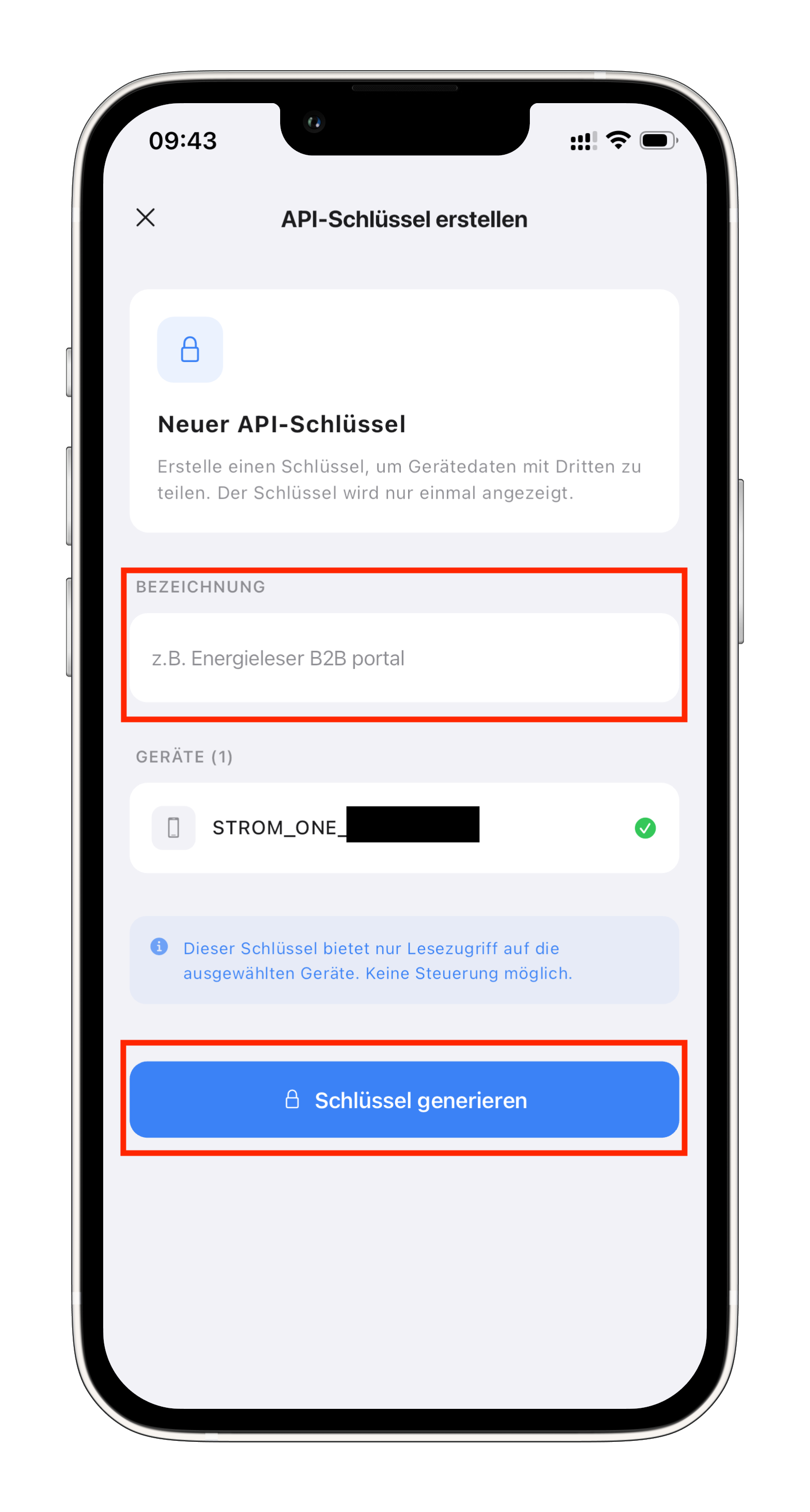
Step 5: Enter a reference name
- Enter a reference name that helps you recognise the key later (e.g. the provider's name)
- Tap Generate
Step 6: Share the key with the provider
- Your API key is now shown once
- Copy it and hand it over to your provider
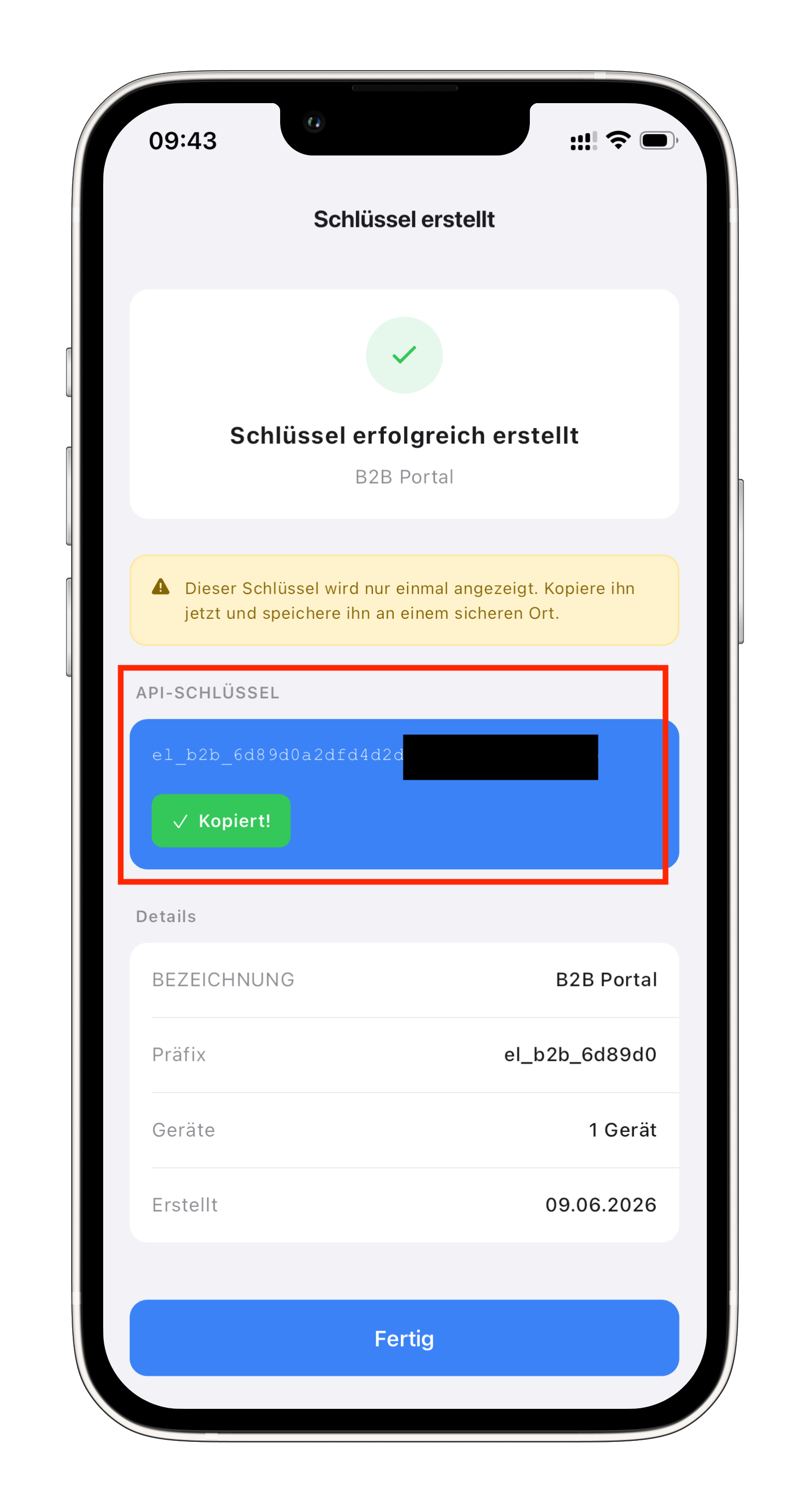
For security reasons the API key is shown only at creation and cannot be retrieved afterwards. Copy it right away and pass it securely to your provider. If it gets lost, simply create a new key.