Test Installation
Check Data on Tasmota Dashboard
- Open the Tasmota web interface in your browser (your Stromleser's IP address)
- Scroll down to the SML section
- You should now see your electricity consumption data
Expected Display
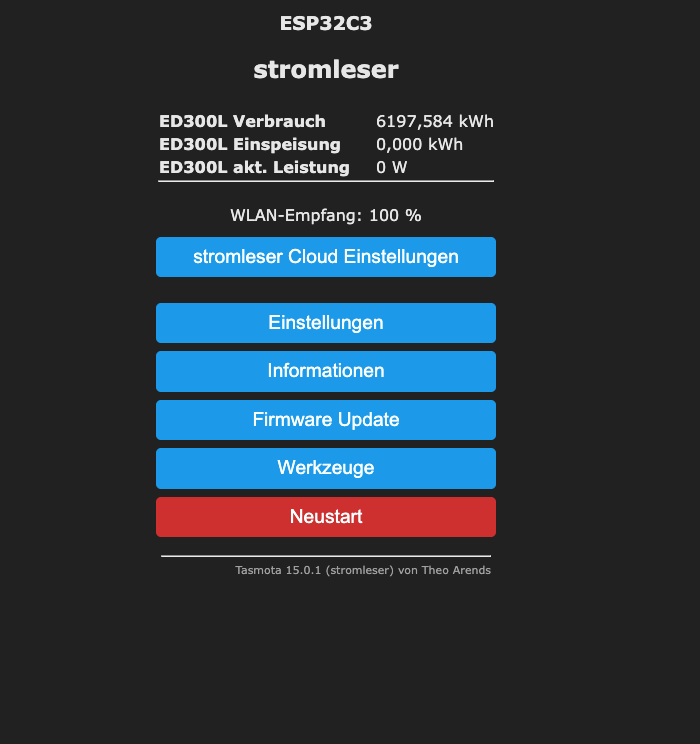
Typical display:
SML
Consumption: 12345.678 kWh
Power: 1250 W
Simple Test
Turn on a device with high power consumption (e.g., kettle) and observe if the power value on the dashboard increases.
Frequently Asked Questions
No values are displayed
- Check if the script is enabled: Tools → Edit Script → "Script enabled" should be checked
- Make sure the PIN is correctly entered in the script
- Check the position of the Stromleser on the D0 interface
Values are 0 or unrealistic
1. Check script configuration:
The script must have a 1 at the end of the meter line (TX GPIO):
Correct:   +1,3,s,16,9600,MT175,1
Wrong:     +1,3,s,16,9600,MT175
2. Check meter PIN:
Make sure your electricity meter is unlocked:
- PIN OFF - PIN protection must be disabled
- INFO ON - Data output must be enabled
Contact your grid operator to unlock the meter.
Values fluctuate strongly
- Adjust the position of the Stromleser by millimeters
Next Step
After successful testing, you can continue with Home Assistant Integration or App Integration.