Adding Devices
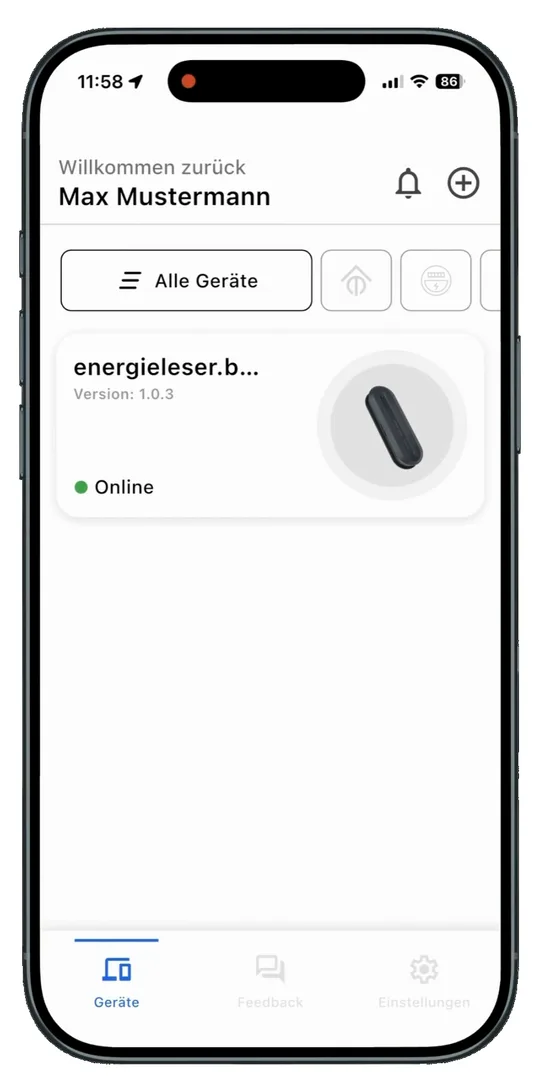
- Open the Bridge. Great, your Bridge is integrated! You will find it on the home screen. Tap it.
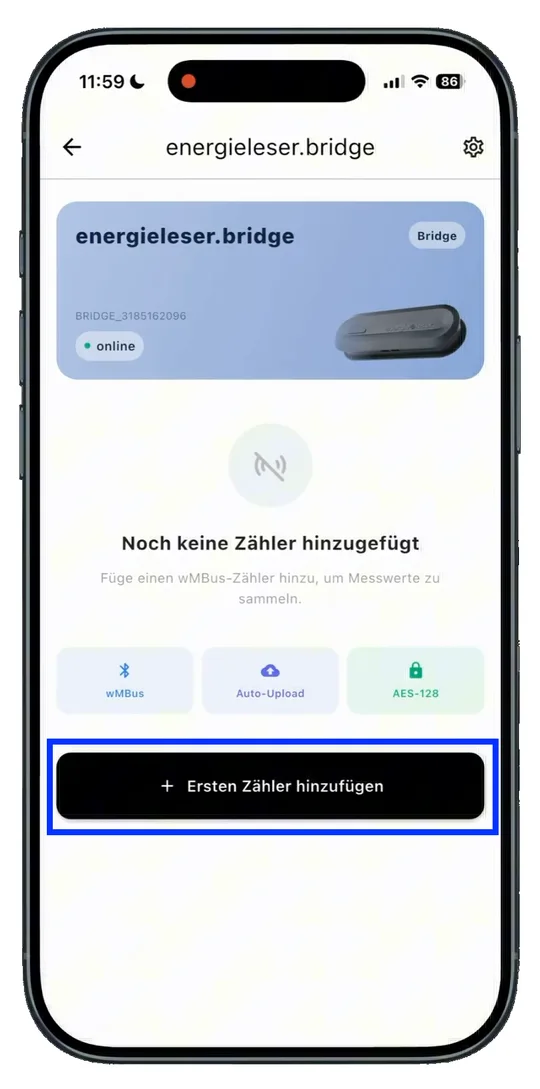
- Add a meter. Tap Add first meter.
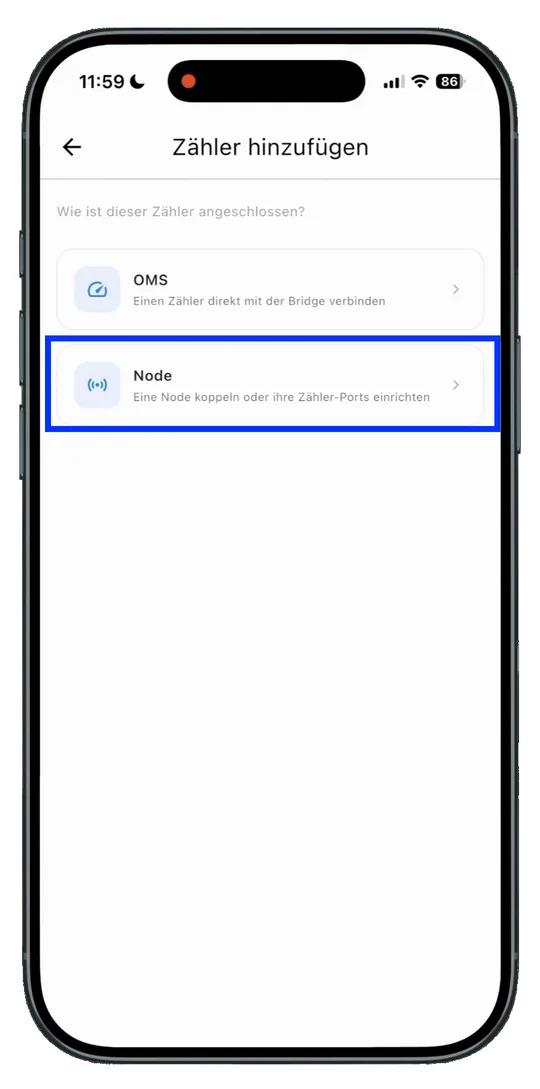
- Choose the meter type. Choose how your meter is connected:
- OMS (radio meter) – see Adding radio meters
- Node (energieleser.node) – see Setting up the app for the energieleser.node
Next step
Continue with Adding radio meters.
Would you rather add an energieleser.node instead? Then continue here: Adding the Node.