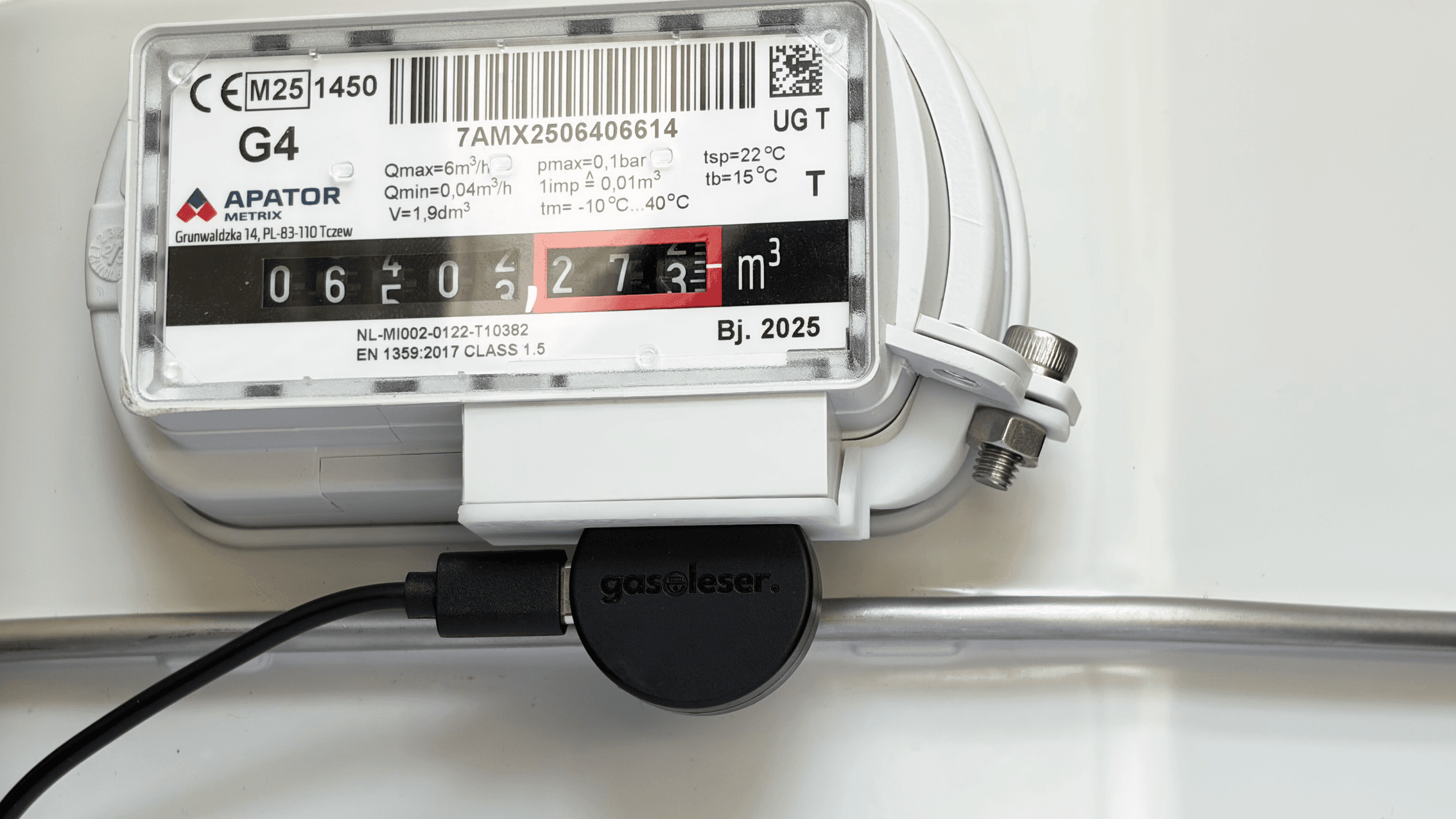
For Apator / Metrix Meters
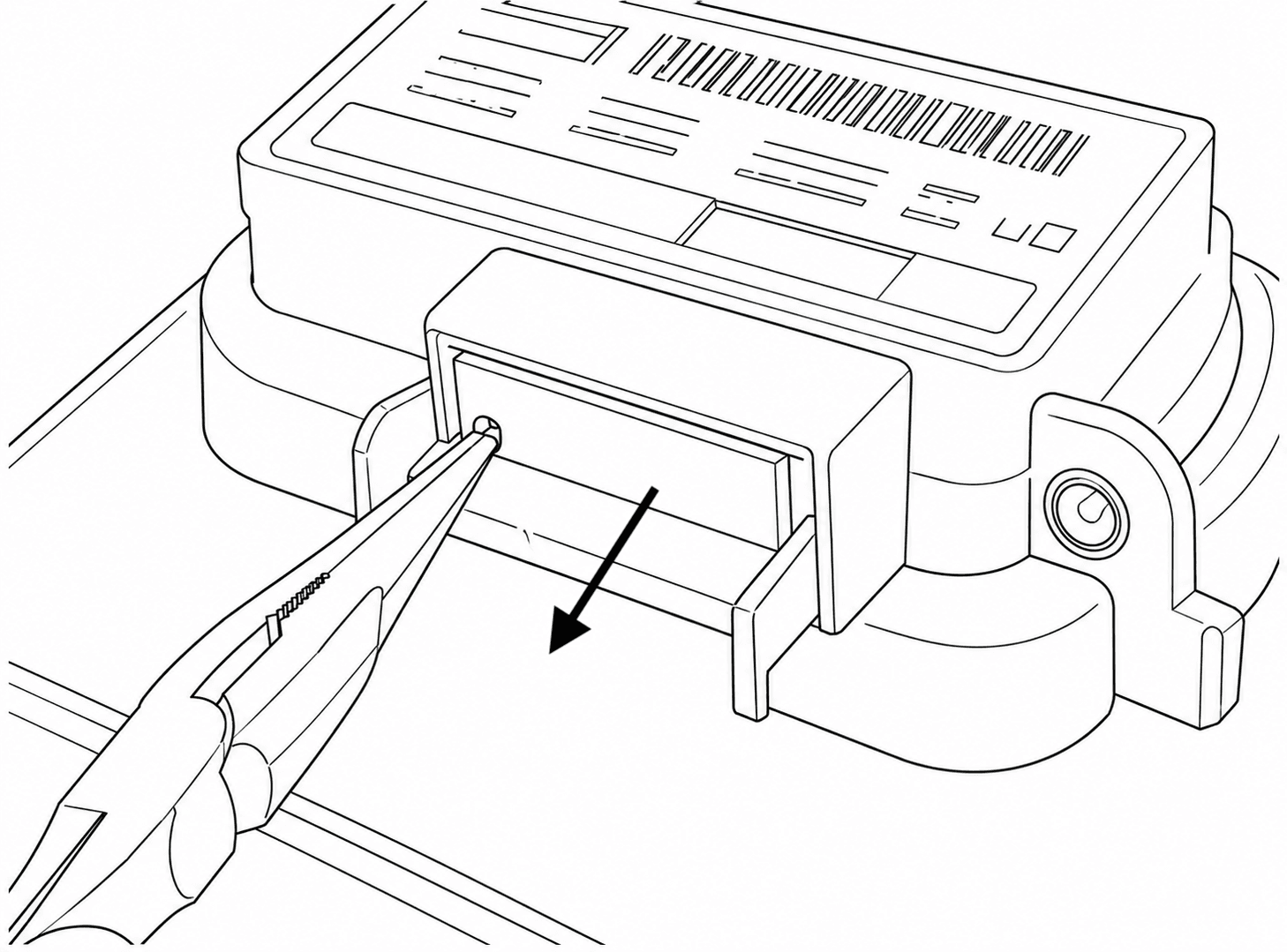
In case there is a cap installed in the meter, follow the given steps to remove it first:
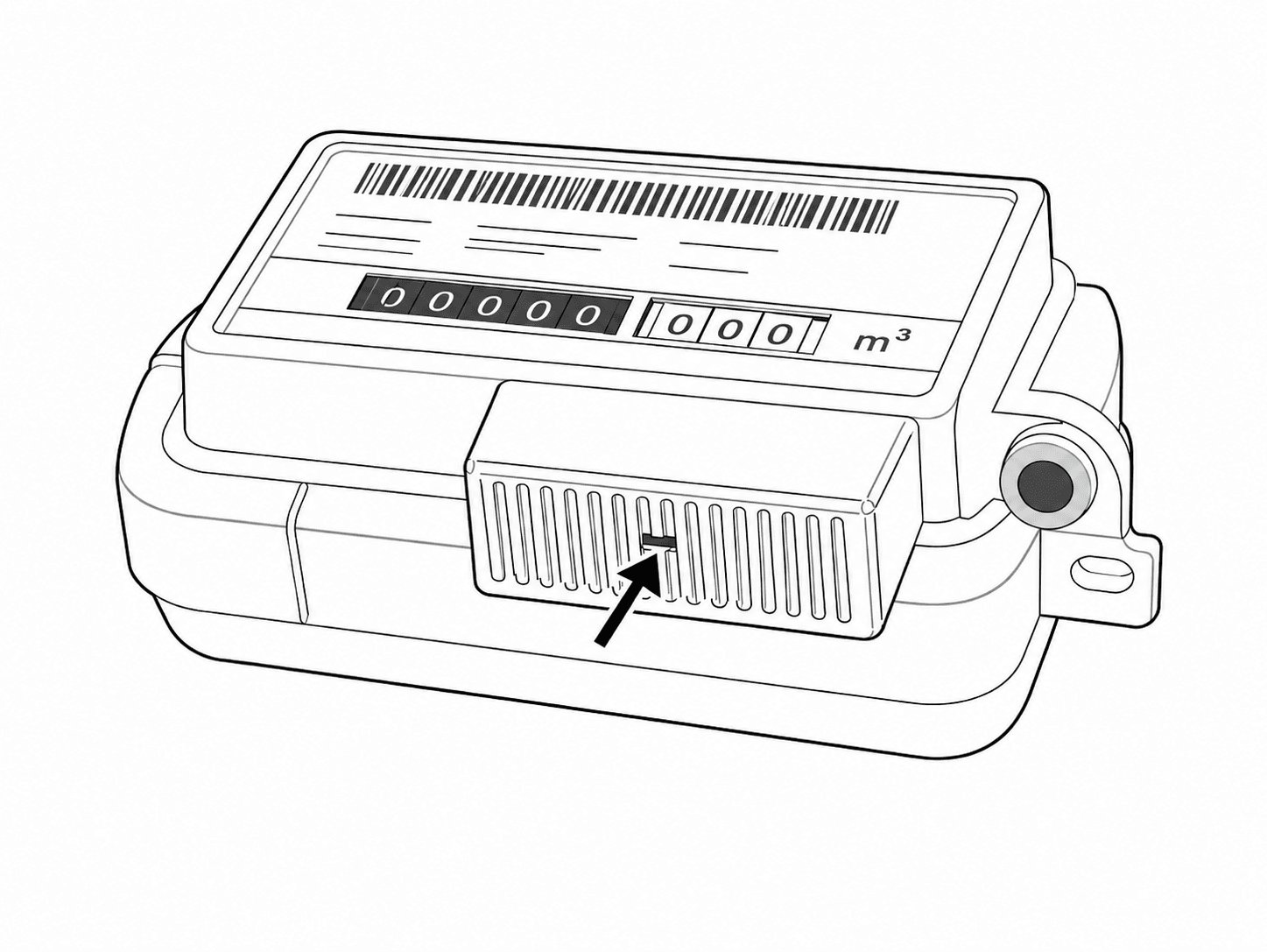
Step 1: Locate the Locking Tab
Find the small locking tab on the front cover of the index housing/counter — it sits in the middle of the ventilation slots, as indicated by the arrow.
Step 2: Grip the Tab with Pliers
Using a pair of needle-nose pliers, firmly grip the locking tab from below.
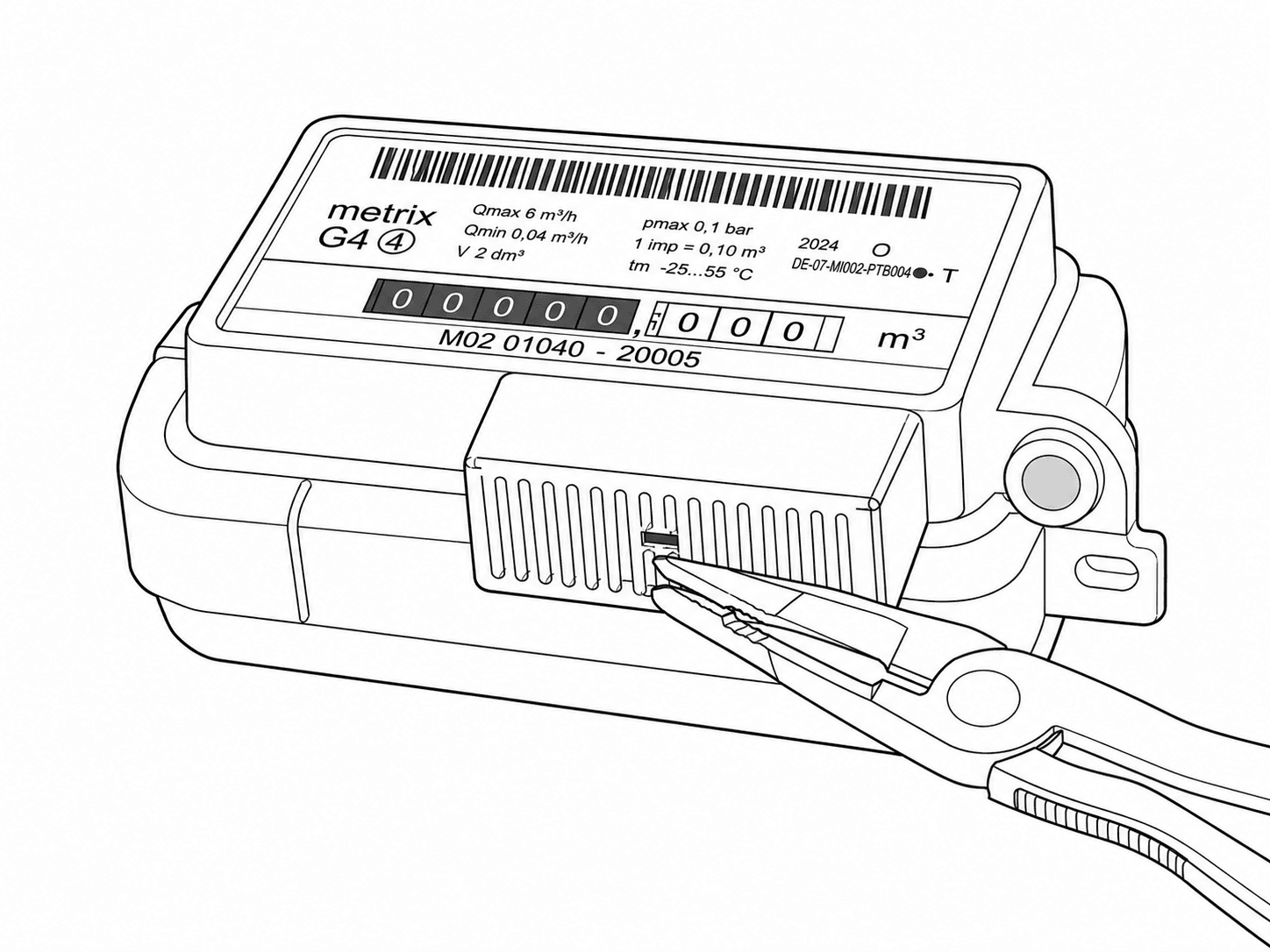
Step 3: Release the Tab
Squeeze and press the tab inward to disengage it from the housing, breaking the grid cover out.
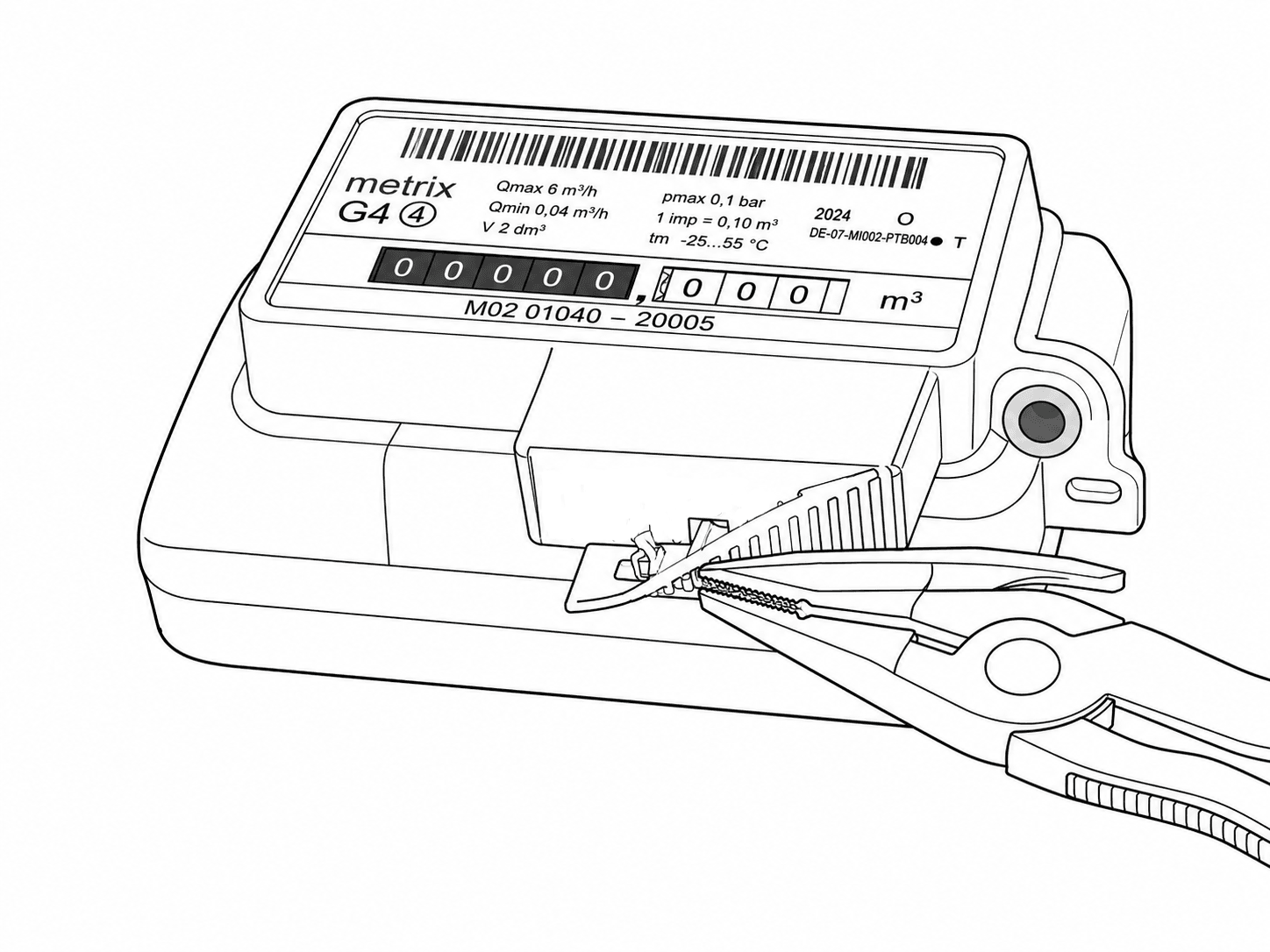
Step 4: Pull off the Cap
With the tab released, pull the cover straight outward in the direction of the arrow to remove the cap from the meter.
Installation of gasleser
Step 1: Precisely Position the Adapter
The included adapter must be precisely positioned on the gasleser for optimal performance.
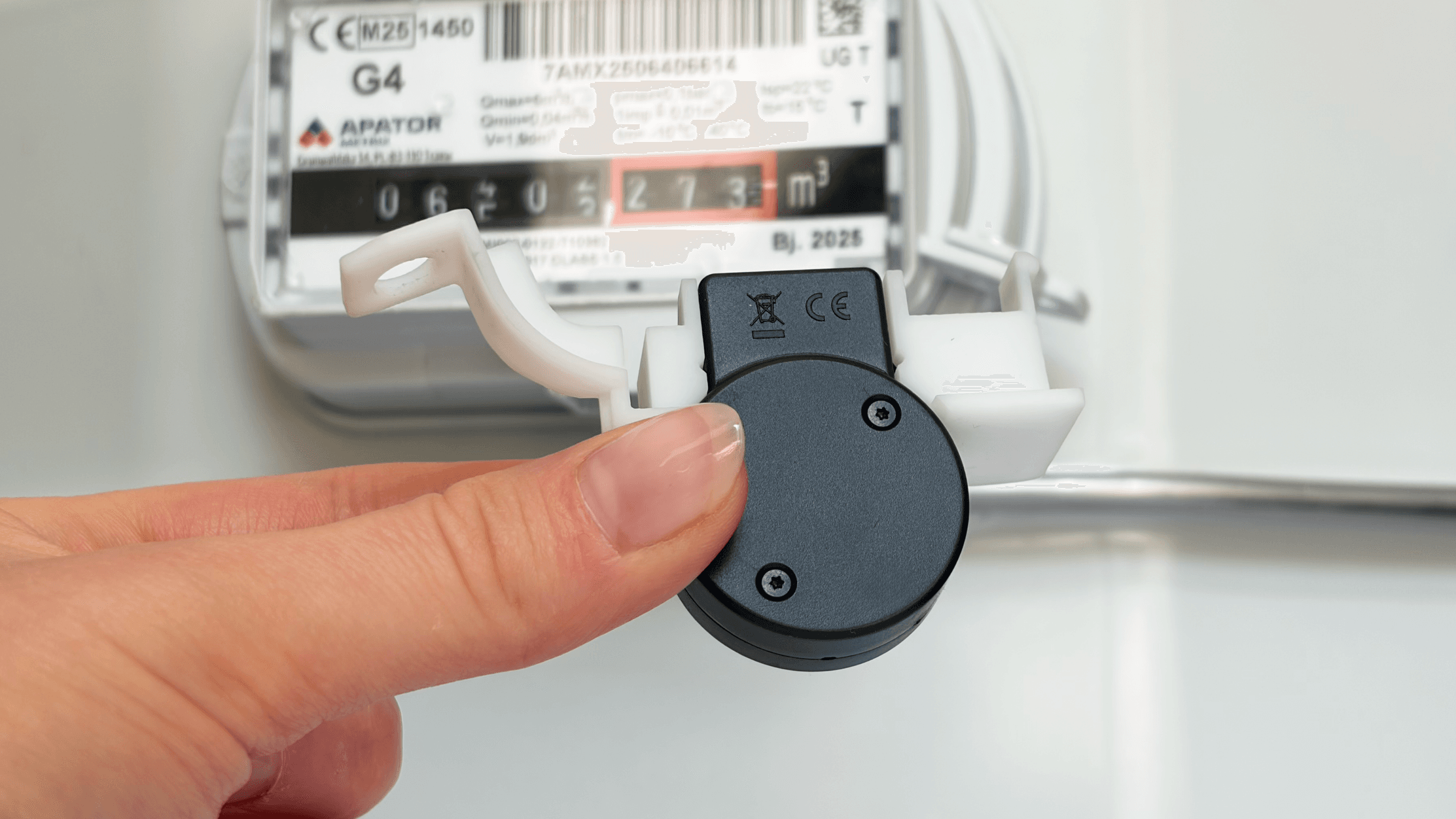
Step 2: Securely Place Adapter
Carefully mount the adapter along with the gasleser to the gas meter.
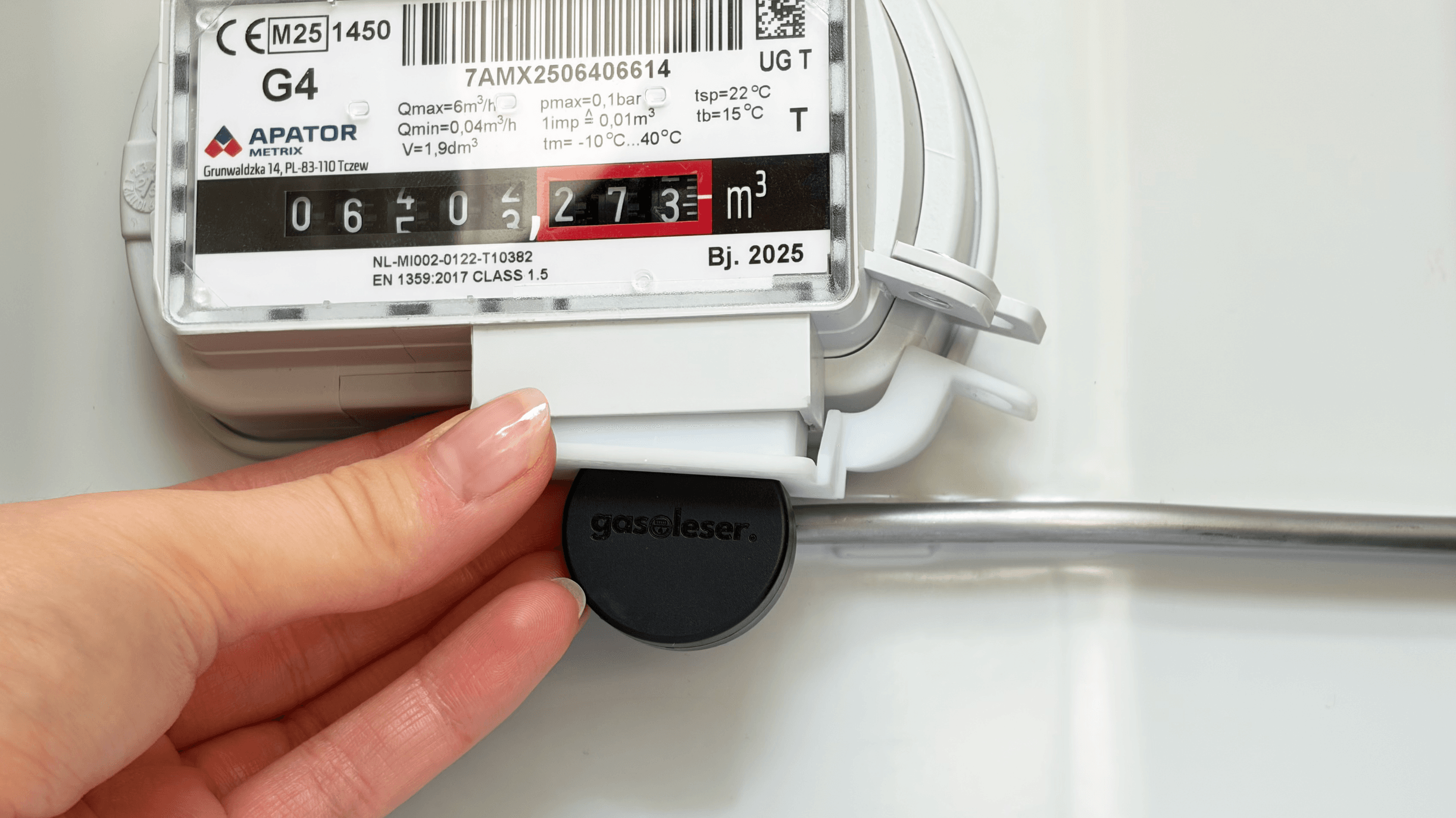
Step 3: Securely Attach the Adapter
Use the included mounting screw to securely attach the adapter and the gasleser to the gas meter.
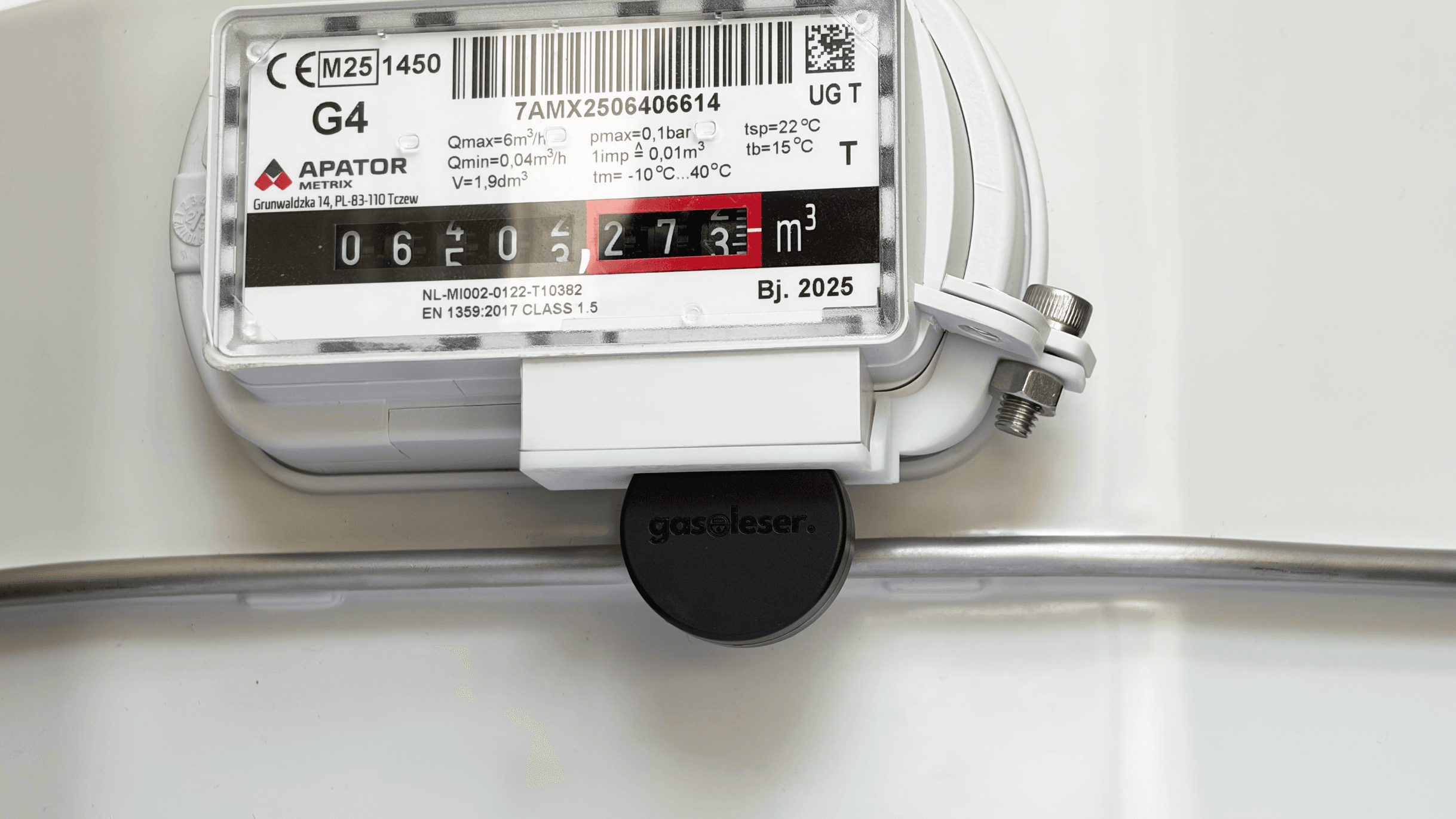
Step 4: Check Installation
After mounting, the Gasleser should be stable and correctly aligned on the gas meter.