Fox ESS Integration
The stromleser.one integrates seamlessly as a smart meter into your Fox ESS storage system to enable reliable and dynamic zero feed-in. Your storage system then uses the real-time readings from the stromleser.one to make the best use of your solar power for self-consumption. The following steps explain how it all works in detail.
This integration is only available for stromleser.one devices.
Requirements
Before you start the setup, make sure that:
- your stromleser.one is installed at the meter and set up in the energieleser app
- your Fox ESS storage system is fully installed and set up in the FoxCloud 2.0 app
- your stromleser.one and your Fox ESS storage system are on the same network
Before installation, keep in mind that your electricity meter must be unlocked via PIN entry so the stromleser.one can read and transmit the data in real time. You can find out how this works here.
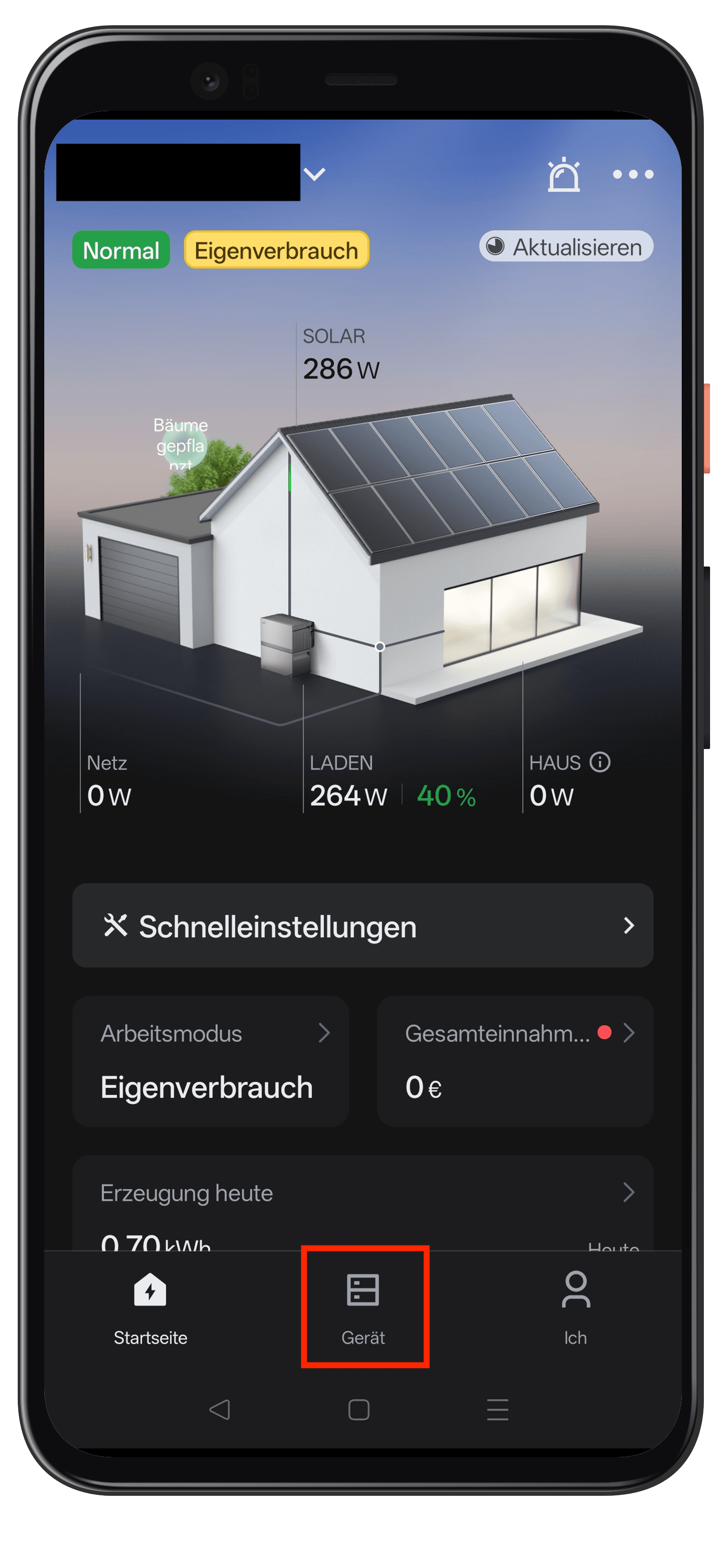
Step 1: Open the device
- Open the FoxCloud 2.0 app
- Tap Device in the bottom navigation bar
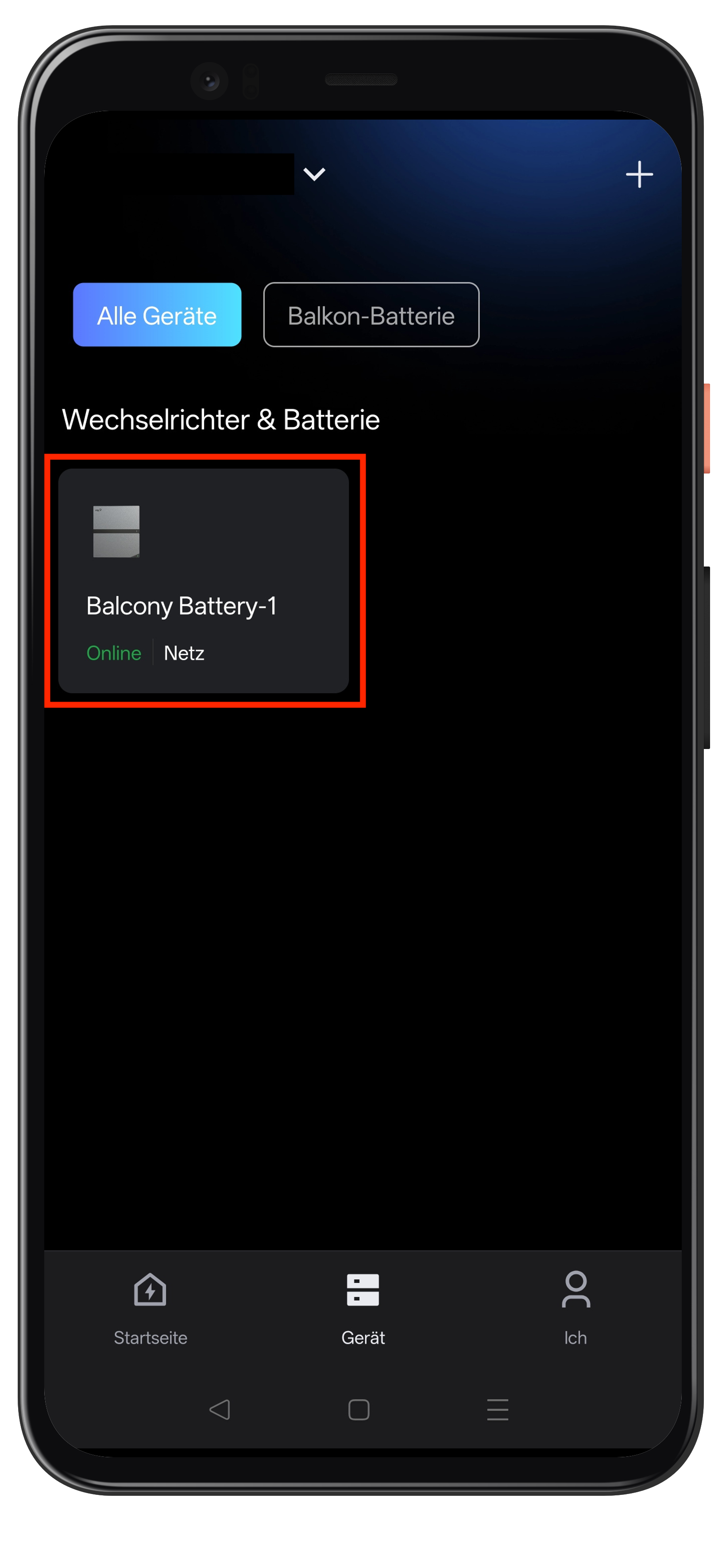
Step 2: Select the storage system
- Under Inverter & Battery, select your storage system
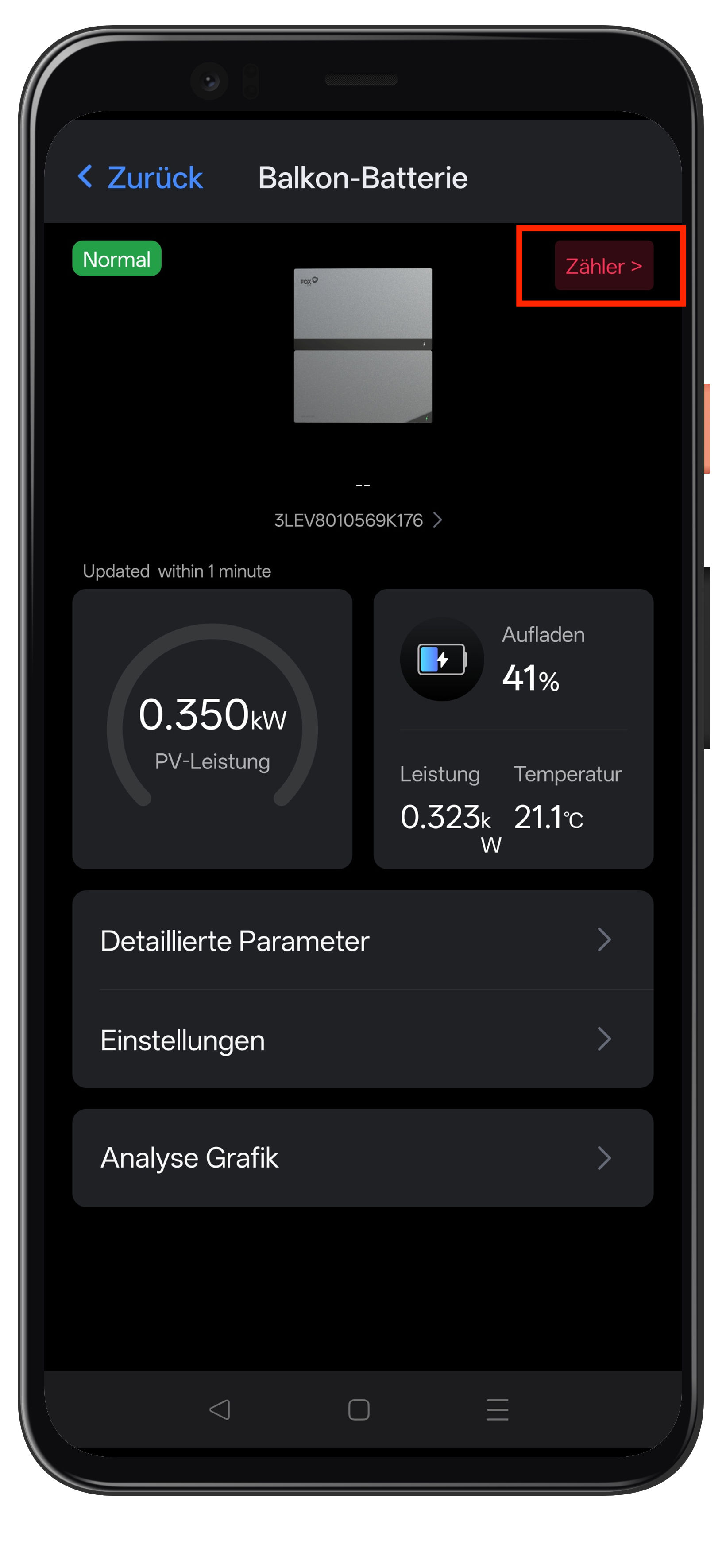
Step 3: Open the meter
- In the device overview, tap Meter in the top right
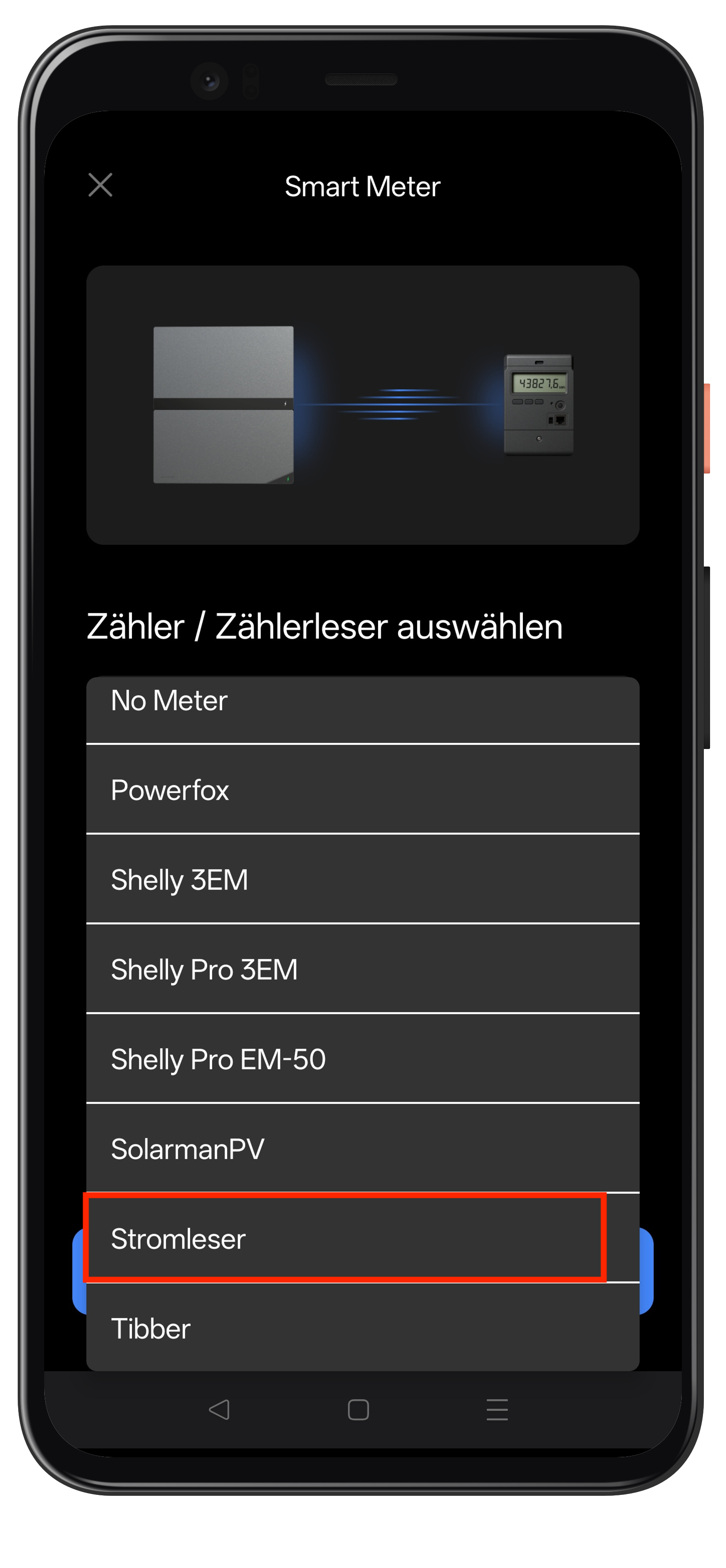
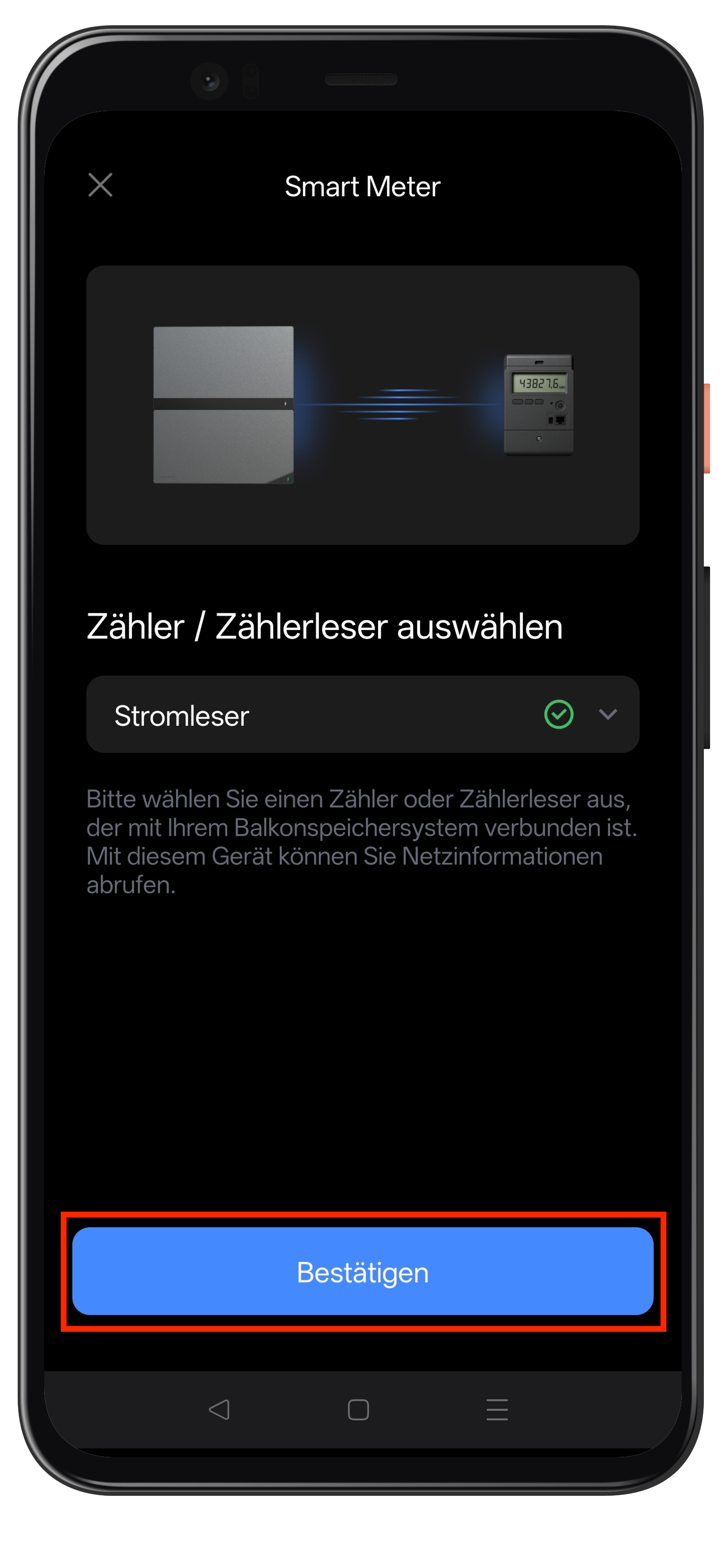
Step 4: Select Stromleser
- Under Select meter / meter reader, choose the Stromleser entry
Step 5: Confirm the selection
- Make sure Stromleser is selected and marked with a green check mark
- Tap Confirm
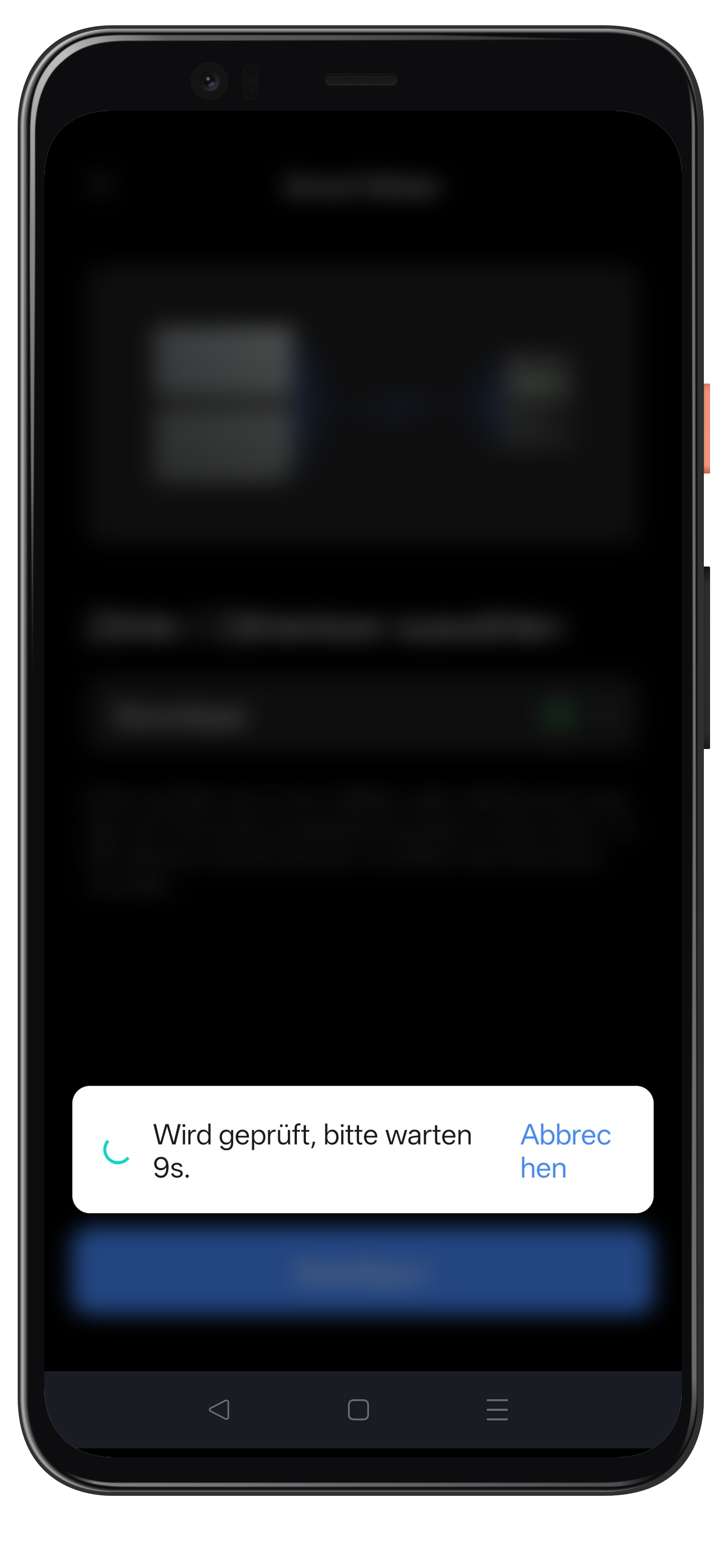
Step 6: Connection is being checked
- Wait a moment while the connection to the stromleser.one is being checked
If the message "No meter data found" appears, the stromleser.one is not (yet) reachable.
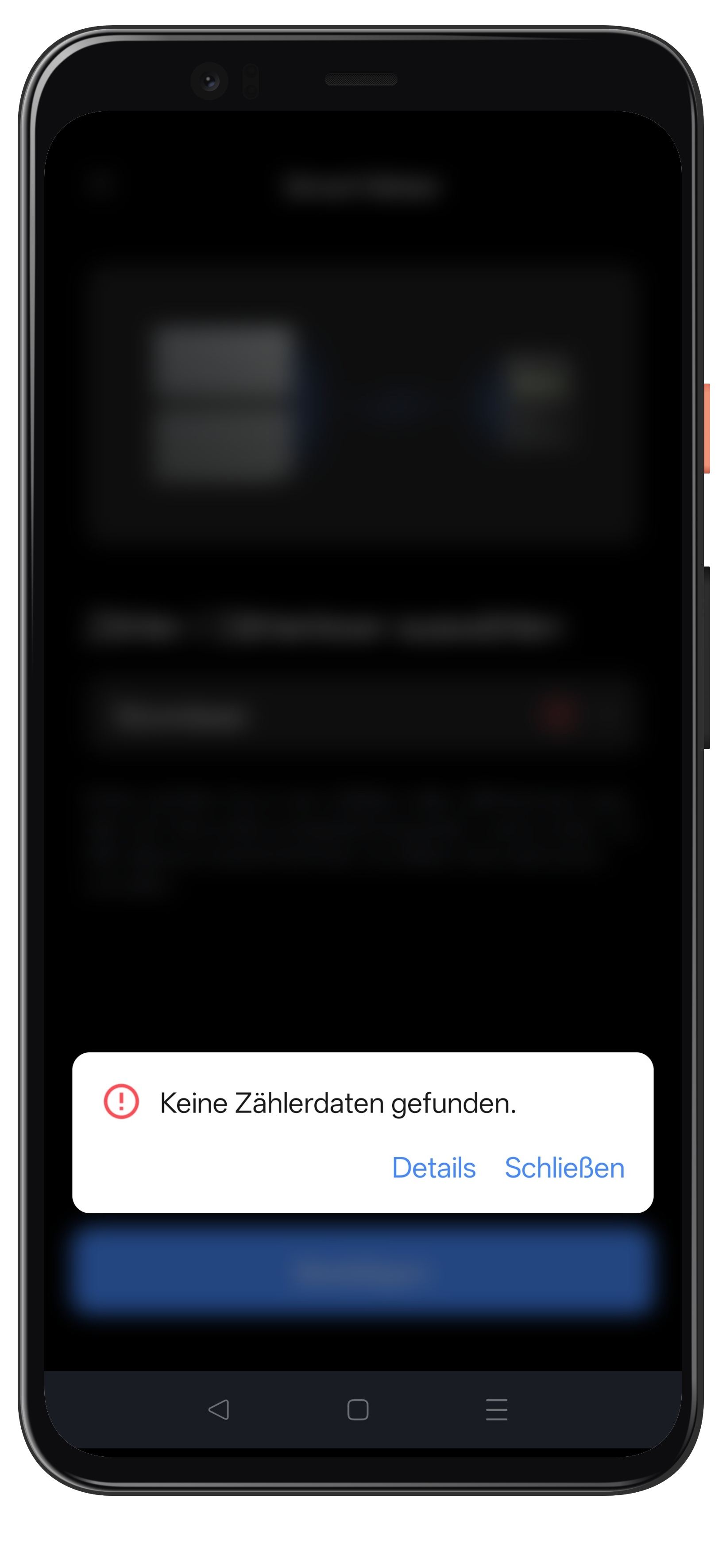
In that case, check:
- whether your stromleser.one and Fox ESS storage system are on the same network
- whether the stromleser.one is online in the energieleser app and delivering live data
- wait a moment and then tap Confirm again
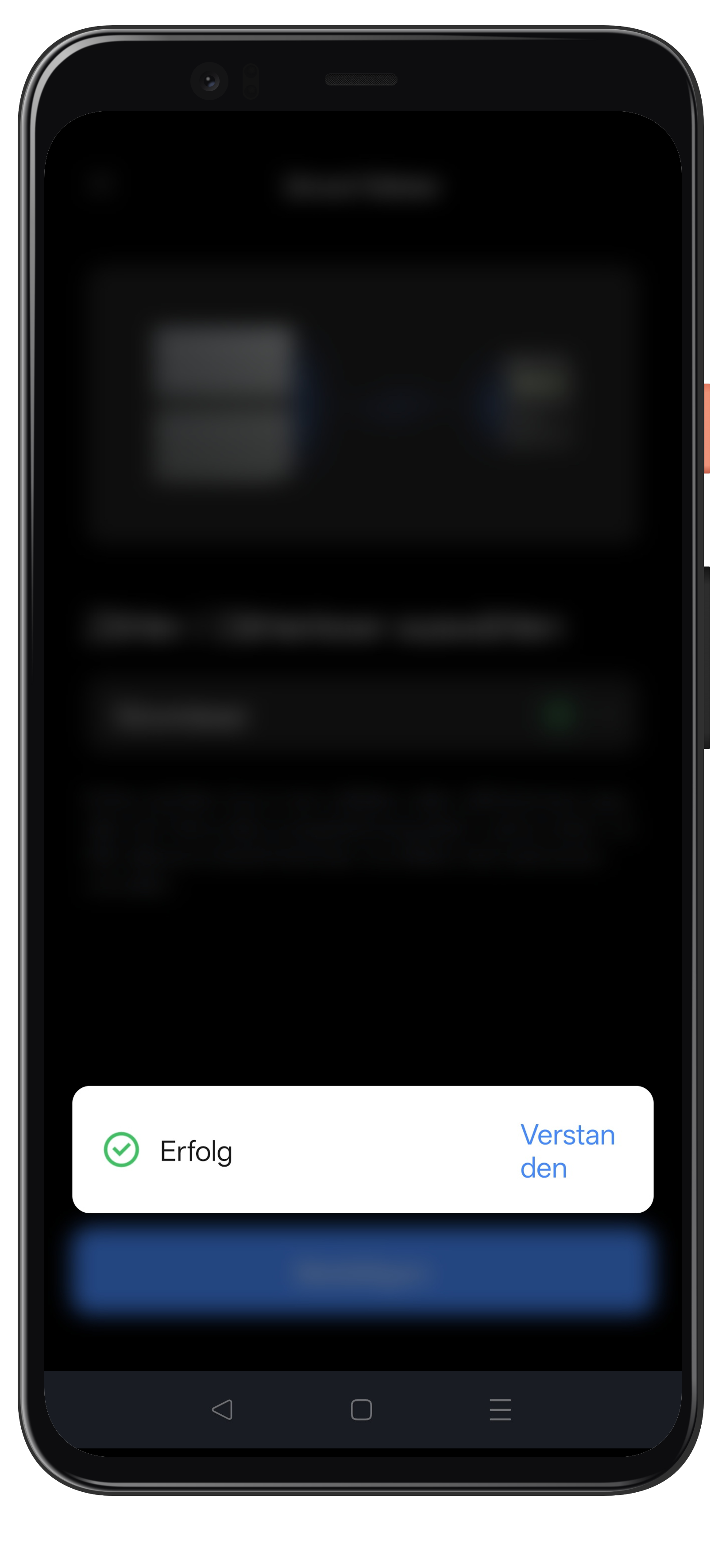
Step 7: Confirm success
- As soon as the connection is established, the message Success appears
- Tap Got it
Step 8: Open the work mode
- Return to the home screen
- Tap Work mode
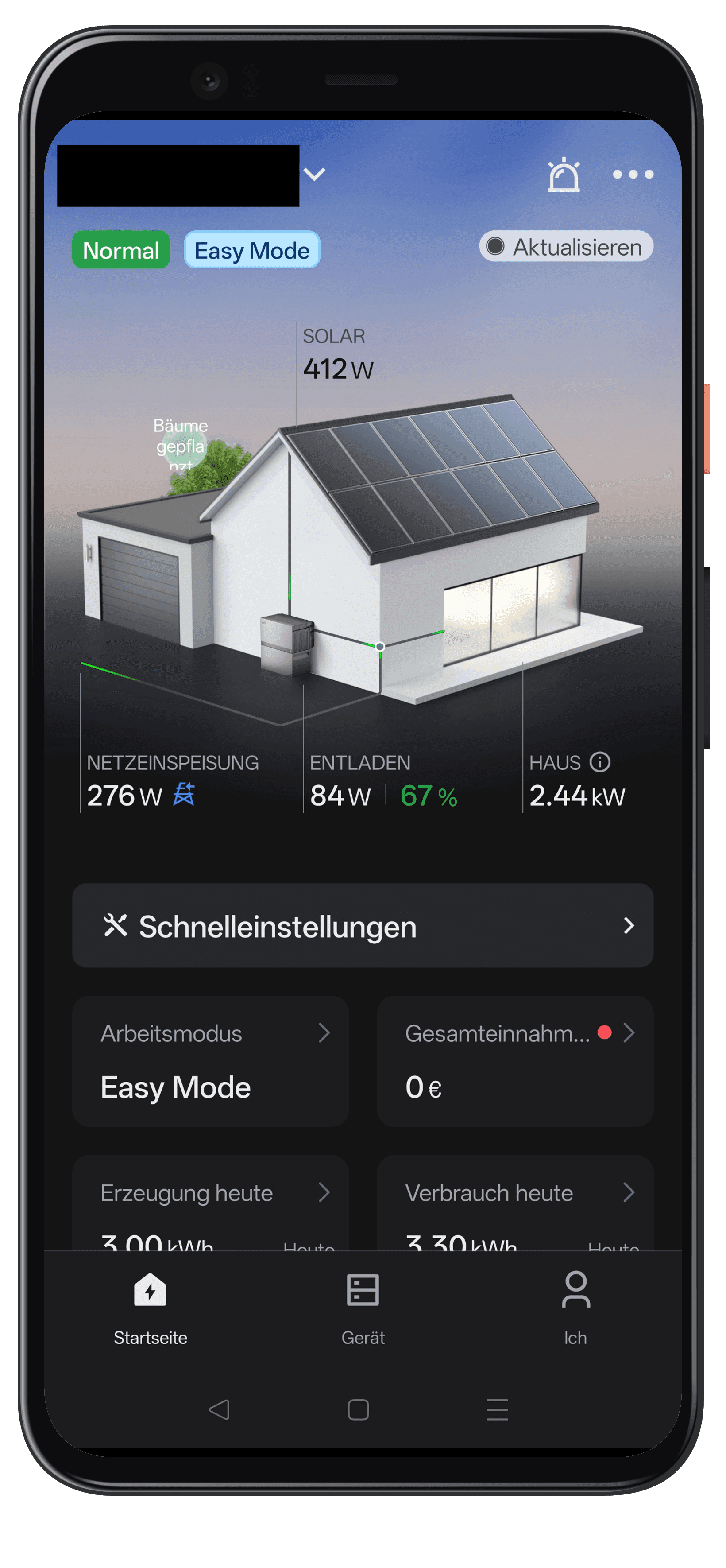
Step 9: Select Self-consumption
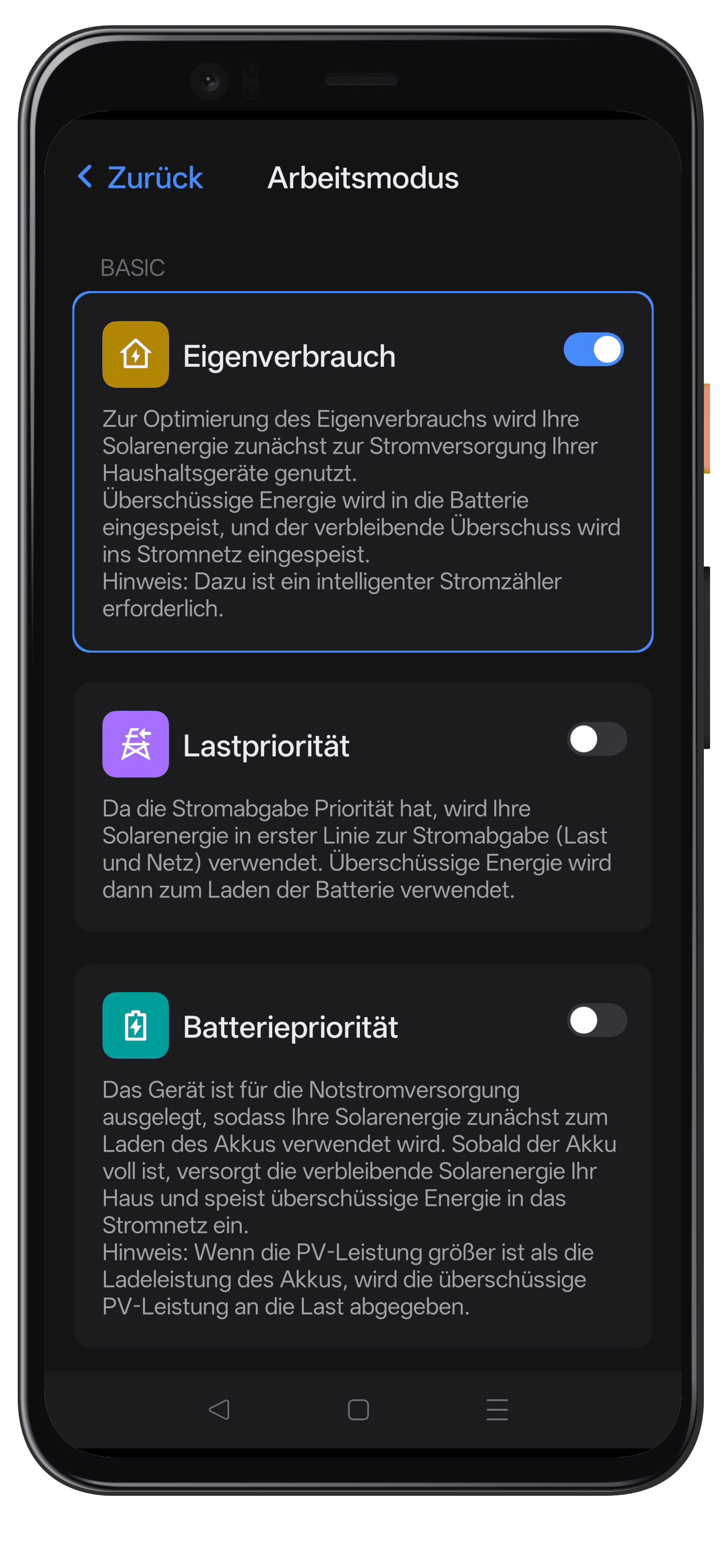
- Enable the Self-consumption mode using the toggle
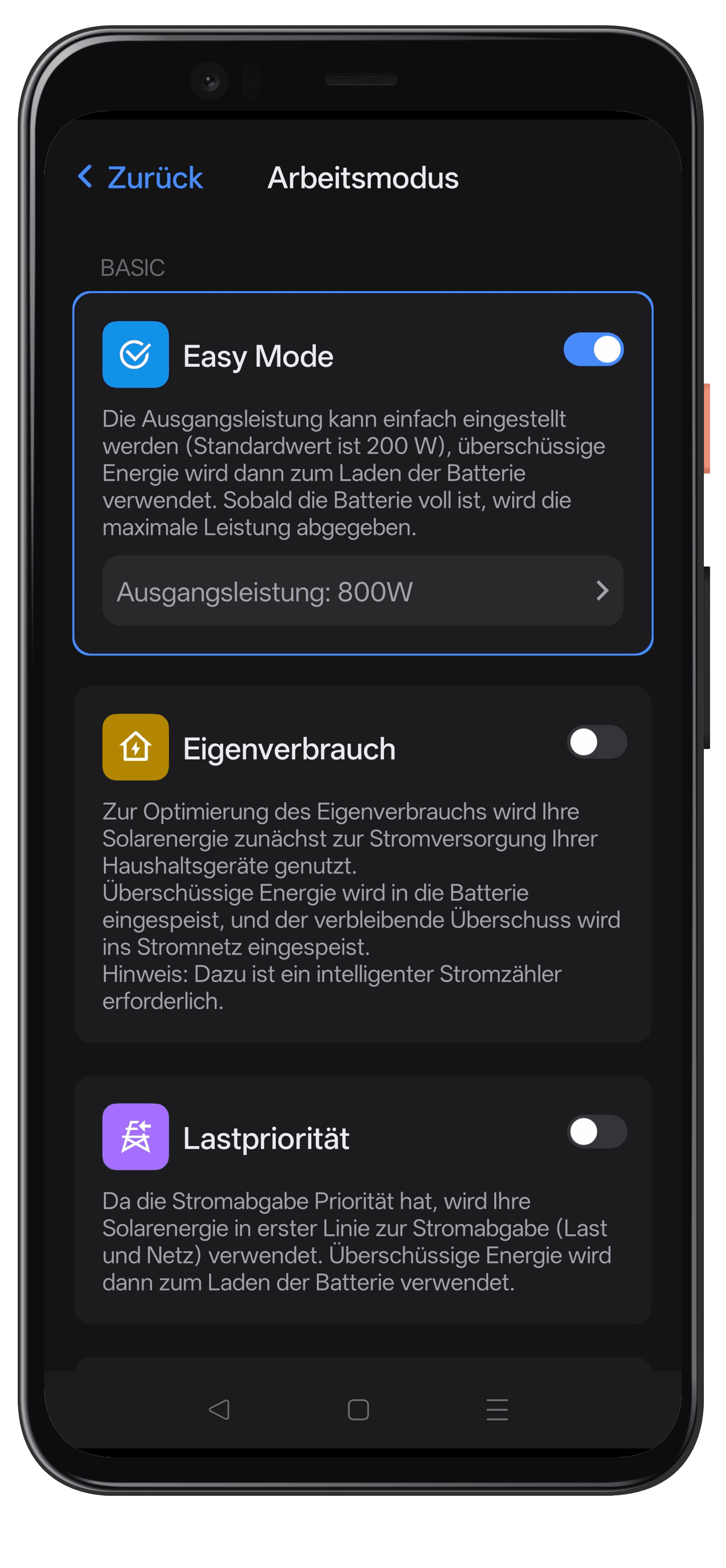
In Self-consumption mode, your solar energy is first used for your household appliances, surplus energy charges the battery, and the remaining surplus is fed into the grid. This mode requires a smart meter — your stromleser.one.
- The Self-consumption mode is now active
Setup complete
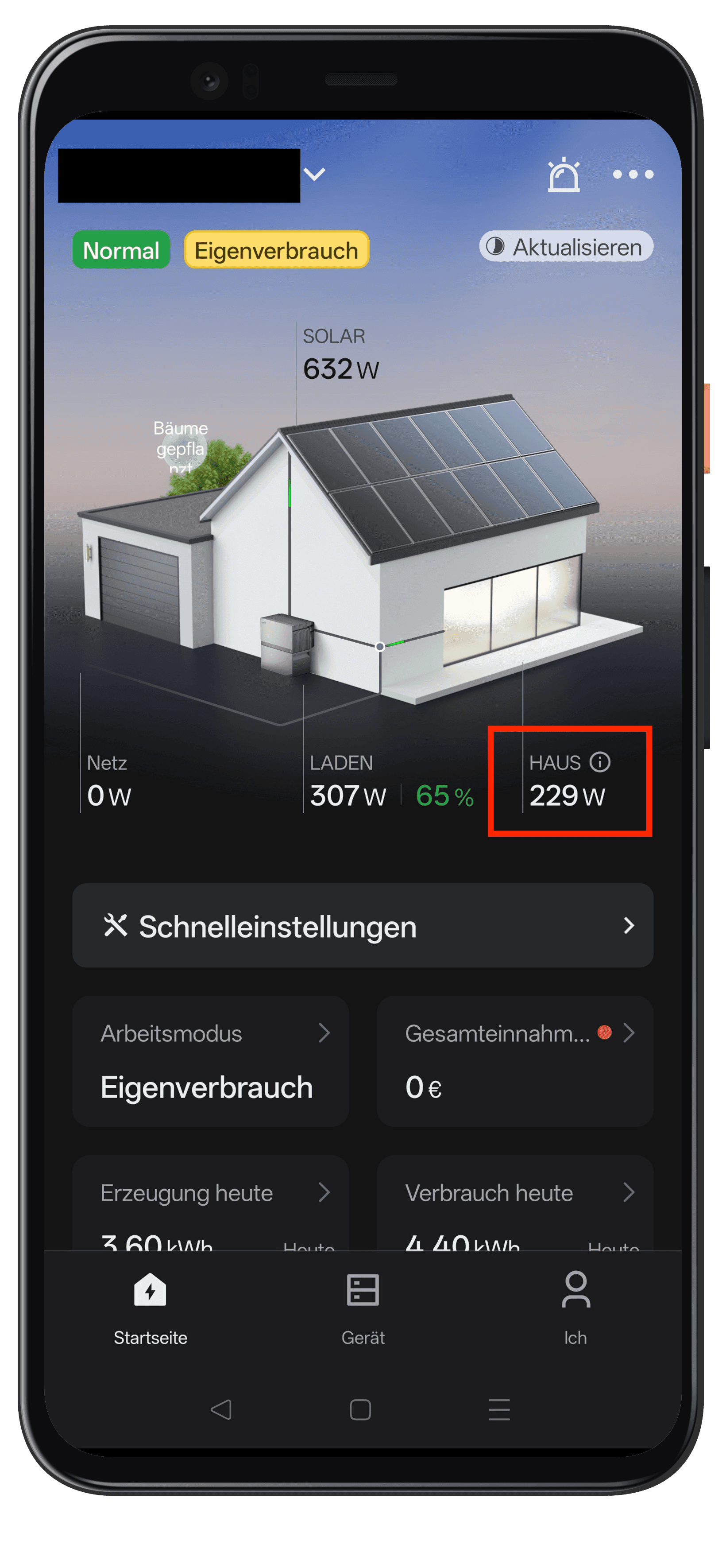
Your stromleser.one is now connected to your Fox ESS storage system as a smart meter and continuously transmits the readings from the meter. On the home screen you now see the Self-consumption work mode with your live data — dynamic zero feed-in is now active.
All data and charts from the stromleser.one remain visible in the energieleser app, of course.
Common problems
No meter data found
- Make sure your stromleser.one and your Fox ESS storage system are on the same network
- Check that the stromleser.one is online in the energieleser app and delivering live data
- Wait a moment and tap Confirm again in the FoxCloud 2.0 app
Self-consumption cannot be enabled
- The Self-consumption mode requires a smart meter — make sure the Stromleser is selected as the meter and successfully connected (see steps 4 to 7)