clever-PV Integration
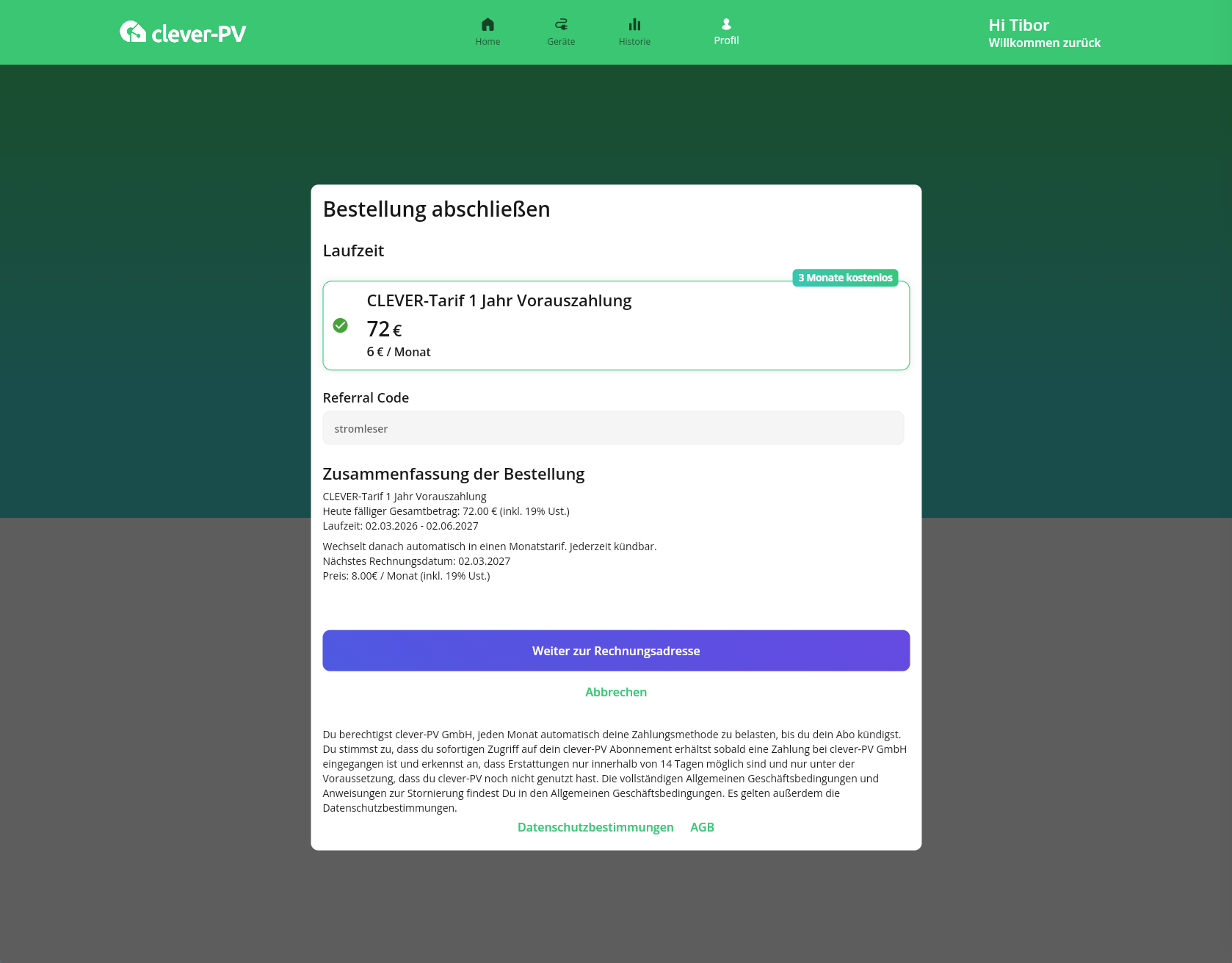
As an energieleser user, you get 3 months free when you subscribe to clever-PV’s 1-year plan. Enter the code "stromleser" in the clever-PV web app (not in the mobile app) – or open this link directly: app.clever-pv.com?loves=stromleser. The offer will be shown when you complete the annual tariff.
This integration lets you connect your stromleser.one with the clever-PV app. Your power consumption data will then be automatically sent to clever-PV every minute.
This integration is only possible with stromleser.one devices.
Part 1: Create a Push API in the clever-PV App
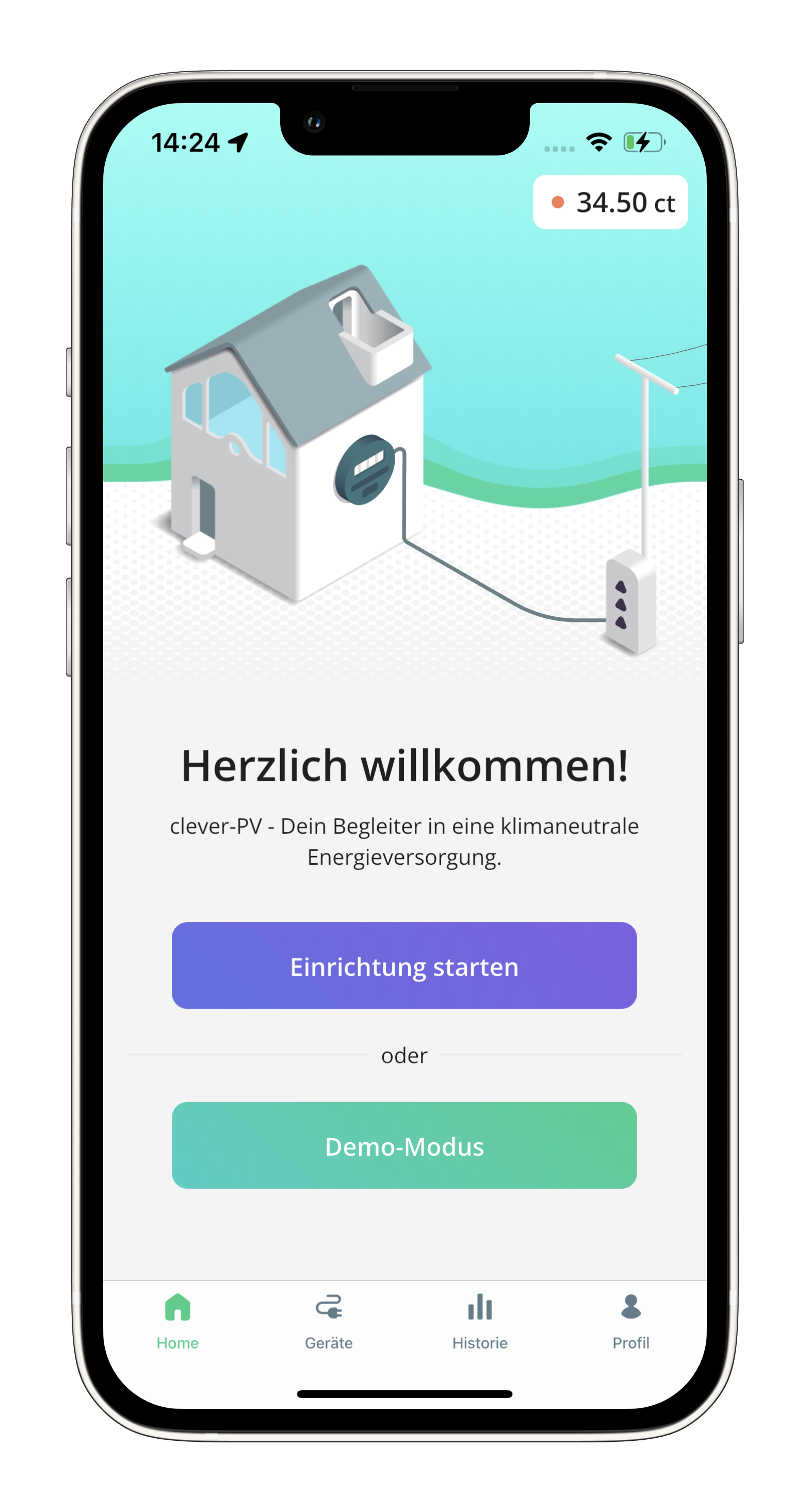
Step 1: Open the devices overview
- Open the clever-PV app
- Go to the Devices section
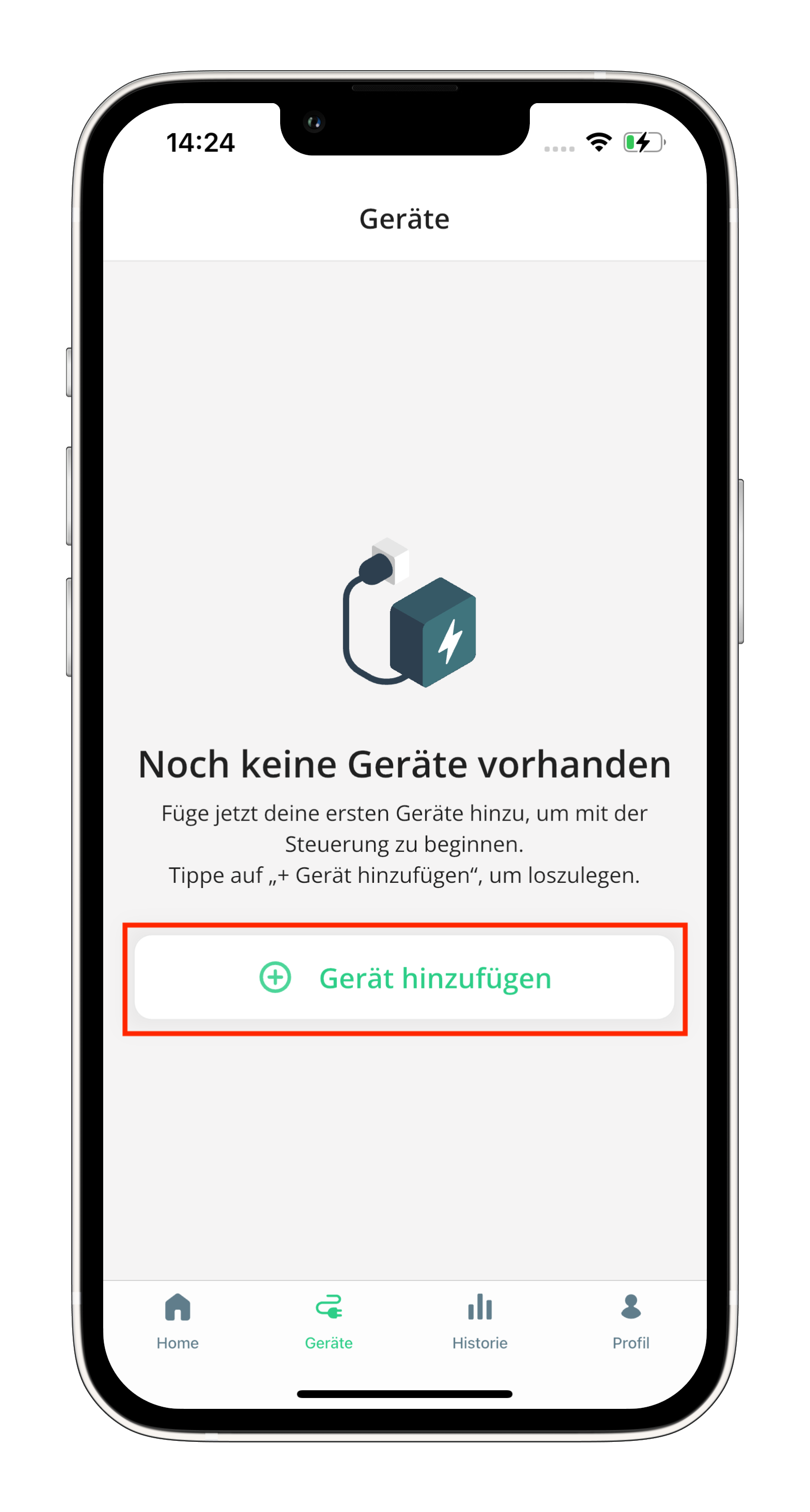
Step 2: Add a new device
- Tap Add device
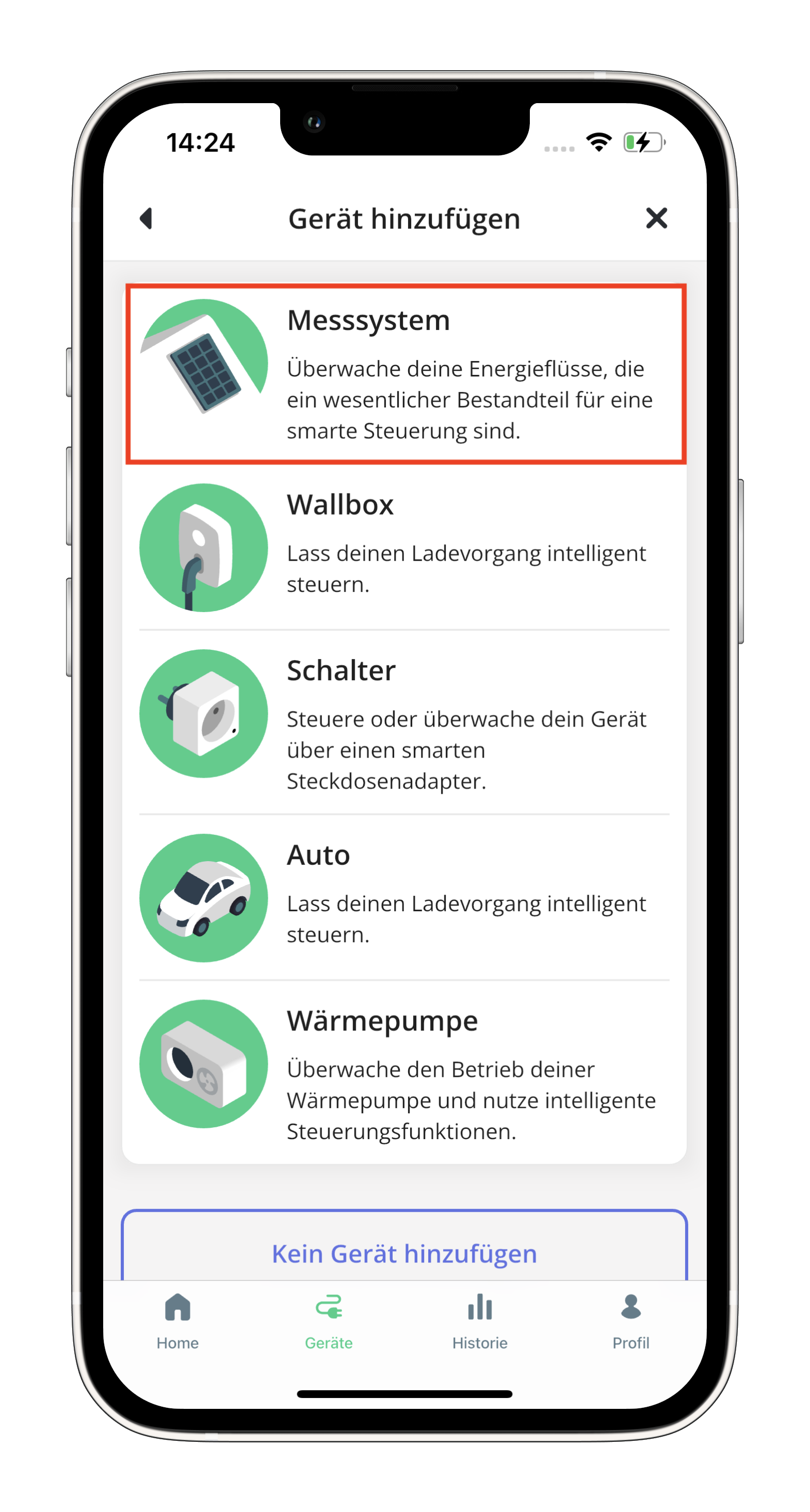
Step 3: Select measuring system
- Select the Messsystem (measuring system) option
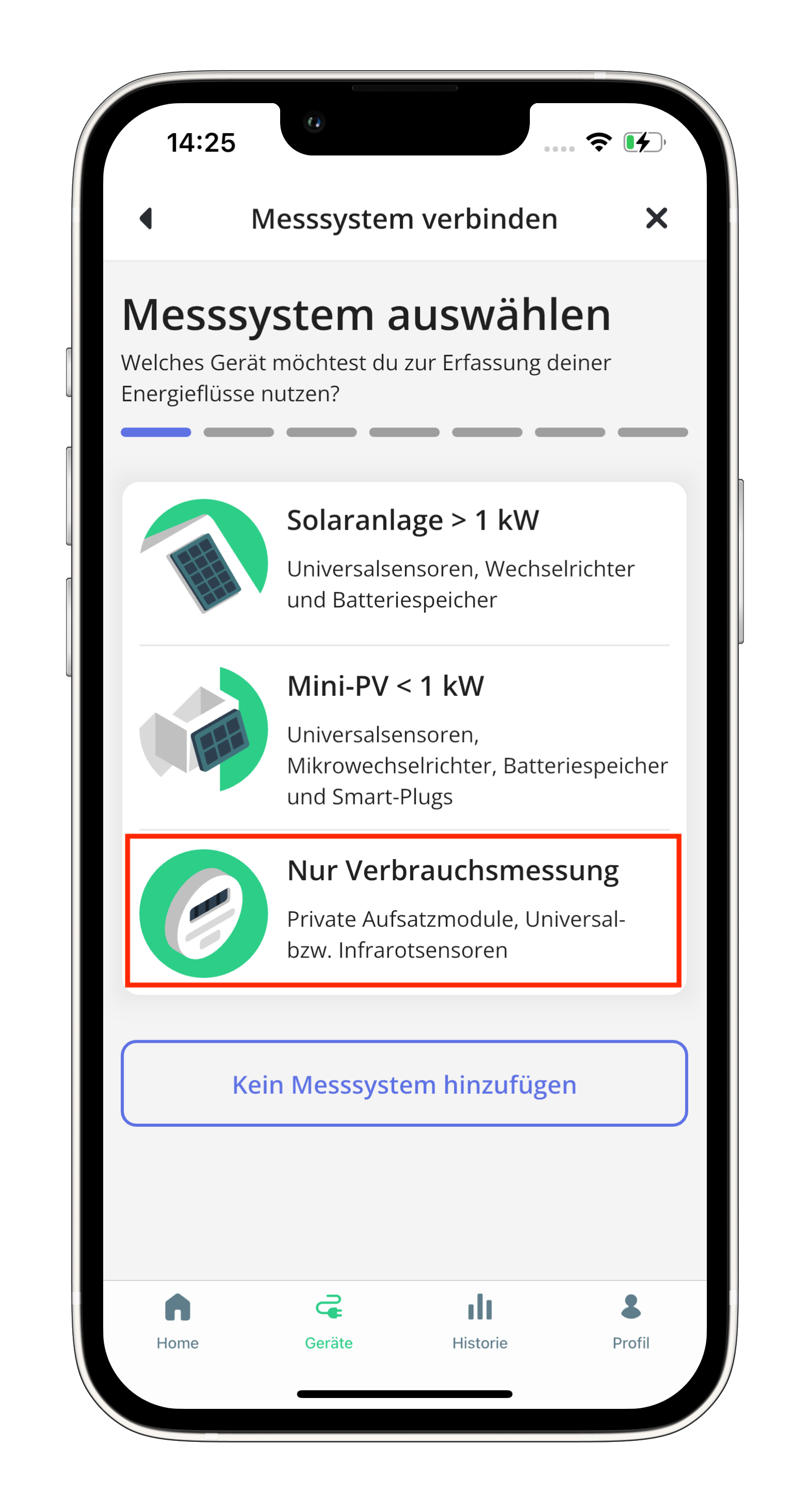
Step 4: Select consumption measurement only
- Select Nur Verbrauchsmessung (consumption measurement only)
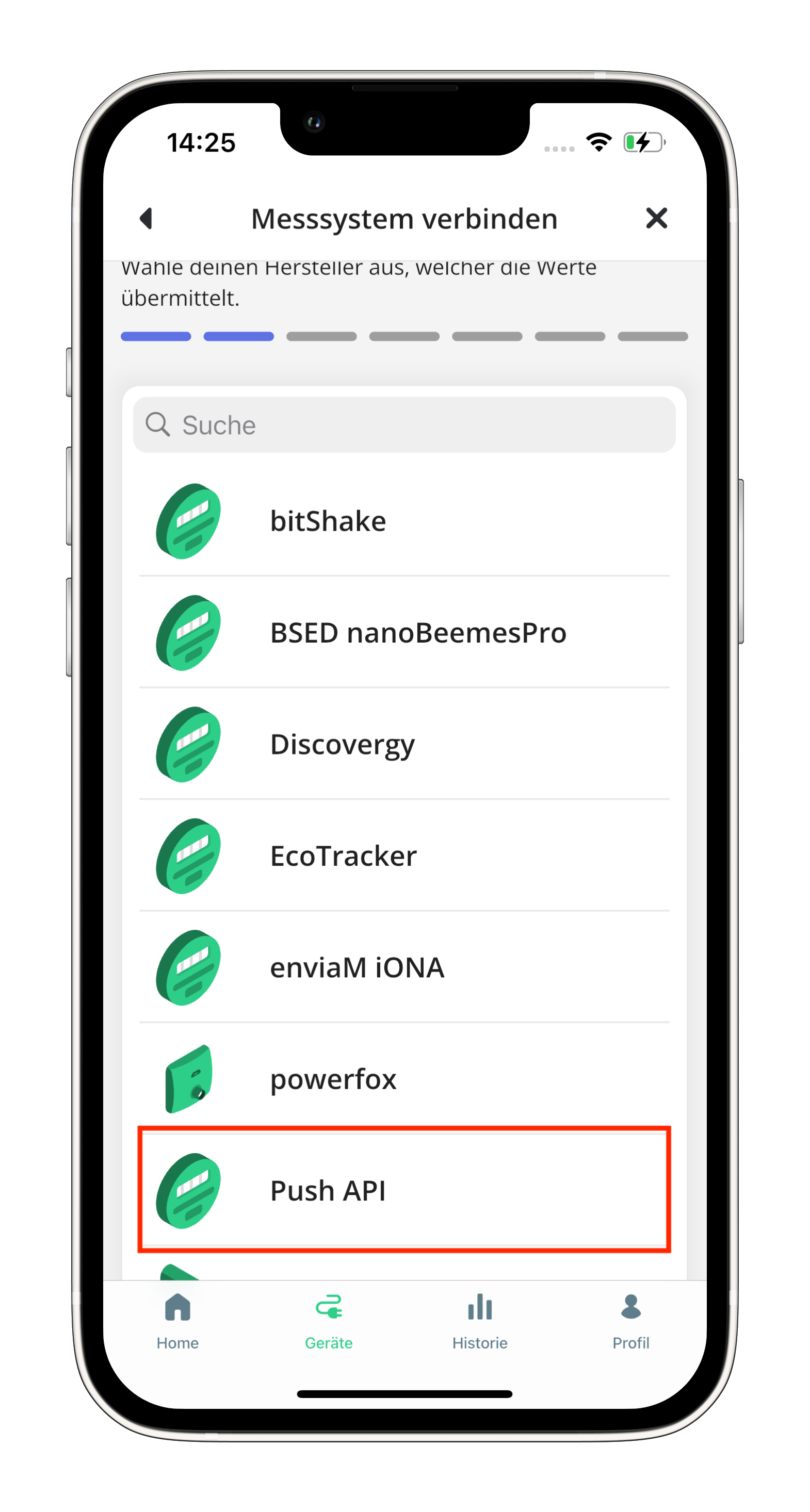
Step 5: Select Push API
- Select stromleser as the connection method
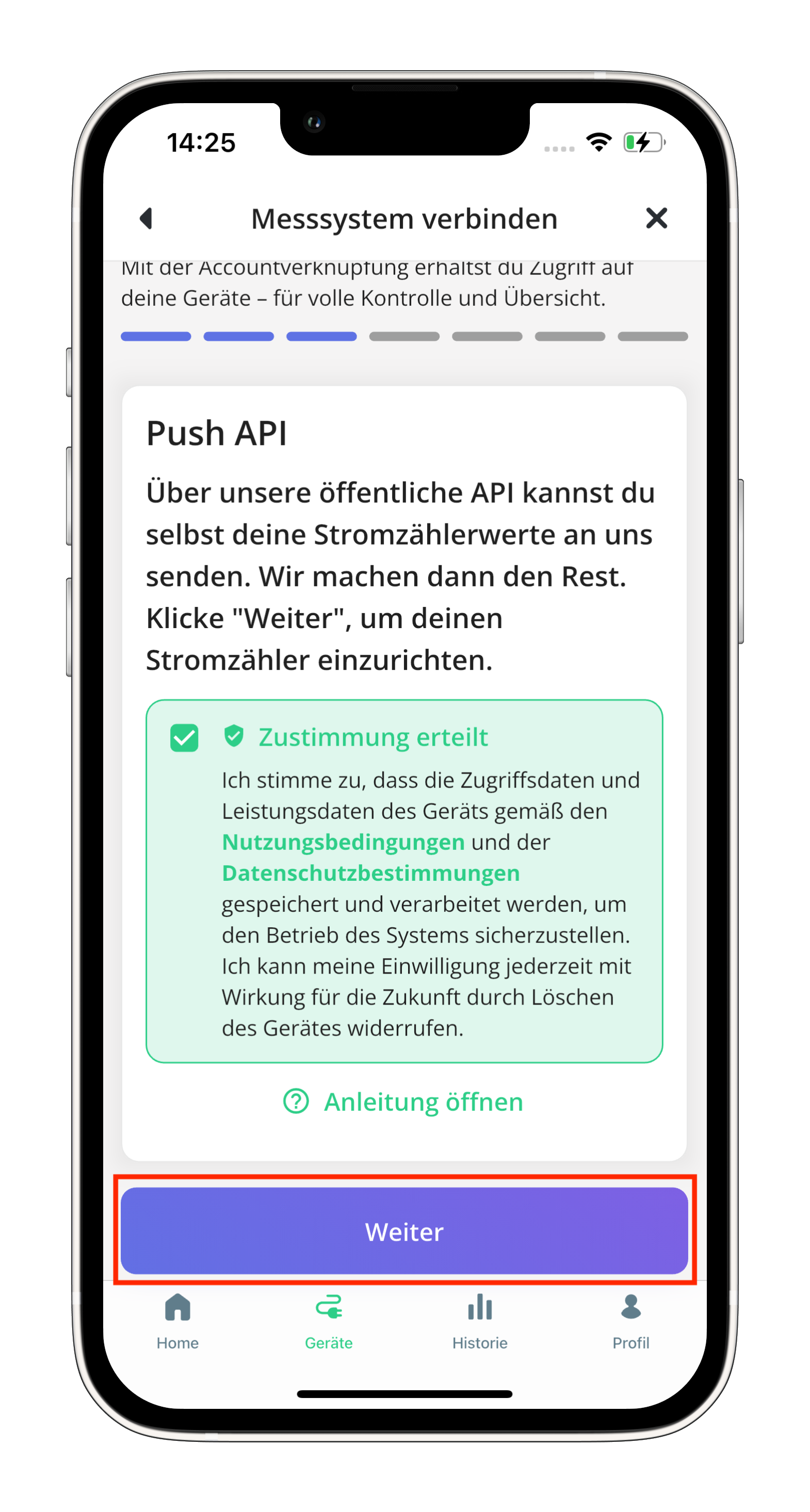
Step 6: Accept clever-PV terms of use
- Read through the terms of use and accept them
Step 7: Copy the Push API key
- A Push API key will now be displayed
- Copy this key — you'll need it shortly in the stromleser app
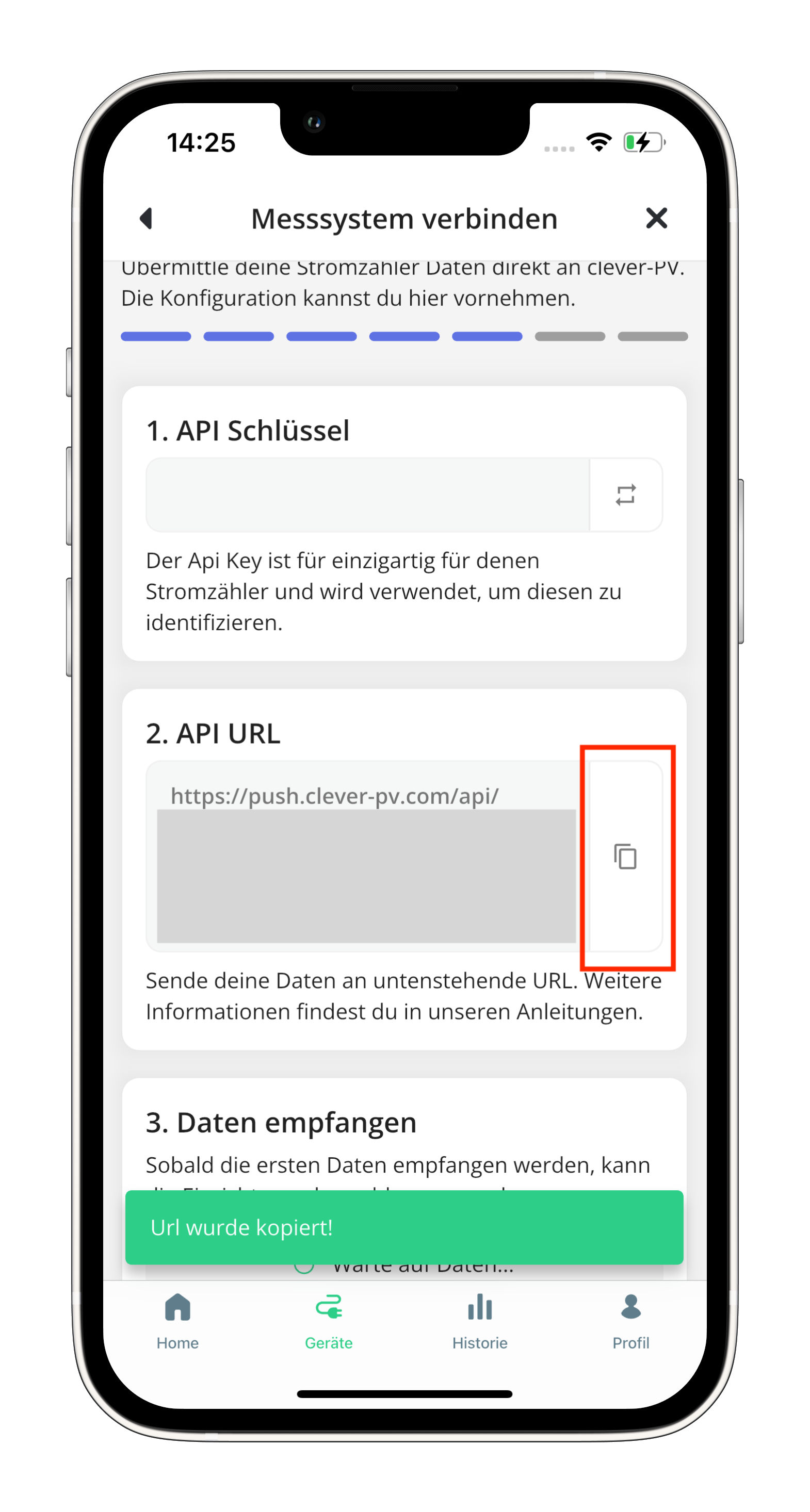
Copy the API key directly to your clipboard. You'll need it in the next step in the stromleser app.
Part 2: Set up the connection in the stromleser app
Step 8: Open integrations
- Open the stromleser app
- Go to Settings from the navigation bar
- Tap on Integrations
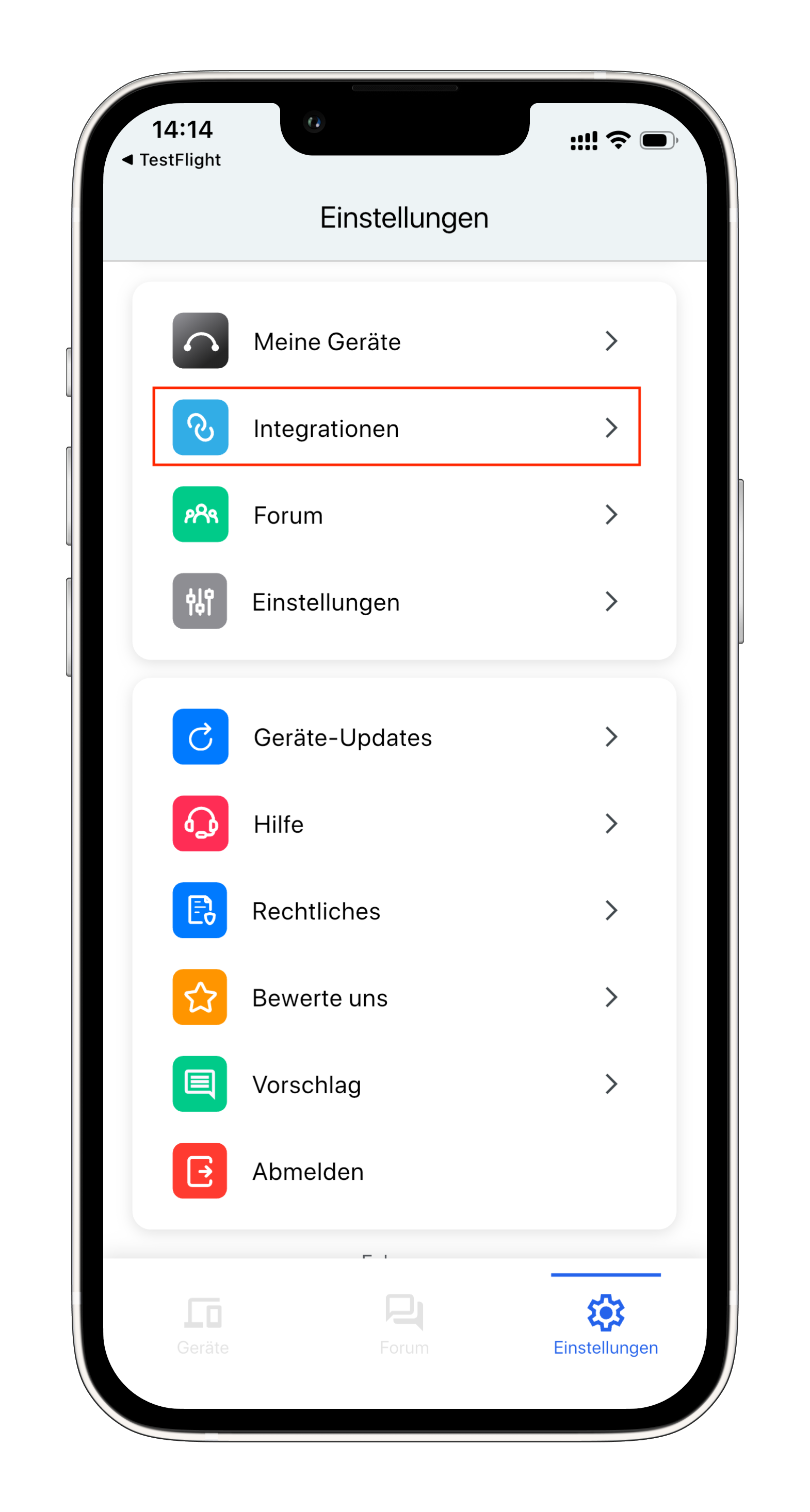
Step 9: Select clever-PV
- Select clever-PV from the list of available integrations
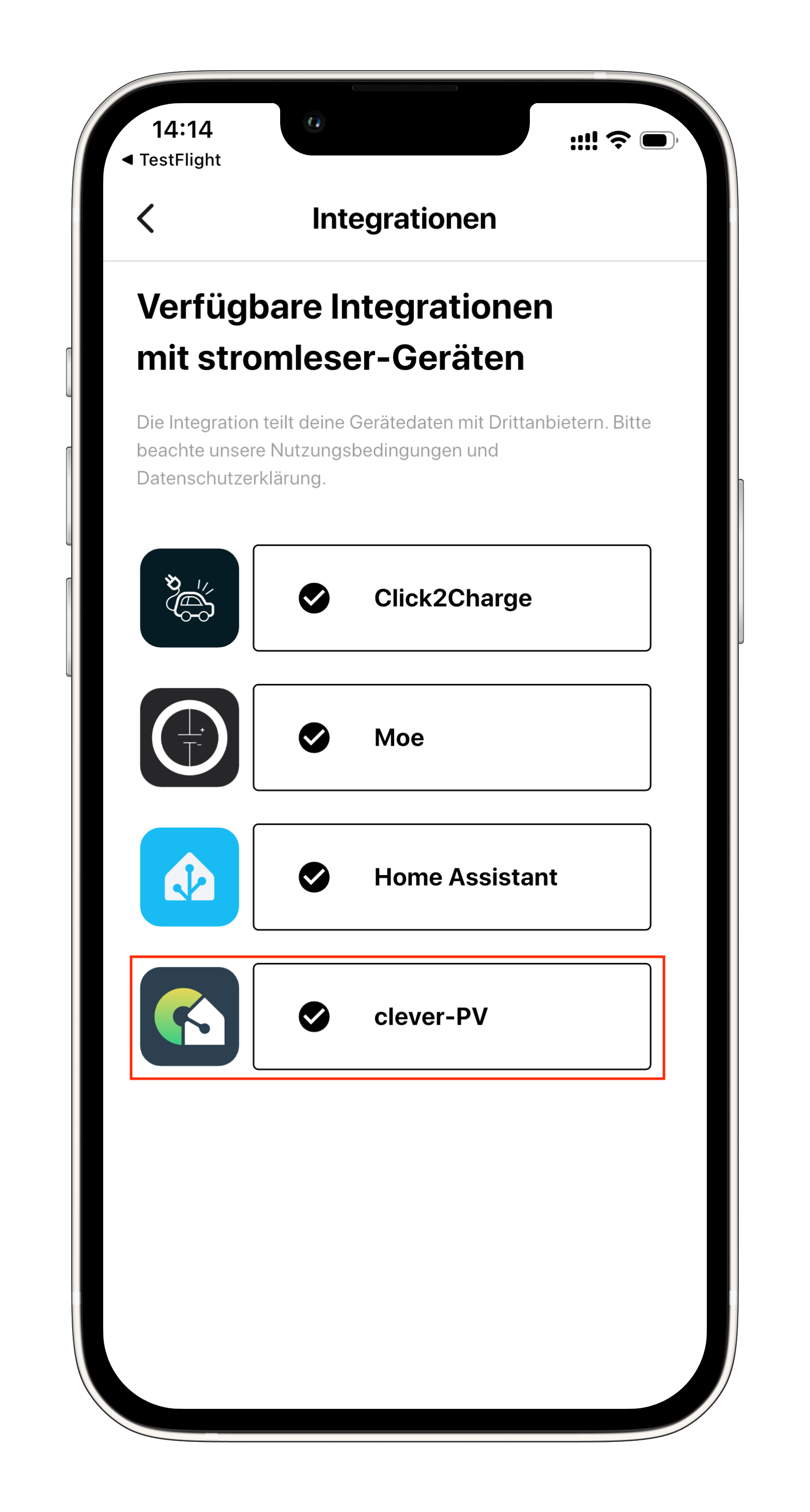
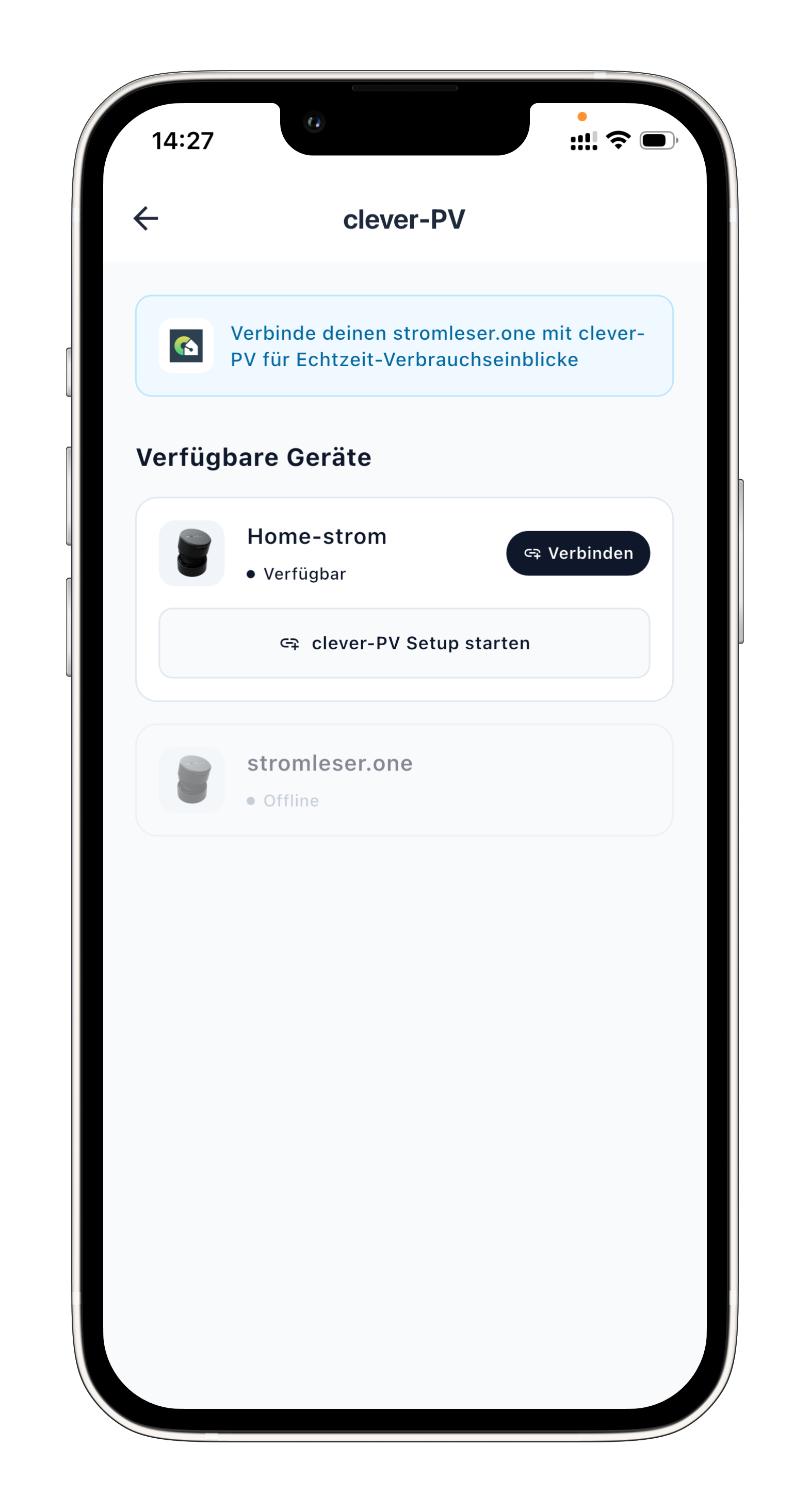
Step 10: Select your device
- Select the stromleser.one device you want to connect with clever-PV
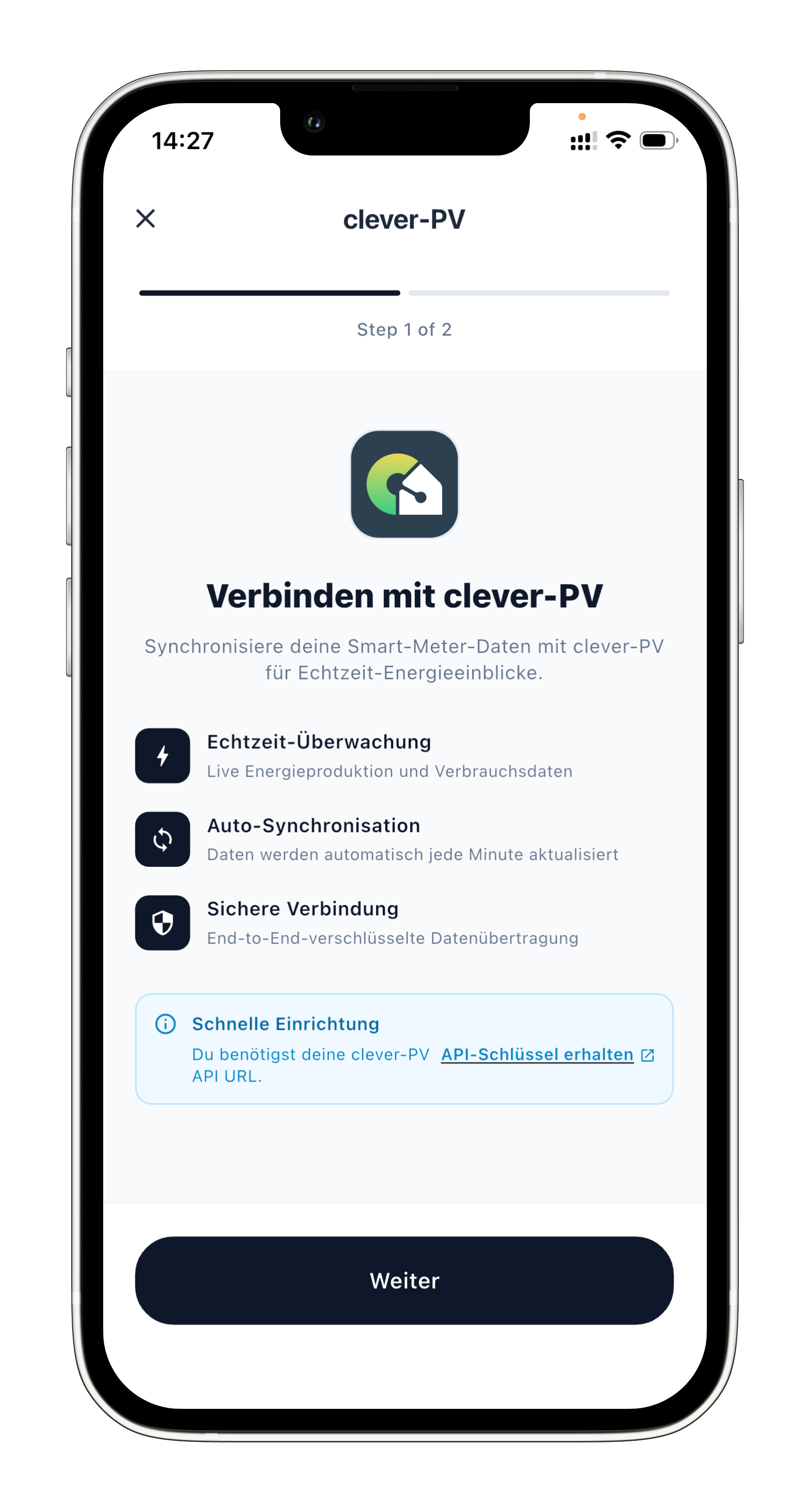
Step 11: Read the integration description
- Read through the integration description
- Tap Next
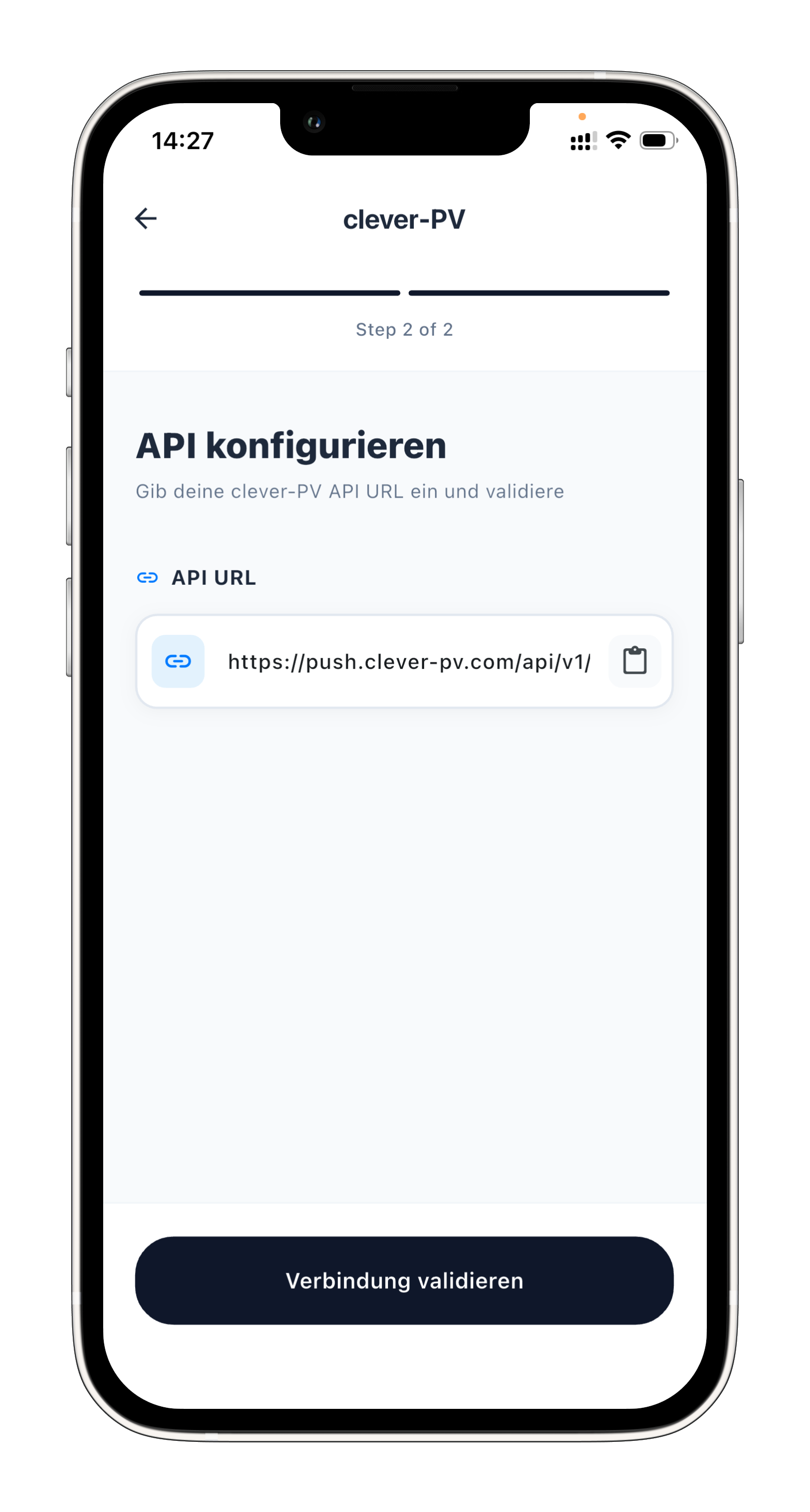
Step 12: Paste the API key and validate
- Paste the Push API key you copied earlier from the clever-PV app
- Tap Verbindung validieren (validate connection)
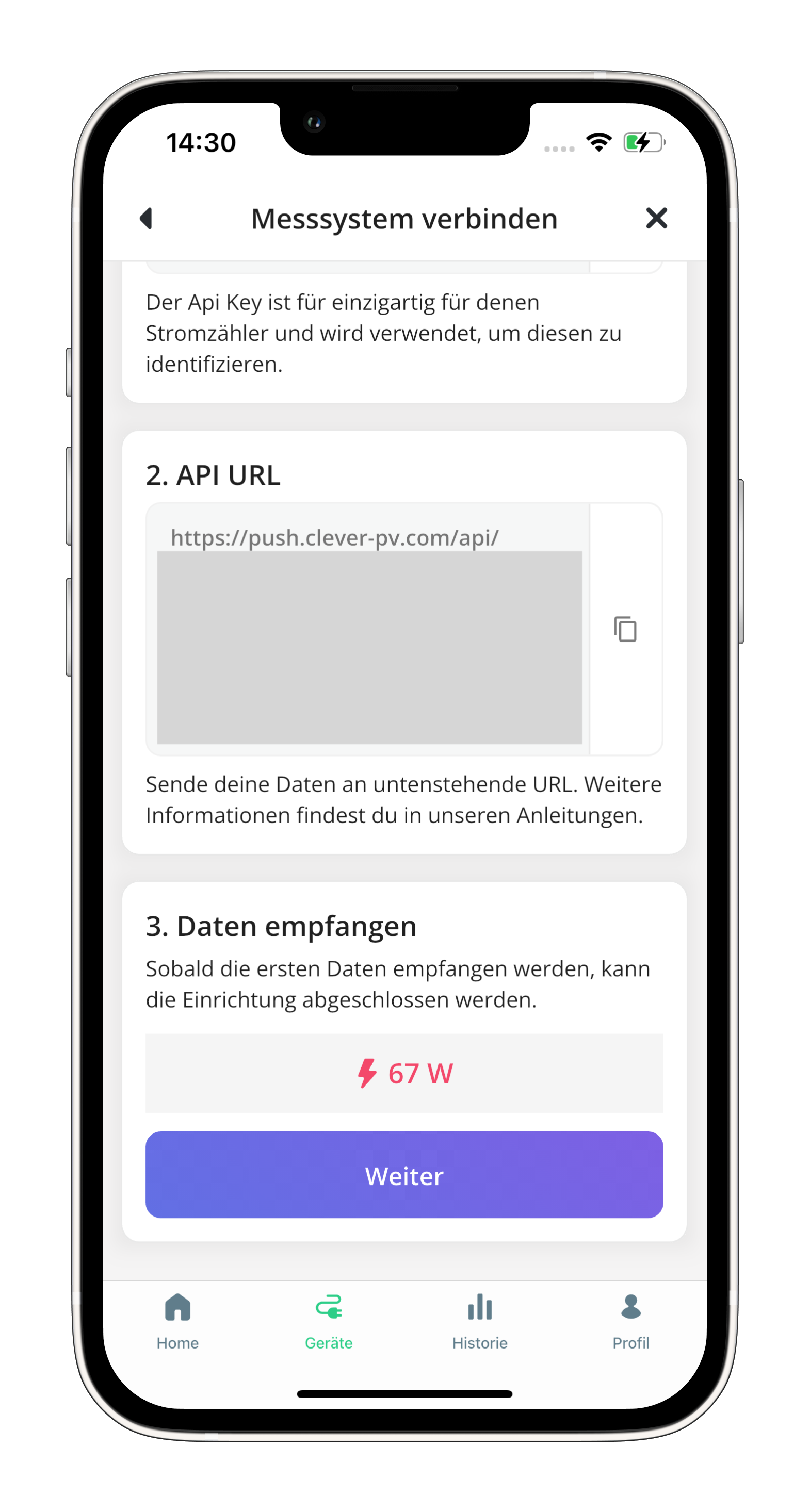
Step 13: Check data in clever-PV
- Now check the clever-PV app to see if data from your stromleser is already coming through
Step 14: Save the configuration
- If everything works and you can see data in clever-PV, go back to the stromleser app
- Confirm with YES to save the configuration
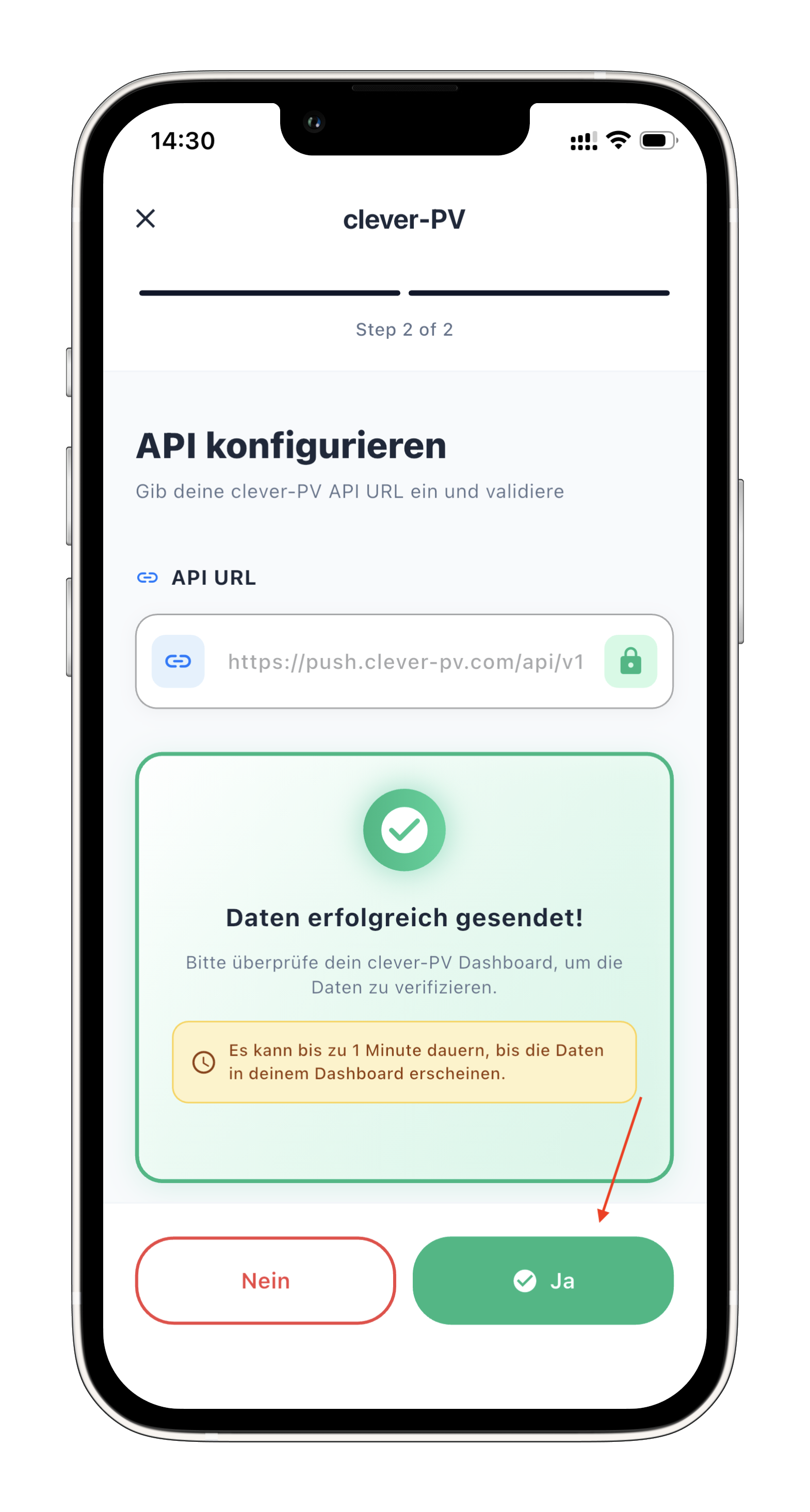
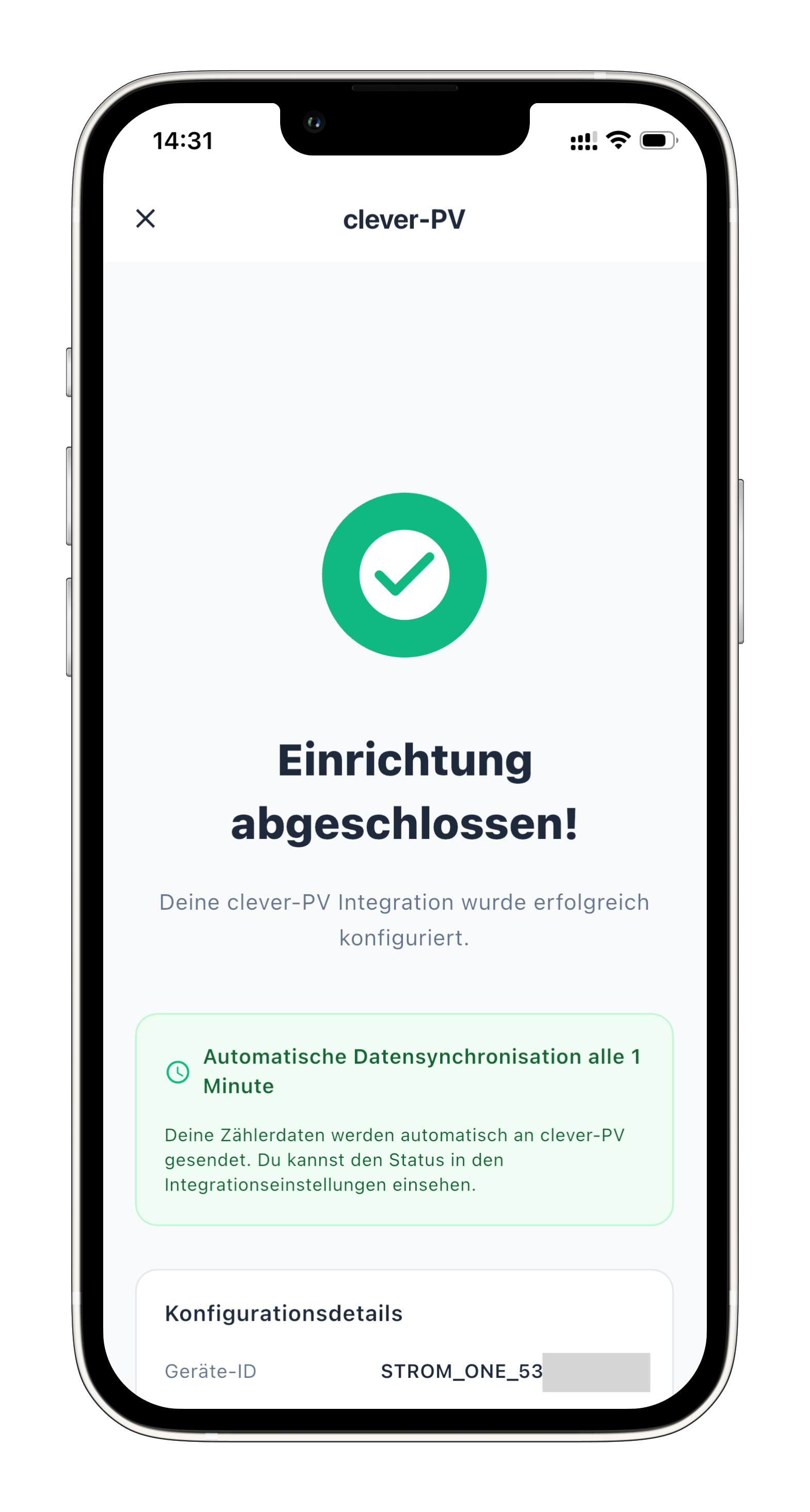
From now on, your power consumption data will be automatically sent to clever-PV every minute.
Setup complete
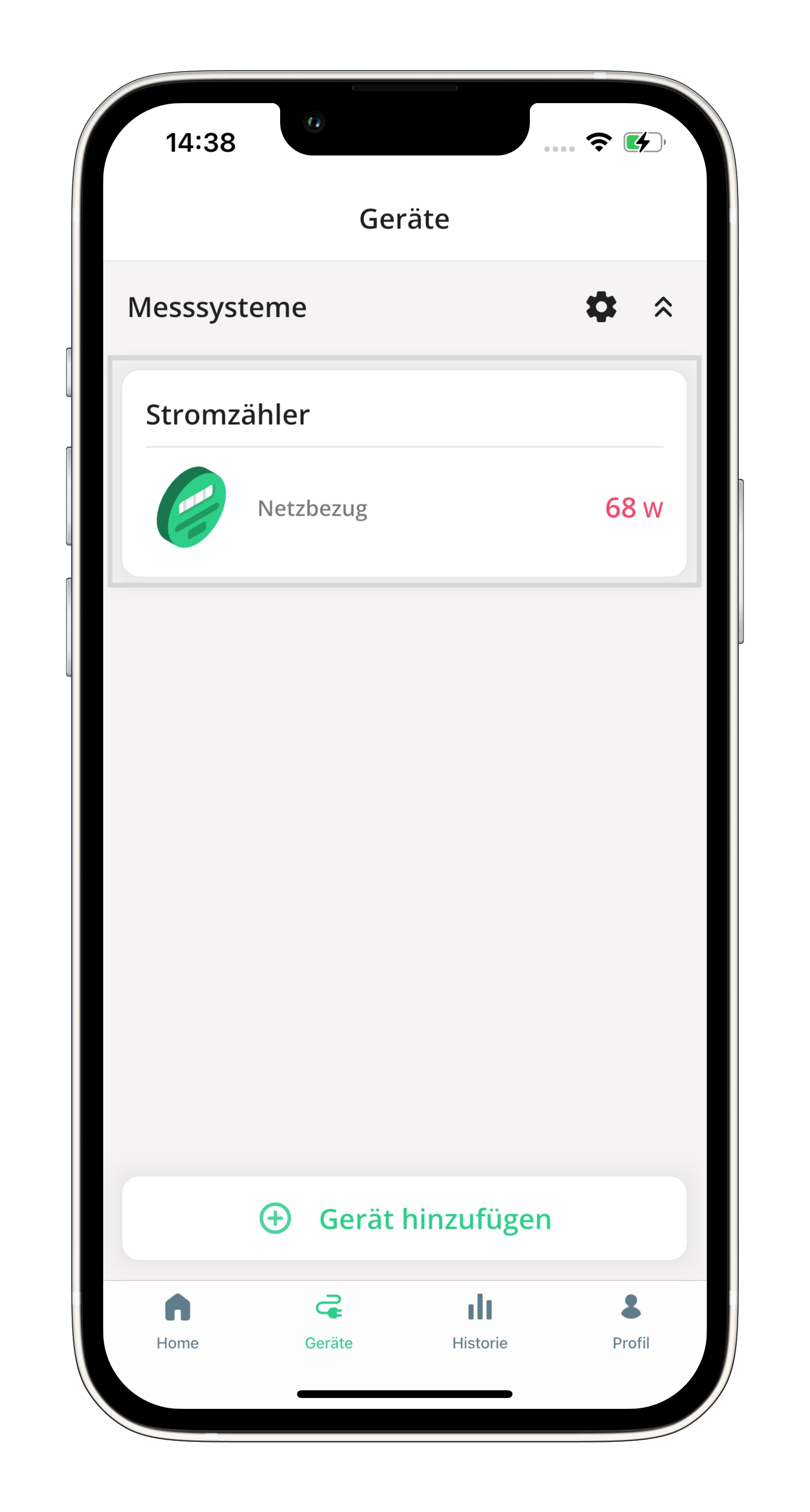
Your stromleser.one is now connected to clever-PV. Consumption data will be automatically transmitted every minute.
Troubleshooting
Connection validation fails
- Make sure you copied and pasted the API key correctly
- Ensure you selected the Push-API option in the clever-PV app
- Check your internet connection
clever-PV shows no data
- Wait a few minutes after setup — data is sent every minute
- Make sure your stromleser.one is delivering current measurement data
- Check in the stromleser app whether readings are being displayed
API key lost
- You can create a new Push API key in the clever-PV app under Devices
- After that, you'll need to enter the new key in the stromleser app