Device Removal
1. Open the Device Settings
- Open the app.
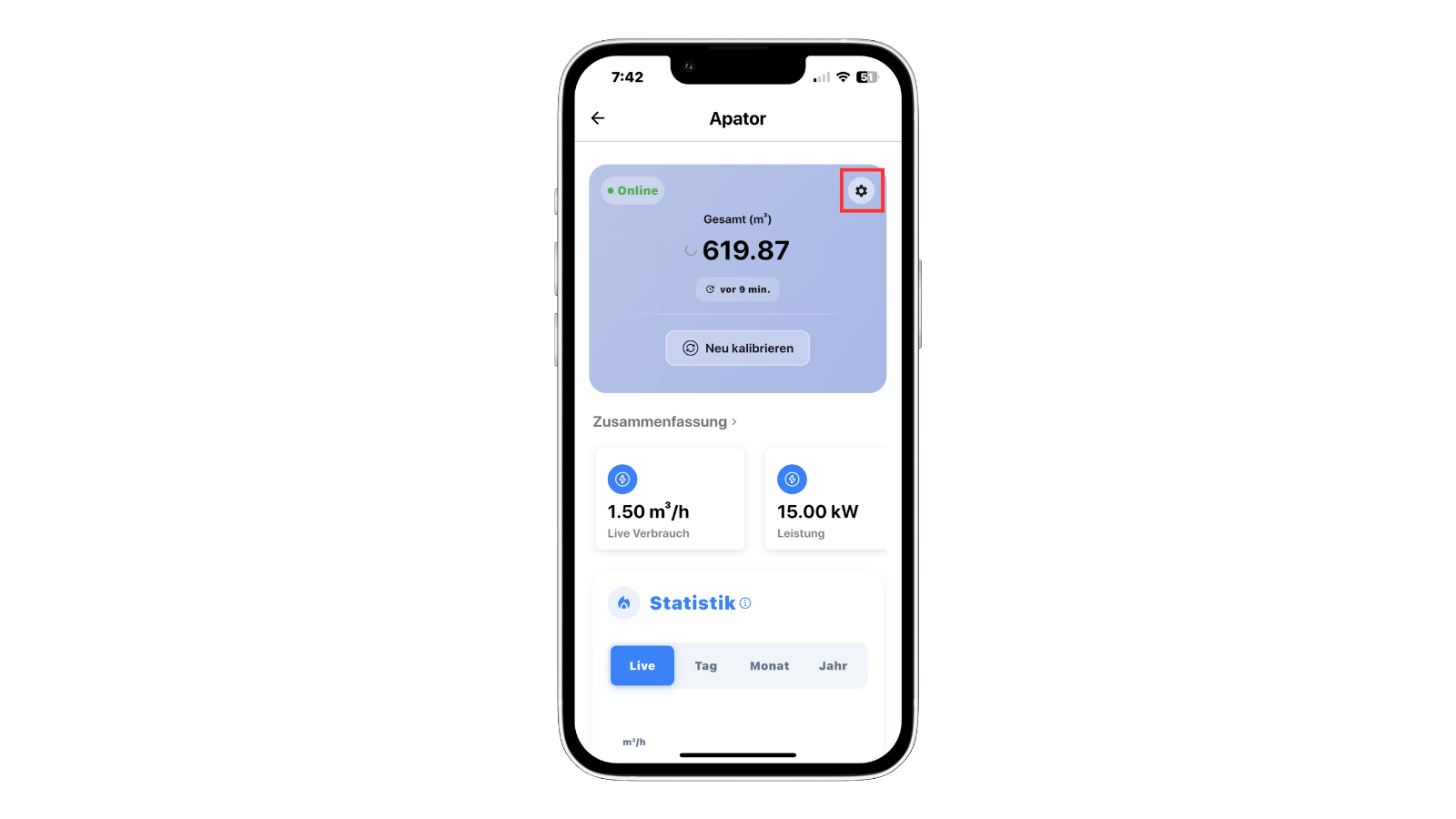
- Go to the device you want to remove.
- Tap the settings icon (⚙️) in the top-right corner to open the device settings.
2. Select "Delete Device"
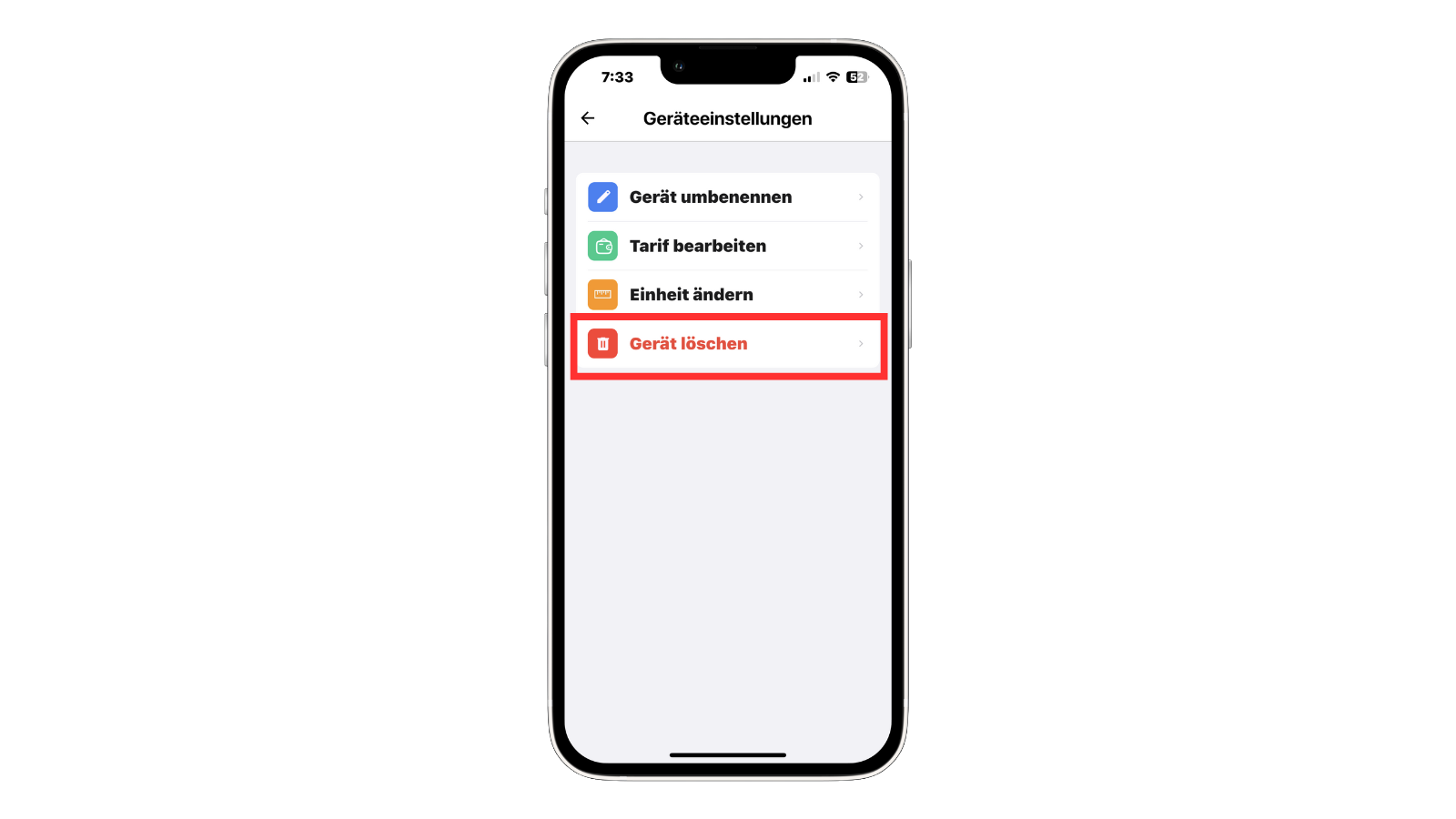
- Inside the device settings menu, you will find several options.
- Scroll down and tap "Delete Device" (highlighted in red).
3. Confirm the Deletion
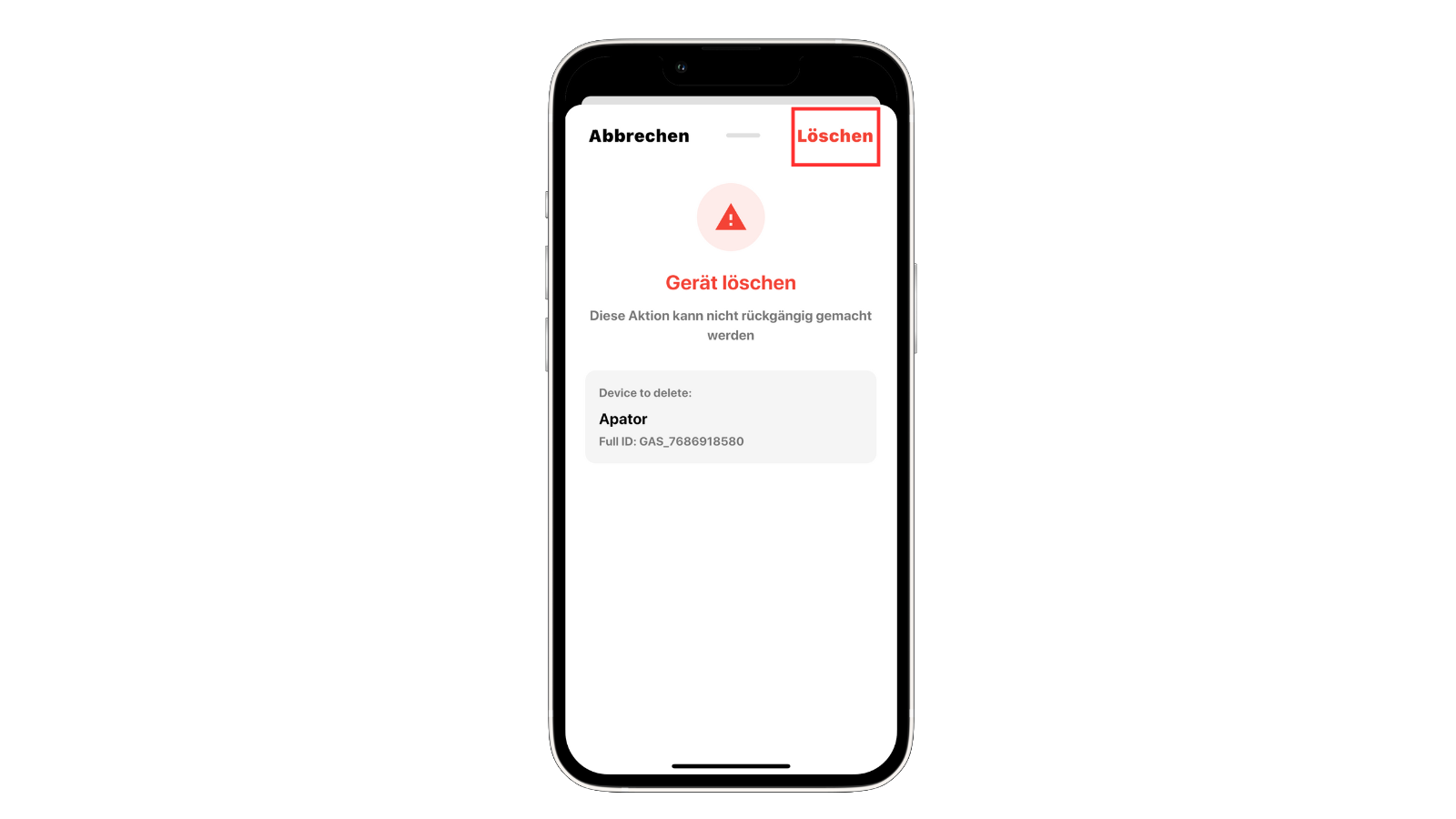
- You will be taken to the confirmation screen.
- Tap "Delete" in the top-right corner to permanently remove the device.
warning
This action cannot be undone.
4. Finished
- The selected device will now be permanently removed from your account.
5. Remove the Hardware
If you also want to remove the hardware from the gas meter:
- Unplug the USB-C cable
- Carefully detach the device with the metal plate from the meter interface
- Do not use tools that could scratch or damage the meter