Home Assistant Integration (native)
energieleser is now a native Home Assistant integration. You no longer need to install an MQTT broker, create a user, or configure anything manually. Just add the integration directly from the Home Assistant UI – in most cases your device is even detected automatically.
The native energieleser integration was introduced in Home Assistant 2026.7. If you are running an older version, please update your Home Assistant first.
Before you start, make sure your device is already connected to the internet and on the same network as your Home Assistant.
Compatible devices
The native integration supports the following devices:
- stromleser.one
- gasleser
- wasserleser
- wärmeleser
tasmota devices are not supported by this integration. For stromleser.tasmota, keep using the MQTT setup – follow the Home Assistant Basic Setup instead.
Method 1: Automatic discovery (recommended)
In most cases, Home Assistant finds your energieleser device on its own.
- Open Settings → Devices & Services
- Under Discovered, your device appears (e.g.
gasleser · 192.168.178.29) labeledenergieleser - Click Add
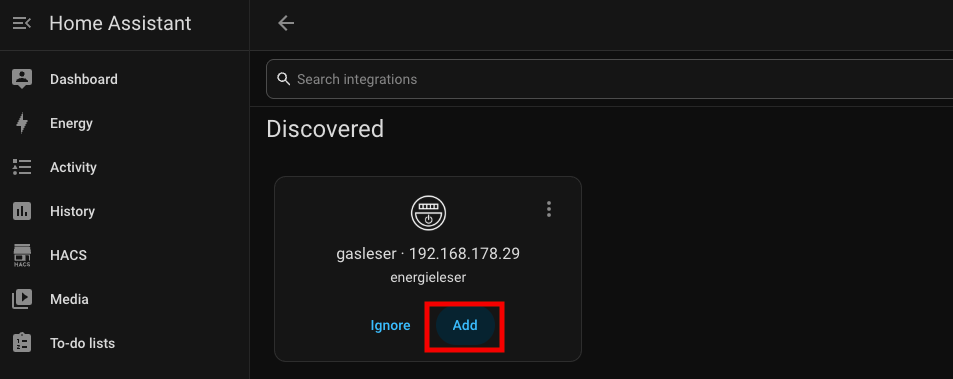
That's it – your device is now integrated.
Method 2: Manual setup
If your device isn't discovered automatically, you can add the integration manually.
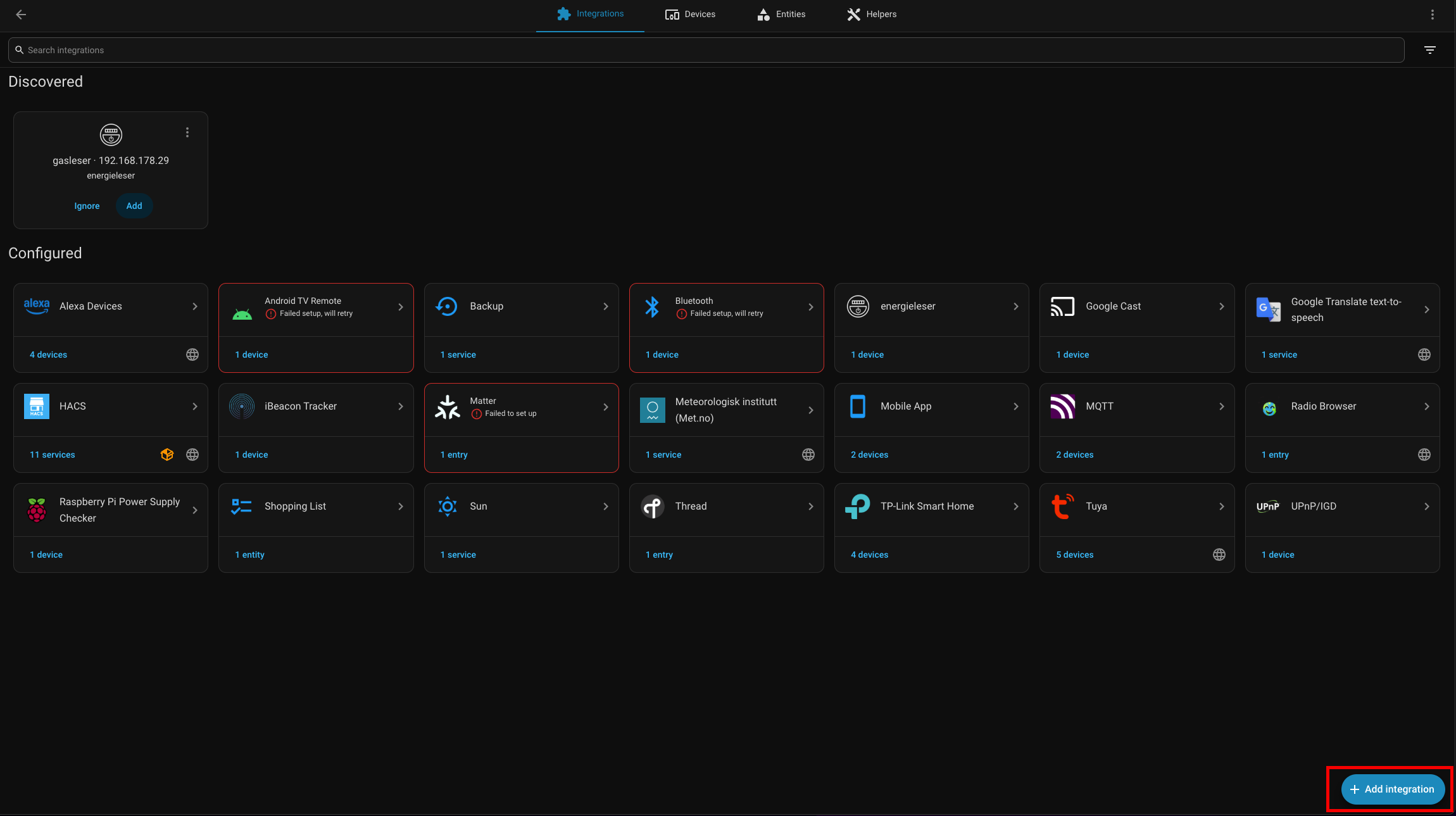
Step 1: Add the integration
Go to Settings → Devices & Services and click Add integration in the bottom right.
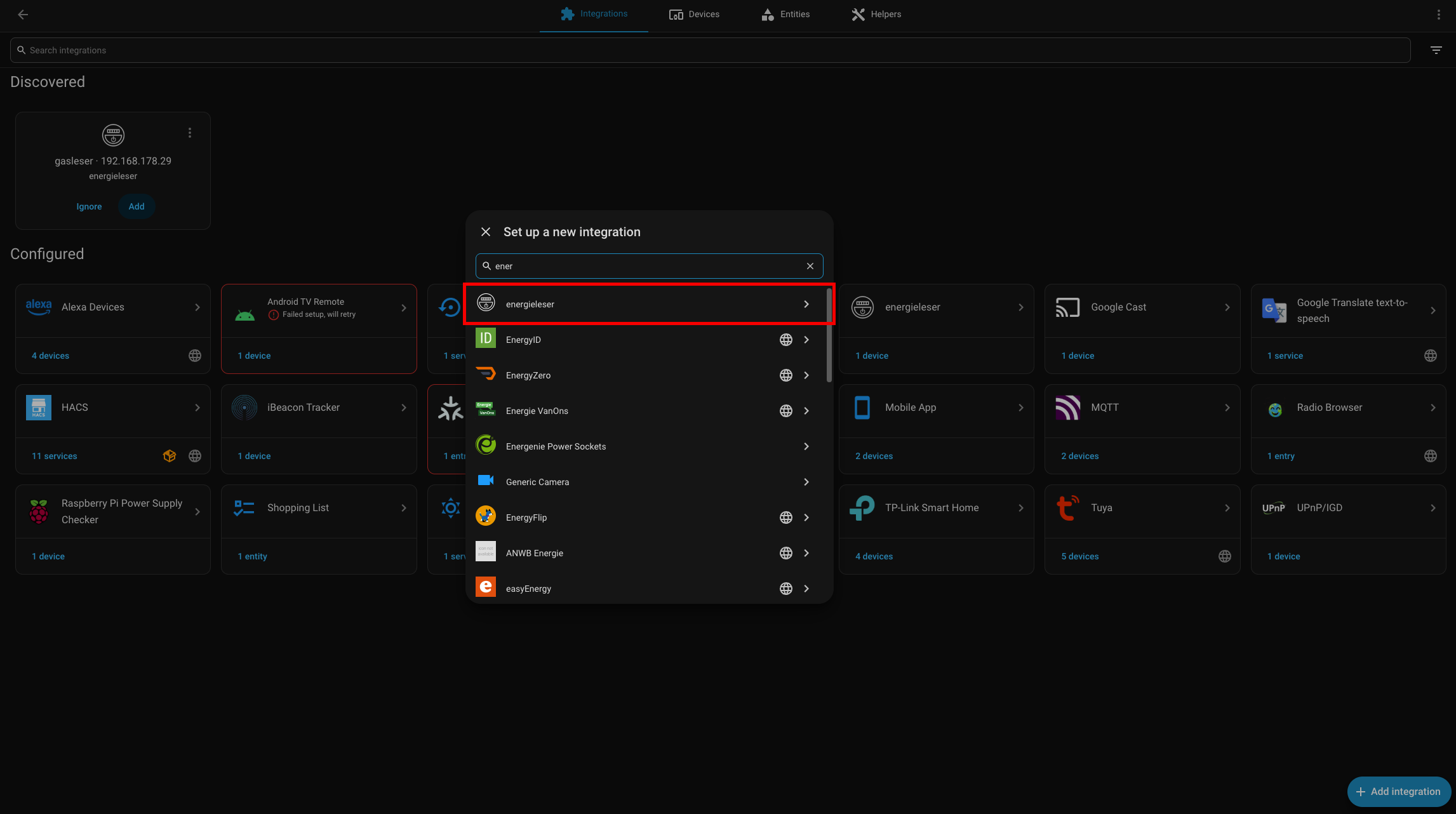
Step 2: Search for energieleser
Type energieleser in the search field and select the integration from the list.
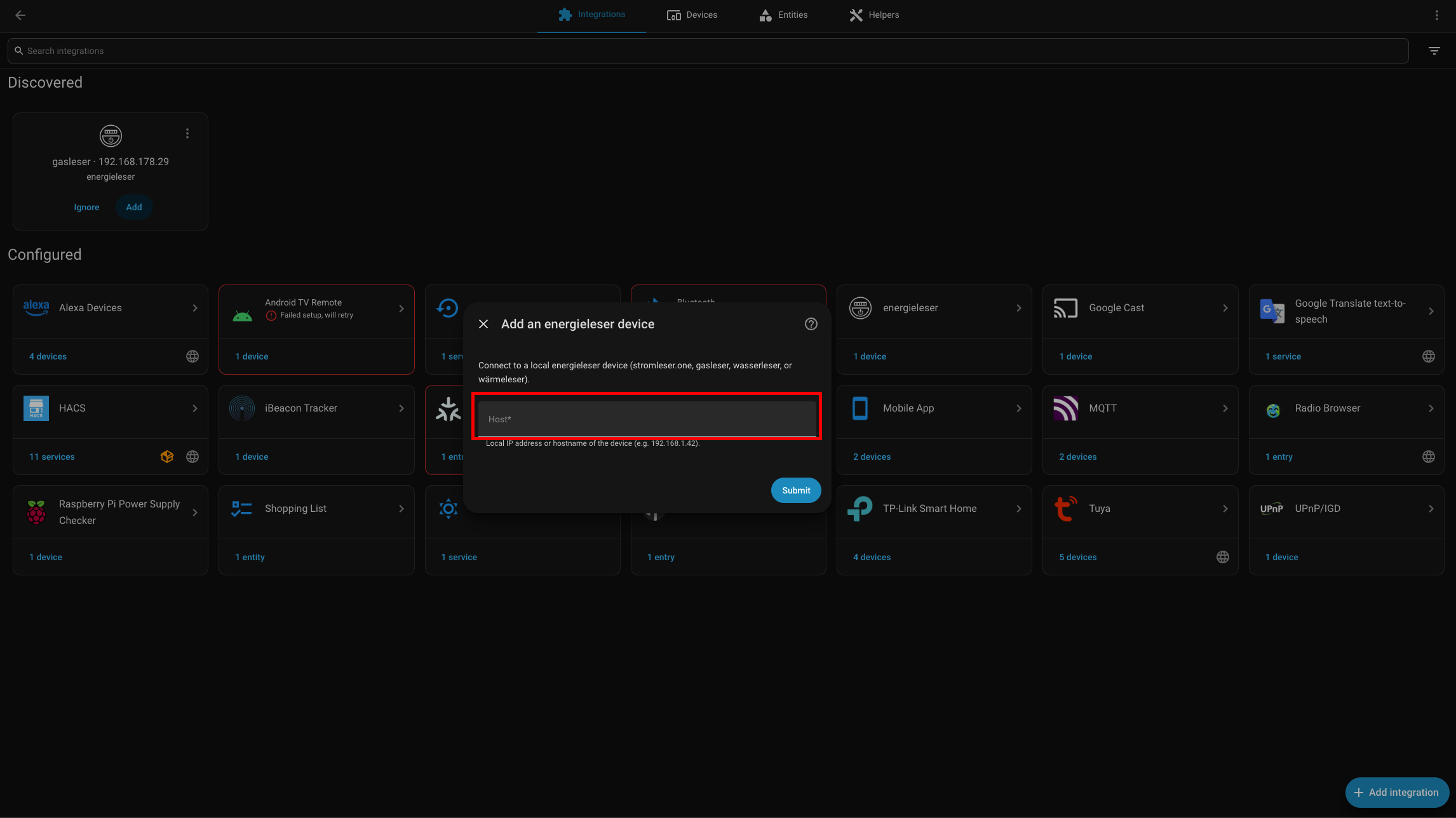
Step 3: Enter the local address
In the Host field, enter the local IP address or hostname of your device (e.g. 192.168.1.42) and click Submit.
After setup
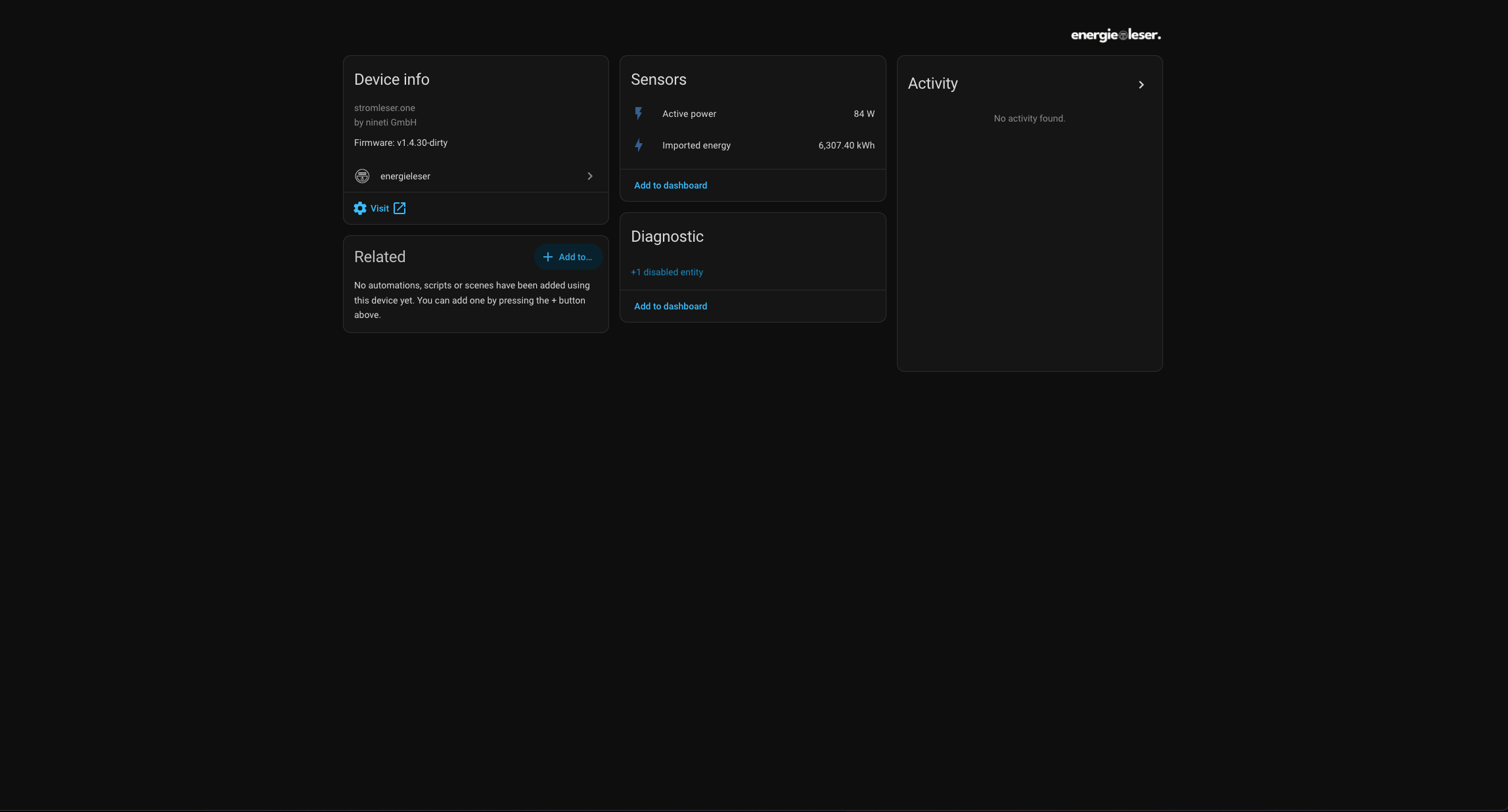
Once added, your device shows up with all available sensors – for example Active power and Imported energy. Use Add to dashboard to place the values directly on your dashboard.
Common issues
Device is not discovered automatically
- Make sure the device and Home Assistant are on the same network (subnet)
- Check that the device is online and connected to the internet
- Use the manual setup and enter the IP address directly
Connection error during manual setup
- Double-check the IP address or hostname you entered
- Make sure the device is reachable on the network (e.g. via ping)
- Check your firewall settings