Hardware installation
Adding TTL to Current Reader
If you want to add an additional TTL read head, follow the next steps.
Step 1: Connect the TTL Reading Head
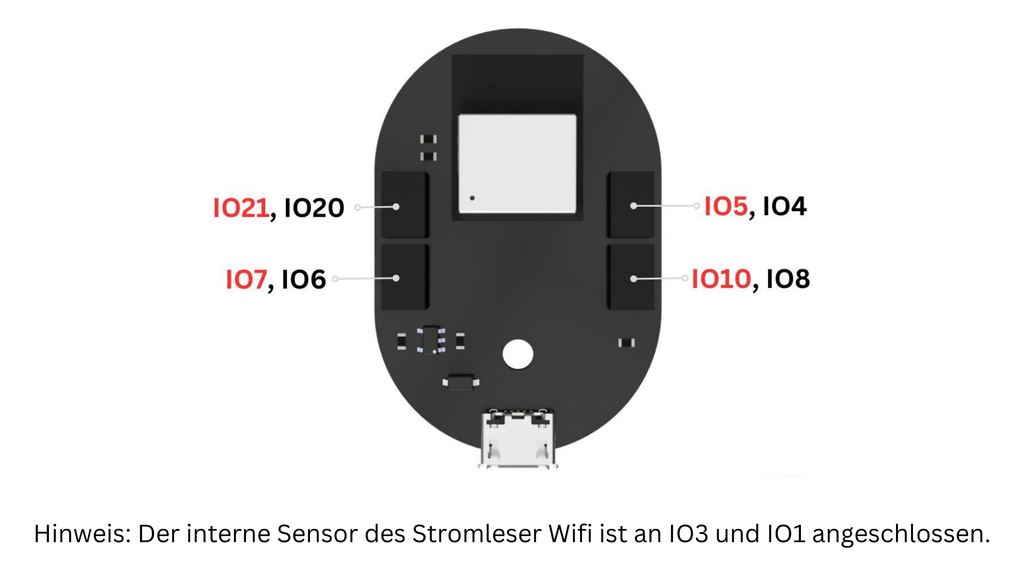
Plug the TTL reading head into the IO5 (TX) and IO4 (RX) pins on your Stromleser.Tasmota board.
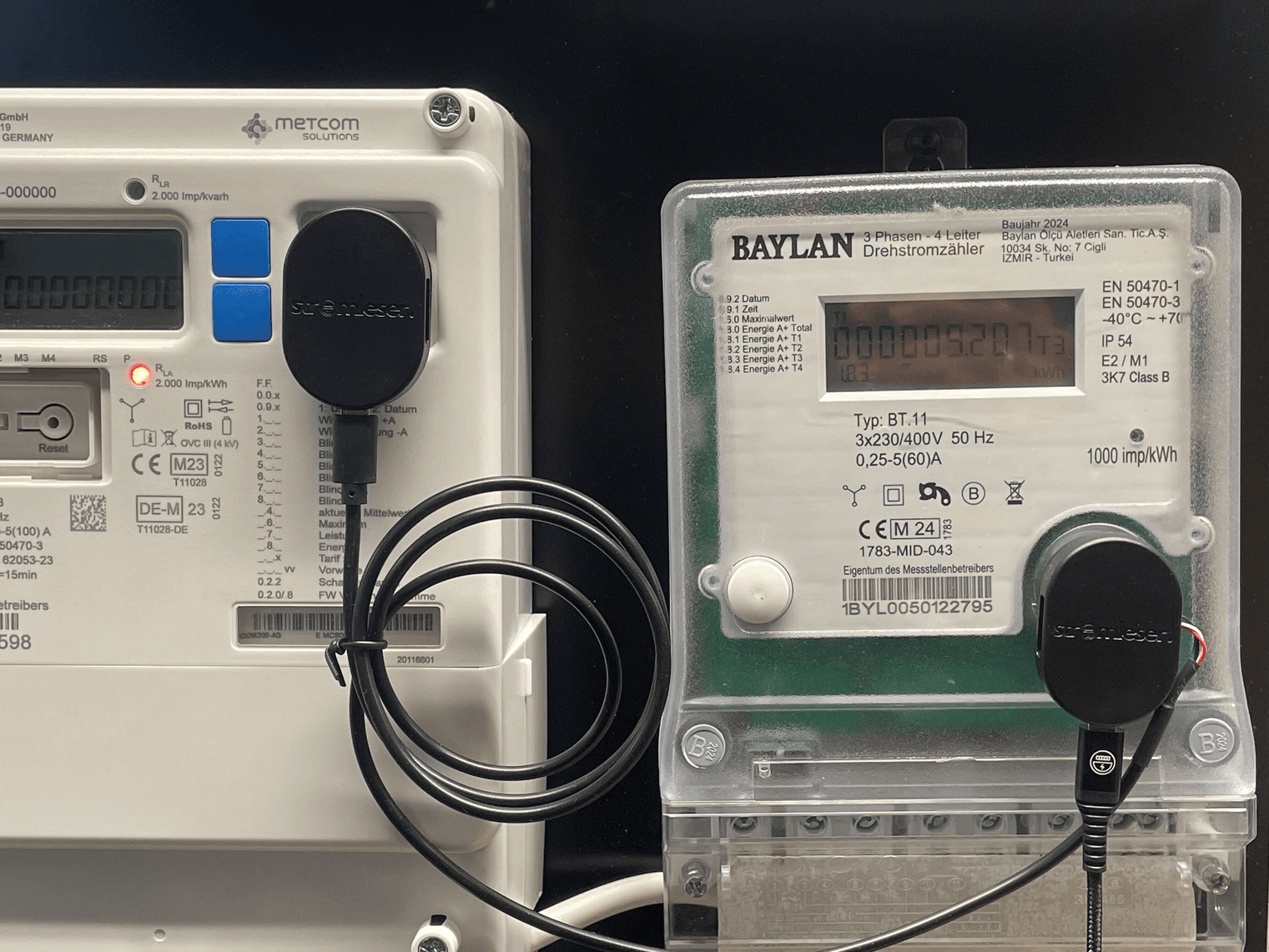
Attach the TTL head to the second electricity meter’s optical port. Ensure it is firmly aligned with the LED/IR port. If readings later appear unstable, adjust alignment slightly (30–45° tilt often helps).
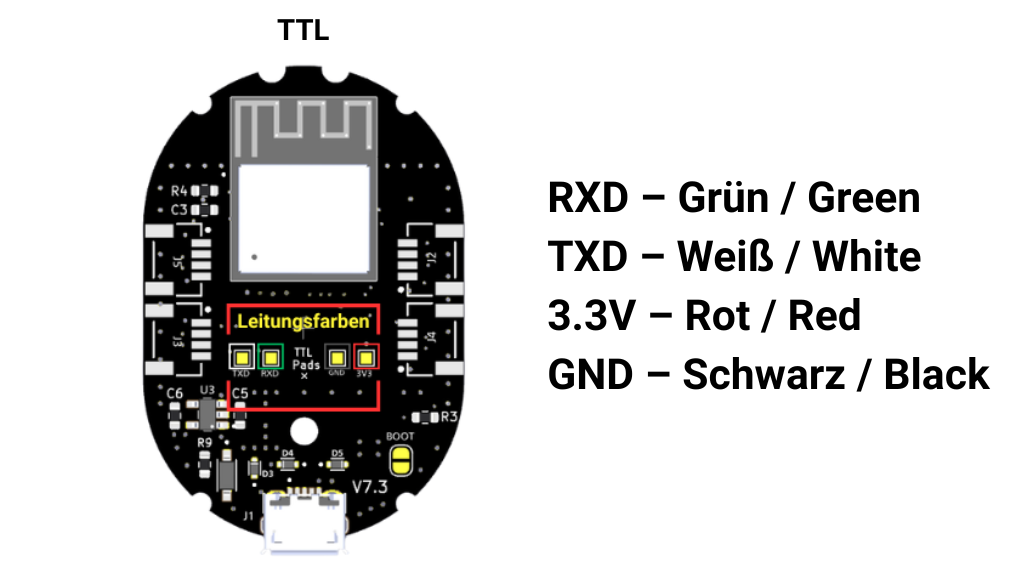
TTL Cable Color Codes (Optional)
Not needed if using Stromleser TTL with Stromleser.Tasmota. Use only when connecting the TTL head to a development board:
- Red → VCC (+3.3 V)
- Black → GND
- Green → RX (IO4)
- White → TX (IO5)
Next Step
After successful mounting, continue with the Firmware setup.